
How to Automate Attendance Management: A Fast and Practical Guide
A step-by-step guide to automating employee attendance tracking. Learn the three main approaches, a 30-day rollout plan, must-have features, and key integrations.

By: Deepit Patil
Co-Founder and CTO
Published
Updated
Edited by Craze Editorial Team · See our Editorial Process
Manual punches, endless CSV downloads from devices, and email-based regularizations: sound familiar?
For HR managers and operations leads at startups and growing SMBs, these bottlenecks mean late nights fixing payroll errors, frustrated employees, and constant back-and-forth with managers. Even larger teams struggle to keep attendance error-free when systems are fragmented.
Intelligent attendance systems have driven a 42% efficiency increase in attendance accuracy according to industry data, a significant jump from error-prone spreadsheets to reliable, rule-driven tracking.
This guide walks through how to break that cycle: the three main automation approaches, a 30-day rollout plan, must-have features, and the integrations that make everything work together.
Overview
-
Automated attendance is the digital capture of in/out times with shift logic, approvals, payroll sync, and an audit trail. It replaces manual uploads and corrections with clean, real-time data.
-
Before: late arrivals, missed punches, and manual fixes. After: clear rules, automatic tracking, and accurate records.
-
Before: device CSVs and email regularizations. After: live sync across devices, web, and mobile.
-
Before: payroll errors and endless rework. After: automated calculations and compliance built in.
-
30-day rollout:
Week 1: Audit policies and current gaps
Week 2: Configure shifts, leave rules, and payroll sync
Week 3: Pilot with one department
Week 4: Company-wide rollout
Three Ways to Automate Employee Attendance
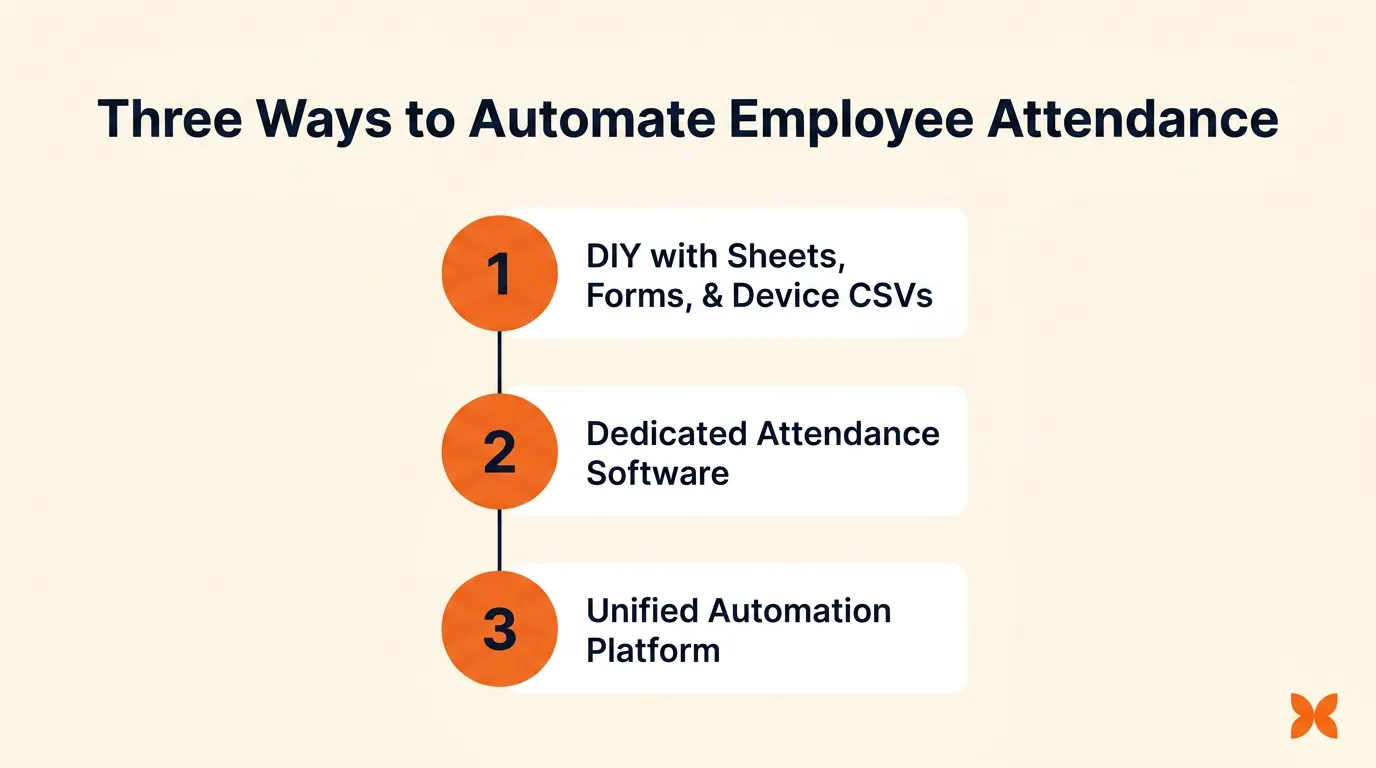
Not every business needs the same level of automation. Depending on your team size, complexity of shifts, and payroll setup, there are three main paths to move away from manual attendance tracking. Here is how each option works, along with the risks and best-fit scenarios.
1. DIY with Sheets, Forms, and Device CSVs
This method uses device exports or web forms feeding into a master sheet. Rules are managed with formulas or basic scripts, while approvals often happen over email or Slack.
-
Best for: Very small teams, single office, and simple shift patterns
-
Risks: Scripts break easily, edge cases like night shifts are not covered, poor audit trail, and frequent payroll mismatches
2. Dedicated Attendance Software
A standalone attendance application connects to devices, applies shift logic, and manages regularization workflows. It centralizes tracking but still runs separately from payroll and leave.
-
Best for: Teams of 20 to 120 employees with moderate complexity
-
Risks: Duplicate configuration for leave and payroll, integration friction, and incomplete overtime or loss-of-pay syncing
3. Unified Automation Platform
A unified platform brings attendance, leave, payroll, and employee self-service into one system. It serves as the single source of truth for time tracking policies and eliminates the need to reconcile data across disconnected tools.
-
Best for: 20 to 500+ employees across multiple locations
-
Benefits: Device, web, and mobile capture; real-time payroll sync; unified audit trail; and error-free compliance
Choosing quickly matters. Manual errors and payroll delays only compound as teams grow. Here is a framework for matching team size and complexity with the right solution.
Quick Guide to Choosing the Right Attendance Automation Method
Every business has different needs based on team size, number of locations, and the complexity of attendance rules. Use this quick guide to find the right approach.
-
Up to 20 employees, single location, simple shifts: A DIY setup with sheets and forms can work. Revisit your automation approach in 6 to 12 months as your team grows.
-
20 to 120 employees, multiple shifts or devices: A dedicated attendance tool is suitable, but only if it offers reliable device integration and payroll sync.
-
20 to 500+ employees or complex rules (rotations, night shifts, overtime, grace/penalties): A unified platform ensures accurate attendance, real-time payroll sync, and eliminates duplicate work across disconnected tools.
Now, the real question is how to put it into action without slowing down your business. That is where a clear, step-by-step rollout plan makes all the difference.
7-Step Plan to Implement Employee Attendance Automation in 30 Days
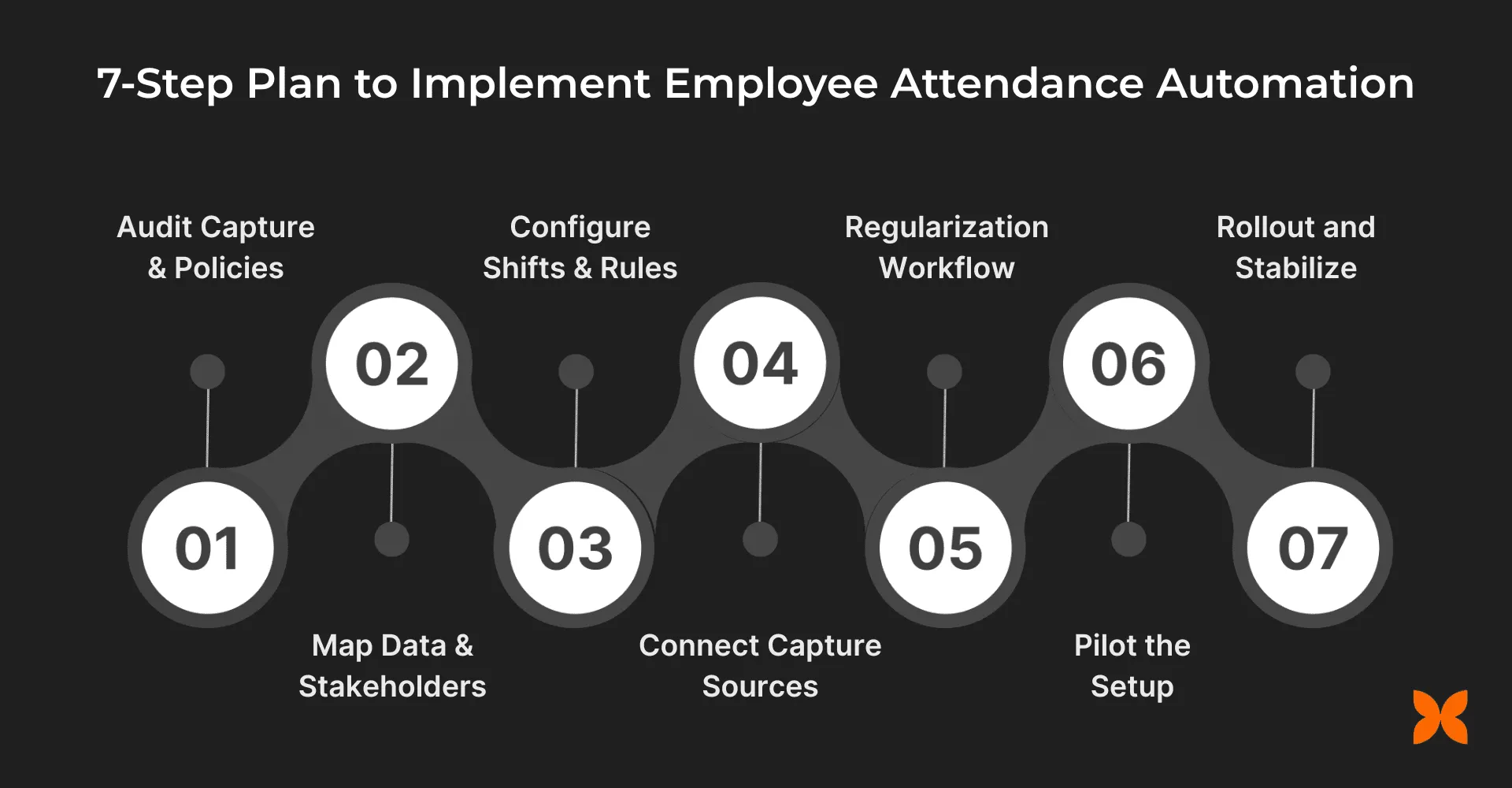
Rolling out an automated attendance system does not have to take months. With a clear framework, you can go from messy manual processes to a fully functional, integrated setup in just four weeks. Here is how to do it step by step.
Week 1:
-
Audit Capture and Policies List all sources: biometric devices, web kiosks, mobile apps, and locations. Define offline behaviors. Map rules for shift types, grace minutes, late/early penalties, overtime thresholds, weekly offs, holiday work, and comp-off accrual.
-
Map Data and Stakeholders Identify employee master data, locations, device IDs, and shift groups. Assign ownership: HR for policies, IT for devices, payroll for sync.
Week 2:
-
Configure Shifts and Rules Set fixed, flexible, or rotational shifts. Configure cross-midnight handling, grace/penalty logic, overtime minima (30/60 minutes), rounding, and auto comp-off accrual.
-
Connect Capture Sources Integrate biometric devices or polling agents. Enable web/mobile punches with optional IP or location restrictions. Set sync frequency and validate clock drift, duplicate punches, or spoofing attempts.
-
Regularization Workflow Define reasons like missed punch, WFH, or on-duty. Allow attachments, set SLA, assign approvers, and define escalation paths to ensure fast resolution.
Week 3:
- Pilot the Setup Run a pilot with one or two teams or locations. Measure punch accuracy, regularization rate, approval SLA, and overtime accuracy. Reconcile results with a payroll preview to confirm accuracy.
Week 4:
- Rollout and Stabilize Train employees and managers with short guides. Publish attendance rules in the self-service portal. Review monthly audit logs and enforce pre-payroll checks to prevent errors.
With the rollout plan in place, the next question is what exactly to automate. The goal is to cover the right features without falling into the trap of endless custom scripts and one-off fixes.
What to Automate in Attendance Management: Feature Checklist
A solid system needs to cover capture, rules, workflows, and integrations, while leaving room for advanced options if your team grows.
Must-have features
-
Capture: Biometric device sync, web kiosk, mobile punches; duplicate/invalid punch detection; offline tolerance.
-
Shift engine: Fixed, flexible, and rotational shifts; cross-midnight and split shift handling; grace minutes and penalties; optional auto shift assignment.
-
Overtime rules: Minimum thresholds, rounding logic, daily/weekly caps, and comp-off accrual.
-
Regularization: Standardized reasons (missed punch, WFH, on-duty), attachment support, SLA-based escalation.
-
System syncs: Attendance to leave sync (half-day/full-day) and attendance to payroll sync (hours, OT, loss of pay).
-
Visibility: Employee self-calendar, manager team views, and exception queue dashboards.
-
Audit and exports: Immutable logs, CSV/API integrations for reporting.
Nice-to-have add-ons
- Geo/IP restrictions for web/mobile punches, QR-based kiosks, anomaly alerts, heatmaps, and ML-driven outlier detection.
AI-powered tools can add another layer here. For example, AI agents can flag attendance anomalies, auto-route regularization requests, or generate compliance reports, reducing the manual effort that typically bottlenecks HR teams.
Features alone are not enough. Attendance automation delivers the most value when it connects to the other systems your team already relies on.
Key Integrations for an Effortless Attendance Management System
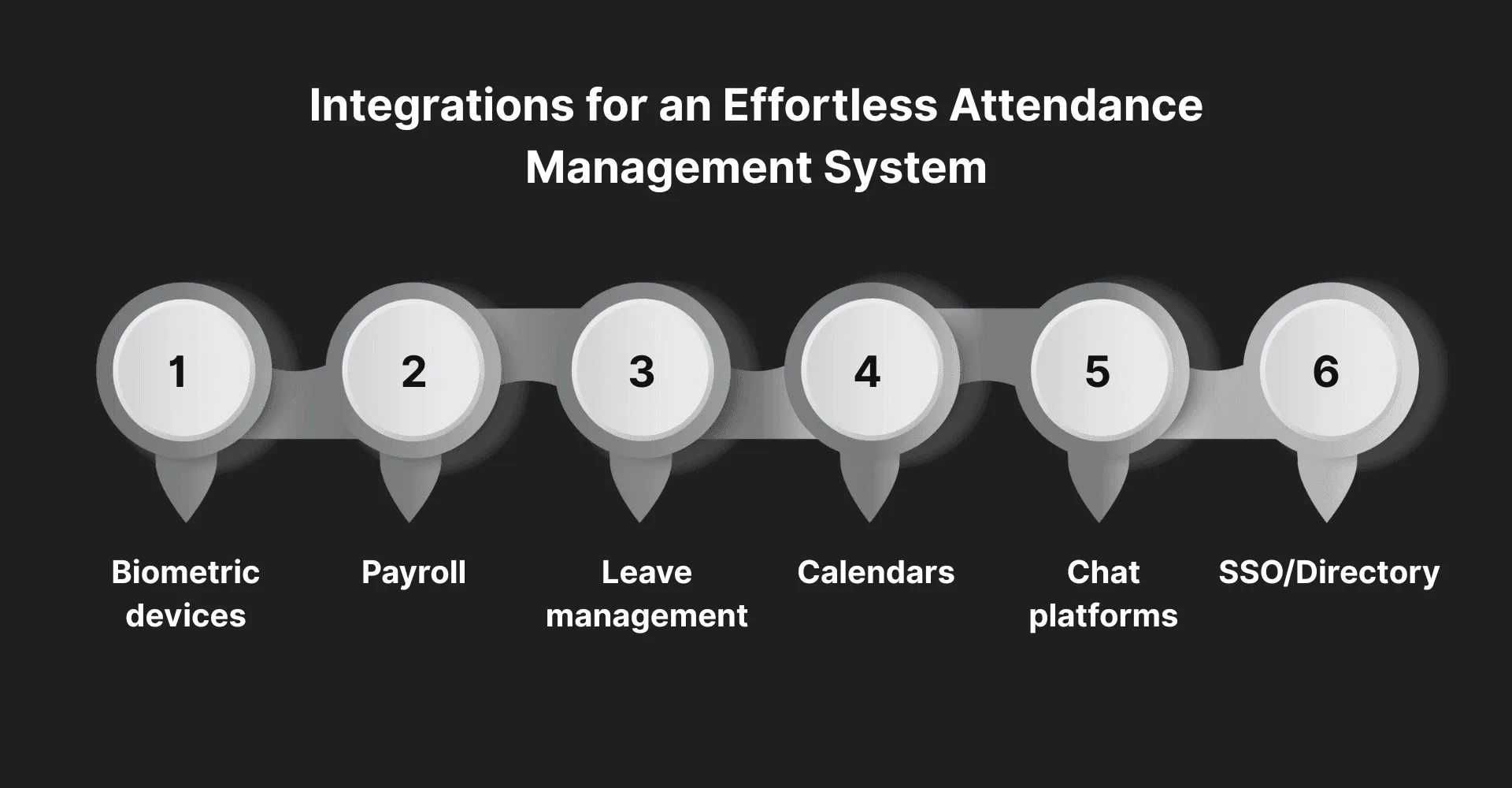
The right integrations reduce manual work, cut errors, and make approvals faster. The real payoff comes when attendance data flows directly into payroll, leave, and the tools your team already uses every day.
Essential integrations to look for:
-
Biometric devices: Native connectors or polling bridges (e.g., ZKTeco/ESSL), plus de-duplication and device health monitoring.
-
Payroll: Direct push of payable hours, overtime, and loss of pay; pre-payroll mismatch reports to avoid surprises. If your payroll processes are still manual, automating payroll alongside attendance multiplies the accuracy gains.
-
Leave management: Auto-convert approved leave into attendance status and sync half-day leaves both ways. Teams that have already automated leave management get the biggest benefit here, because attendance and leave data stay consistent without manual reconciliation.
-
Calendars: Display shift assignments, rosters, and holidays for employees and managers.
-
Chat platforms (Slack/Teams): Approve regularizations or nudge managers on pending approvals right inside their chat tool.
-
SSO/Directory: Manage user roles, locations, and automatic deprovisioning for exits.
The more of these integrations your attendance system supports natively, the less time your team spends reconciling data across tools. When evaluating platforms, automation capabilities should be one of the top criteria, since they determine how much manual work you can actually eliminate.
Key Metrics and Guardrails for Attendance Automation
Automated attendance works best when it is measured and controlled. Tracking the right metrics ensures accuracy, while guardrails keep policies consistent and fair across the organization.
Metrics to monitor:
-
Punch accuracy: Track the percentage of valid punches recorded to ensure devices, apps, and kiosks are capturing time reliably.
-
Regularization rate: Measure how often employees submit corrections; high numbers may point to device issues or unclear rules.
-
Late/early incidence per FTE: Monitor patterns of early exits or late arrivals per employee to maintain discipline and spot recurring trends.
-
Overtime accuracy: Compare logged overtime against policy thresholds to avoid payroll disputes and ensure compliance.
-
Payroll rework minutes: Track the time HR spends correcting attendance before payroll; the goal is to reduce this to near zero.
-
Device uptime: Check how often biometric or web punch systems stay online; downtime directly impacts accuracy.
-
Compliance heatmap: Review team, location, or shift-level trends to identify problem areas quickly and intervene where needed.
Guardrails to enforce:
-
Auto-escalations: If regularizations are not approved within a set time, push them to higher managers to avoid bottlenecks.
-
Payroll freeze window: Lock attendance edits before payroll runs so calculations remain stable and final.
-
Device alerts: Get instant notifications when devices go offline to prevent missed punches.
-
Regularization caps: Limit how many corrections an employee can request each month, discouraging misuse of the system.
Final Thoughts
Manual attendance tracking leads to avoidable errors, payroll mismatches, and hours of rework. By adopting automated attendance management, companies can move from device exports and email approvals to a system that works in real time.
The result is accuracy, compliance, and transparency for both employees and managers. With the right approach, even small teams can start with a simple setup and scale as complexity grows.
If your team is also exploring broader automation and AI in HR, attendance is one of the highest-impact places to start, because every payroll cycle depends on accurate time data.
FAQs
What is automated attendance management?
Automated attendance management is the digital capture and processing of employee clock-in and clock-out times using biometric devices, web kiosks, or mobile apps. It replaces manual spreadsheets and email-based corrections with rule-based shift logic, approval workflows, and direct payroll sync.
How long does it take to automate attendance tracking?
Most teams can move from manual attendance processes to a fully automated system within 30 days. Week one covers policy audits and data mapping, week two handles configuration and integrations, week three runs a pilot, and week four is the company-wide rollout.
What features should an attendance automation system include?
At a minimum, look for biometric or mobile punch capture, shift engine support (fixed, flexible, rotational), overtime rule configuration, regularization workflows with SLA-based escalation, attendance-to-payroll sync, employee self-service views, and immutable audit logs.
Can small teams benefit from attendance automation?
Yes. Teams as small as 10 to 20 employees can start with a lightweight approach using spreadsheets and forms, then move to dedicated software or a unified platform as complexity grows. Even basic automation reduces manual errors and saves hours each payroll cycle.
What integrations matter most for attendance management?
The most impactful integrations are biometric device connectors, payroll sync (hours, overtime, loss of pay), leave management sync, calendar tools for shift visibility, chat platforms like Slack or Teams for approvals, and SSO or directory services for user management.
More Articles
What Is an AI Agent? Types, Examples, and How They Work

Learn what AI agents are, how they work, the 5 main types, and how they differ from chatbots and AI assistants. Practical examples for non-technical teams.
Best AI Recruiting Tools in 2026: 18 Platforms Compared
Compare the 18 best AI recruiting tools and automation platforms for 2026. Features, pricing, and which tool fits your hiring team best.
Best HR Automation Software in 2026: Automation Platforms vs Dedicated Tools
Compare the best HR automation software for 2026, from general-purpose automation platforms to dedicated HR tools, and find the right fit for your team.


