
How to Automate Leave Management (Fast, Practical Guide)
Learn three practical methods to automate leave management, from lightweight scripts to full workflow automation, plus a 30-day rollout plan.

By: Deepit Patil
Co-Founder and CTO
Published
Updated
Edited by Craze Editorial Team · See our Editorial Process
Manual leave management leads to payroll mismatches, missed approvals, and follow-ups that drain time from HR and operations teams. What should be a straightforward process quickly turns messy when spreadsheets, emails, and scattered tools are involved.
With automation reshaping HR workflows , leave management is one of the easiest processes to fix. Policies run in the background, approvals route instantly, and payroll syncs without errors. This guide covers three automation methods, a 30-day rollout plan, and the metrics that keep the system running smoothly.
TL;DR
-
Leave management automation lets employees apply and track leave through a self-service portal, routes approvals automatically, syncs leave data with payroll, and maintains a complete audit trail.
-
Before vs. after automating leave management:
-
Errors from manual entries → Accurate, real-time tracking
-
Approvals stuck with managers → Instant notifications and auto-routing
-
Payroll rework from mismatched data → Direct sync with attendance and leave records
- 30-day rollout plan:
-
Week 1: Audit current policies and leave types
-
Week 2: Configure rules, accruals, and workflows
-
Week 3: Run a pilot with one department
-
Week 4: Full rollout with training and support
Three Ways to Automate: Pick Your Path
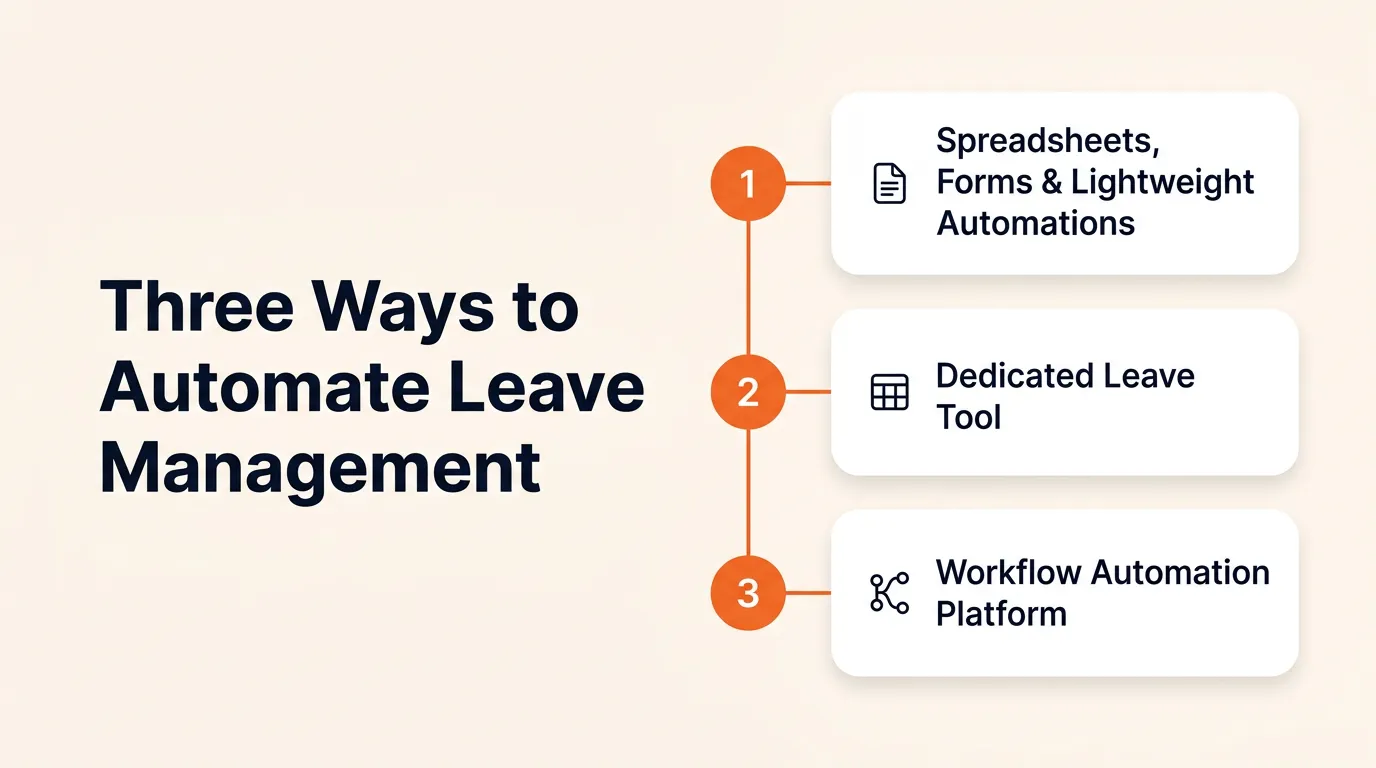
There is no single way to automate leave management. Businesses usually start simple and scale into more capable systems. Here are three common approaches:
1. Spreadsheets, Forms, and Lightweight Automations
This setup combines Google or Microsoft Forms with Sheets, email or Slack approvals, and quick fixes using scripts or tools like Zapier. It works well for very small teams with straightforward leave policies.
The challenge is scale. As headcount grows, policy edge cases appear, payroll mismatches creep in, and audit readiness suffers. What feels easy today often becomes a liability tomorrow.
2. Dedicated Leave Tool
Dedicated apps provide self-service leave requests, approvals, and policy management. Many can export data for payroll runs. They fit companies with 20 to 120 employees where processes need more control but are not overly complex.
The trade-off is integration. A standalone leave tool may not connect smoothly with attendance tracking or payroll systems, forcing teams to configure policies twice and manage reconciliation manually.
3. Workflow Automation Platform
A workflow automation platform connects leave requests, approvals, attendance, and payroll in one automated pipeline. AI agents and rule-based triggers handle routing, escalation, notifications, and data sync without manual handoffs.
This approach works best for organizations with 20 to 500+ employees, multiple locations, and nuanced rules like prefix/suffix or sandwich policies. The benefit is a single source of truth: policies run consistently, payroll updates in real time, and audit logs are built in.
The decision flow below matches company size and policy complexity with the right approach.
Quick Decision Flow to Pick the Right Leave Management Approach
Match your current stage with the right approach to avoid wasted effort and prevent payroll issues later.
-
Up to 20 employees with straightforward rules: Spreadsheets and lightweight automations can handle requests and balances for now. Set a reminder to review in 6 to 12 months, because manual fixes will grow once policies or headcount expand.
-
20 to 120 employees, or when shifts and holidays add complexity: A dedicated leave tool streamlines requests and approvals. Watch for integration gaps: if it does not connect smoothly to payroll, you will end up fixing mismatches manually.
-
20 to 500+ employees, or with layered policies like sandwich, prefix/suffix, or comp-off: At this scale, piecemeal tools break down. A workflow automation platform that connects leave, attendance, and payroll ensures updates flow automatically and eliminates double work. AI-powered agents can handle routing, escalation, and exception flagging without manual intervention.
Once you have picked your path, execution is the next challenge. The plan below moves you from decision to working system in 30 days.
7 Steps to Implement Leave Automation in 30 Days
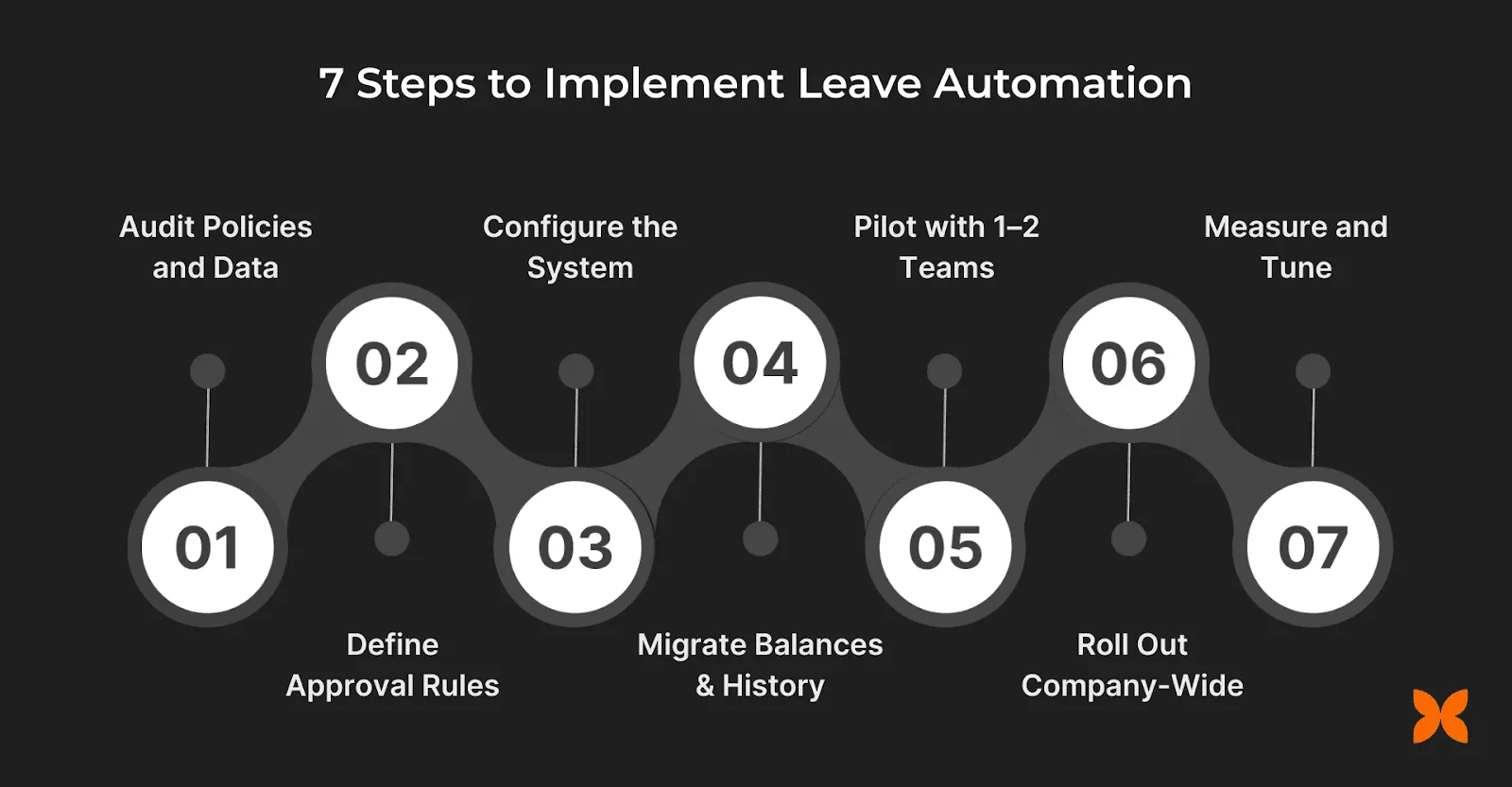
Rolling out a modern leave management system does not have to drag on for months. With the right plan, you can go live in four weeks.
1. Audit Policies and Data (Week 1)
List all leave types (CL, SL, EL, PTO), accrual cycles, carry forward or lapse rules, encashment, prefix/suffix, sandwich policies, probation clauses, half-days, comp-offs, and holiday calendars. Prepare an employee master with joining dates, balances, and pending approvals.
2. Define Approval Rules
Clear approval structures prevent bottlenecks and confusion. Map out multi-level workflows that ensure requests move smoothly through managers and HR. Add escalation paths if a manager is inactive, set delegation rules for absences, and define SLAs so approvals complete within a fixed timeframe.
3. Configure the System (Week 2)
Set up policies, approval chains, and role-based access so rules are consistent across teams. Configure automated notifications through email, mobile push, or Slack/Teams to keep stakeholders informed. If your platform supports AI agents, set up triggers for automatic routing and exception alerts.
4. Migrate Balances and History
Bring existing leave balances into the new system to maintain continuity. Record any backdated leave entries and map pending approvals so nothing slips through. This prevents payroll mismatches and avoids confusion for both employees and finance teams.
5. Pilot with 1 to 2 Teams (Week 3)
Run a controlled test with one or two teams to validate your setup. Track success using metrics like approval turnaround times, first-time-right submissions, and payroll accuracy. Pilots help identify gaps early without disrupting the entire workforce.
6. Roll Out Company-Wide (Week 4)
Once the pilot succeeds, extend the system to the whole organization. Provide employees with a short 10-minute guide and managers with a focused 20-minute training. Publish policy cards in your self-service portal so everyone can access rules on demand. Pair this rollout with your employee onboarding automation so new hires start with the right leave balances from day one.
7. Measure and Tune (Ongoing)
Automation needs fine-tuning to stay effective. Adjust rules, triggers, and payroll checks based on real-world feedback. Conduct monthly reviews of audit logs to ensure compliance, accuracy, and continued trust in the system.
With the rollout plan set, the next step is knowing exactly what to automate.
What to Automate: A Feature Checklist
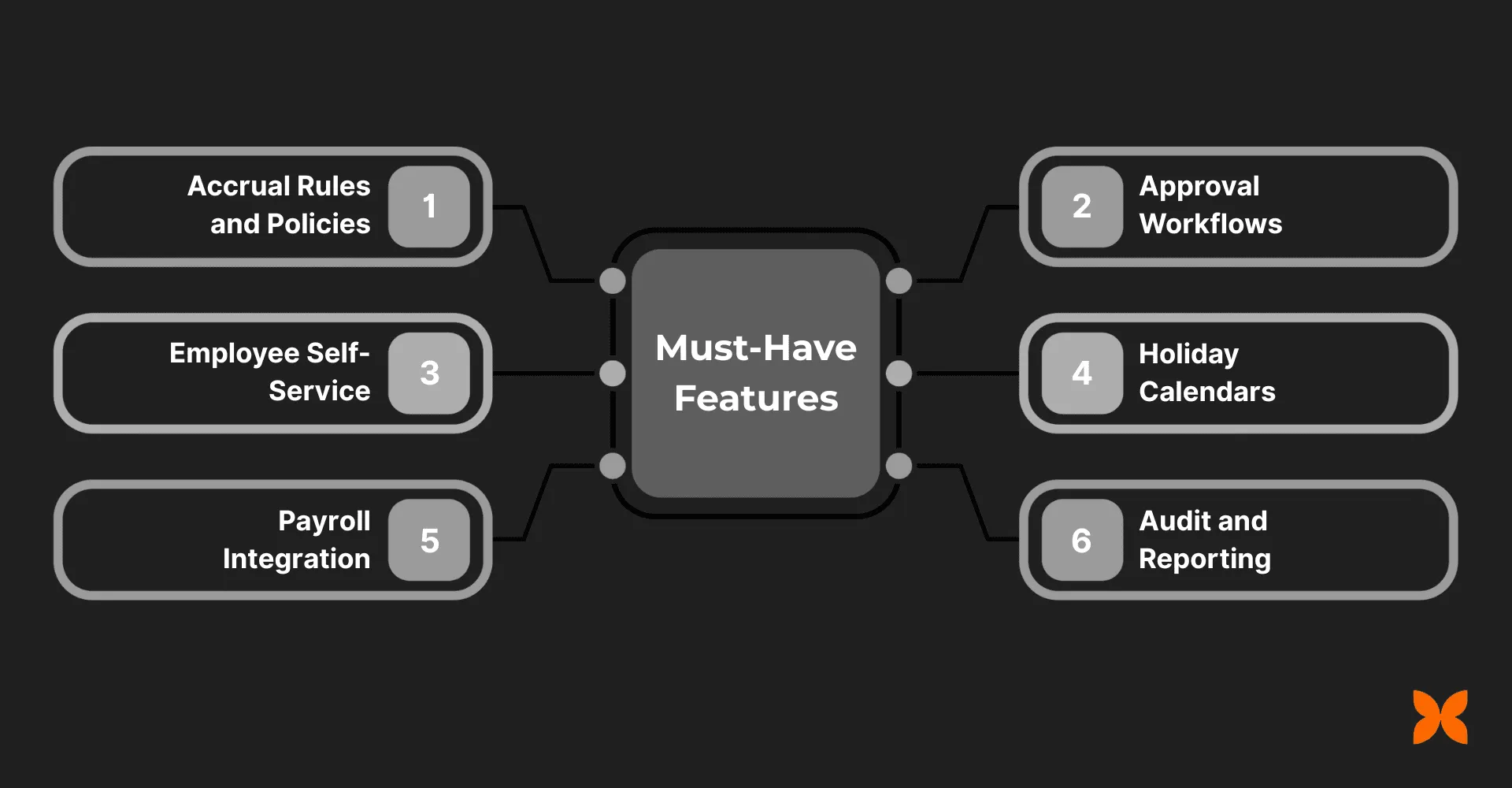
Start with the essentials. These features create the foundation for accuracy, compliance, and smooth payroll processing. Advanced capabilities come later.
Must-Have Features
-
Accrual Rules and Policies: Automate accrual schedules, carry forward or lapse rules, encashment, and edge cases like prefix, suffix, sandwich, probation, comp-off, and half/partial-day leaves.
-
Approval Workflows: Enable multi-step routing with delegation options, escalation triggers when managers do not act, and SLAs to keep requests moving.
-
Employee Self-Service (ESS): Let employees apply, cancel, and track balances from web or mobile. Give managers a shared team calendar for visibility.
-
Holiday Calendars: Maintain location-specific calendars so regional holidays do not create payroll or approval mismatches.
-
Payroll Integration: Sync LOP deductions and encashments directly to payroll, reducing rework and manual checks.
-
Audit and Reporting: Log every change, with reports and exports available for compliance and audits.
Nice-to-Have Features
- Add-on capabilities like leave heatmaps, team capacity views, backdated adjustments with audit logs, and open APIs or webhooks give more flexibility as needs scale.
Features alone are not enough. The right integrations keep data consistent across leave, payroll, and collaboration tools.
Smart Integrations That Keep Everything in Sync
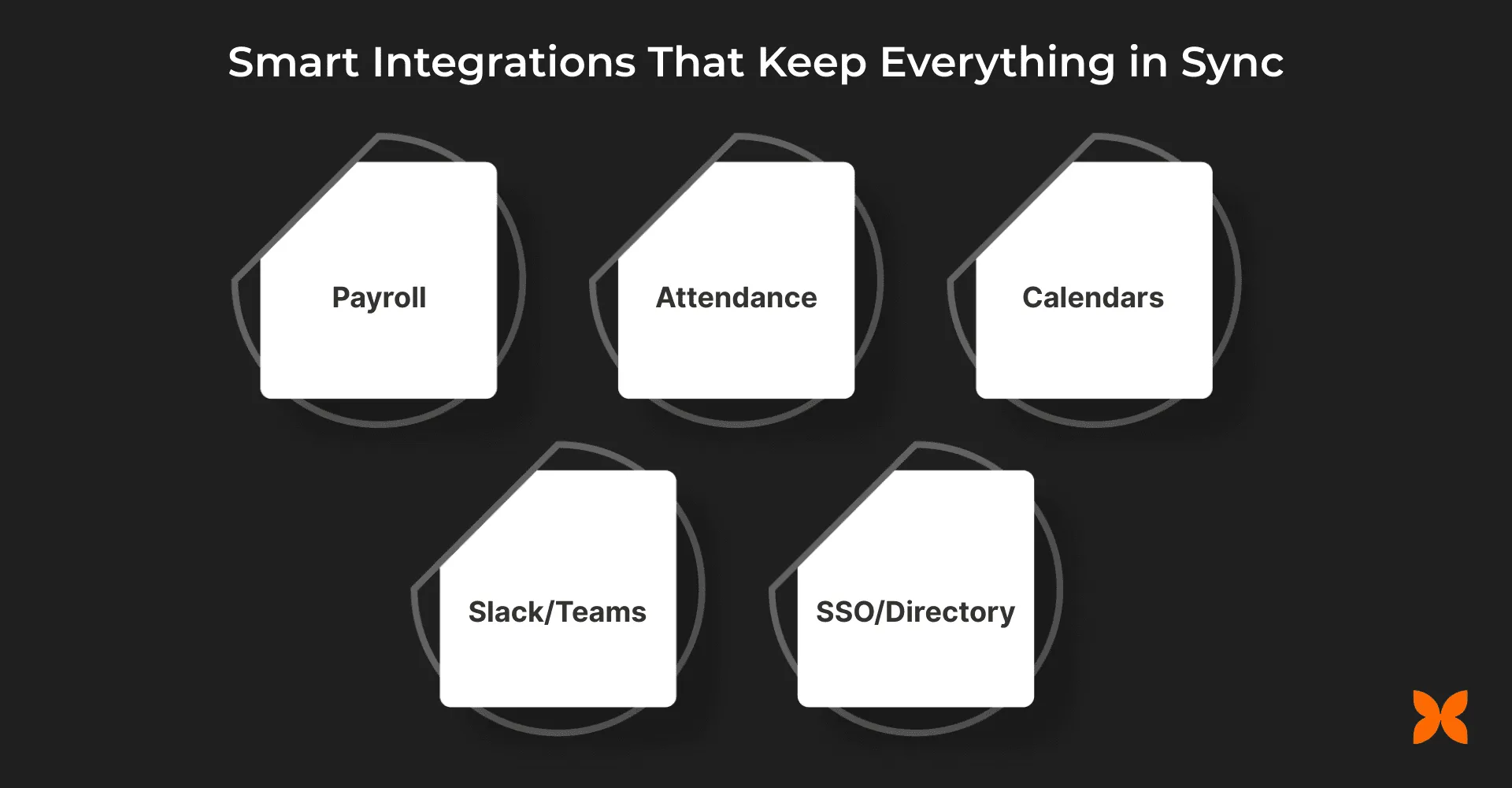
Leave automation delivers real value when your system connects with payroll, attendance, and collaboration tools. The right integrations minimize errors, reduce manual work, and keep data consistent.
-
Payroll: Push loss of pay (LOP) and leave encashment entries directly into your payroll system . Pre-payroll mismatch reports flag issues early, avoiding last-minute corrections.
-
Attendance: Integrate comp-offs, partial-day deductions, and holiday-linked sandwich rules. This keeps attendance and leave records aligned without manual reconciliation.
-
Calendars (Google/M365): Show approved leaves and team availability inside existing calendars. This helps managers plan resources and reduces scheduling conflicts.
-
Slack/Teams: Let managers approve requests directly in chat and receive automated reminders. This keeps approvals moving without clogging inboxes.
-
SSO/Directory: Automatically update roles and access when employees join, move, or exit, ensuring secure and up-to-date user management.
Workflow automation platforms and AI-powered tools can connect these systems in a single pipeline, eliminating duplicate setups and patchwork integrations.

Metrics and Guardrails to Keep Leave Management on Track
Track these indicators to catch problems early. The metrics highlight process health, while guardrails protect payroll from last-minute surprises.
-
Approval SLA: Measure how quickly managers respond to requests. Delays signal bottlenecks that frustrate employees and disrupt payroll.
-
First-Time-Right rate: Track applications processed without corrections. A high rate means policies are clear and employees understand the rules.
-
Payroll rework minutes: Calculate time spent fixing mismatches. Rising numbers point to gaps between leave data and payroll sync.
-
Balance health: Watch for consistent under-use or over-use of leave. Both patterns affect employee well-being and workforce planning.
-
Exceptions: Count manual overrides and backdated entries. Frequent exceptions suggest policy ambiguity or system misuse.
Guardrails to enforce: Set automatic escalation if approvals stall beyond a set number of days, enable manager delegation during absences, and apply a freeze window before payroll closes to lock accuracy.
Final Thoughts
Automating leave management reduces errors, ensures compliance, and gives managers and employees a system they can trust. The right approach depends on your company’s size and complexity.
Small teams can start with spreadsheets and forms. Growing businesses need dedicated tools that handle approval workflows and payroll sync. At larger headcount or with advanced rules, a workflow automation platform that connects leave, attendance, and payroll in one pipeline eliminates duplication and rework.
The steps above support a smooth rollout in weeks, not months. The goal is not just removing manual tracking, but building a system where policies enforce themselves and exceptions surface automatically.
FAQs
Can leave management automation help with tracking statutory leave entitlements?
Yes. Automation ensures that statutory leave entitlements, such as maternity leave or sick leave, are tracked and calculated accurately. The system stays updated with legal requirements, so businesses avoid missed obligations and compliance issues.
How can leave management automation improve decision-making for HR teams?
Automated leave systems provide real-time reports and analytics on employee leave trends. This data helps HR professionals make informed decisions about workforce planning, adjust schedules, and anticipate leave patterns during busy periods.
How secure is the data in an automated leave management system?
Automated leave management systems use encrypted storage and restricted access controls. Only authorized personnel can view or modify sensitive leave records, maintaining compliance with data privacy laws.
How does leave management automation help with remote teams?
Leave management automation provides a centralized platform accessible from anywhere. It ensures consistency across different time zones and locations, giving both employees and managers clear visibility into leave balances and approvals without manual tracking.
Can leave management automation help businesses with holiday planning and scheduling?
Yes. Automation tools let businesses set up company-wide holiday calendars and manage employee leave requests around those dates. The system ensures that critical roles are always staffed while enabling employees to plan time off around public holidays.
More Articles
The 8 Best Lindy AI Alternatives in 2026 (Tested & Compared)

The 8 best Lindy AI alternatives for 2026, anchored to why people leave Lindy, with current pricing, third-party ratings, honest pros and cons, and the best pick for each reason to switch.
The 7 Best Make Alternatives in 2026 (Tested & Compared)
The 7 best Make.com alternatives for 2026, anchored to why people leave Make, with current pricing, third-party ratings, honest pros and cons, and the best pick for each reason to switch.
The 8 Best Zapier Alternatives in 2026 (Tested & Compared)
The 8 best Zapier alternatives for 2026, anchored to why people leave Zapier, with current pricing, third-party ratings, honest pros and cons, and the best pick for each reason to switch.


