


Running payroll should feel like a controlled, repeatable process. In reality, for many growing Indian businesses, it still feels like a monthly fire drill. Someone exports attendance, someone updates arrears, someone checks TDS, someone chases approvals, and then the real work starts: fixing exceptions, responding to salary queries, and making sure statutory filings are correct.
That is why payroll software ROI matters. Not as a vanity percentage, but as a practical way to answer a simple leadership question: will payroll software reduce time, risk, and effort enough to justify the investment?
In this guide, you will learn how to calculate payroll software ROI using a CFO-defensible model. It is designed for Indian companies with growing headcount, multiple payroll complexities, and compliance responsibilities that cannot afford mistakes.
Payroll software ROI is driven by time savings, fewer corrections, and lower compliance exposure, not just subscription price.
A strong ROI model separates benefits (time, penalties avoided, tool consolidation) from total cost of ownership (subscription, implementation, training, integrations).
Conservative inputs build credibility with finance and leadership, and make approval easier.
ROI typically improves as headcount grows, payroll exceptions increase, and off-cycle payments become common.
The best time to measure ROI is after three to six steady payroll cycles, once teams have adapted.
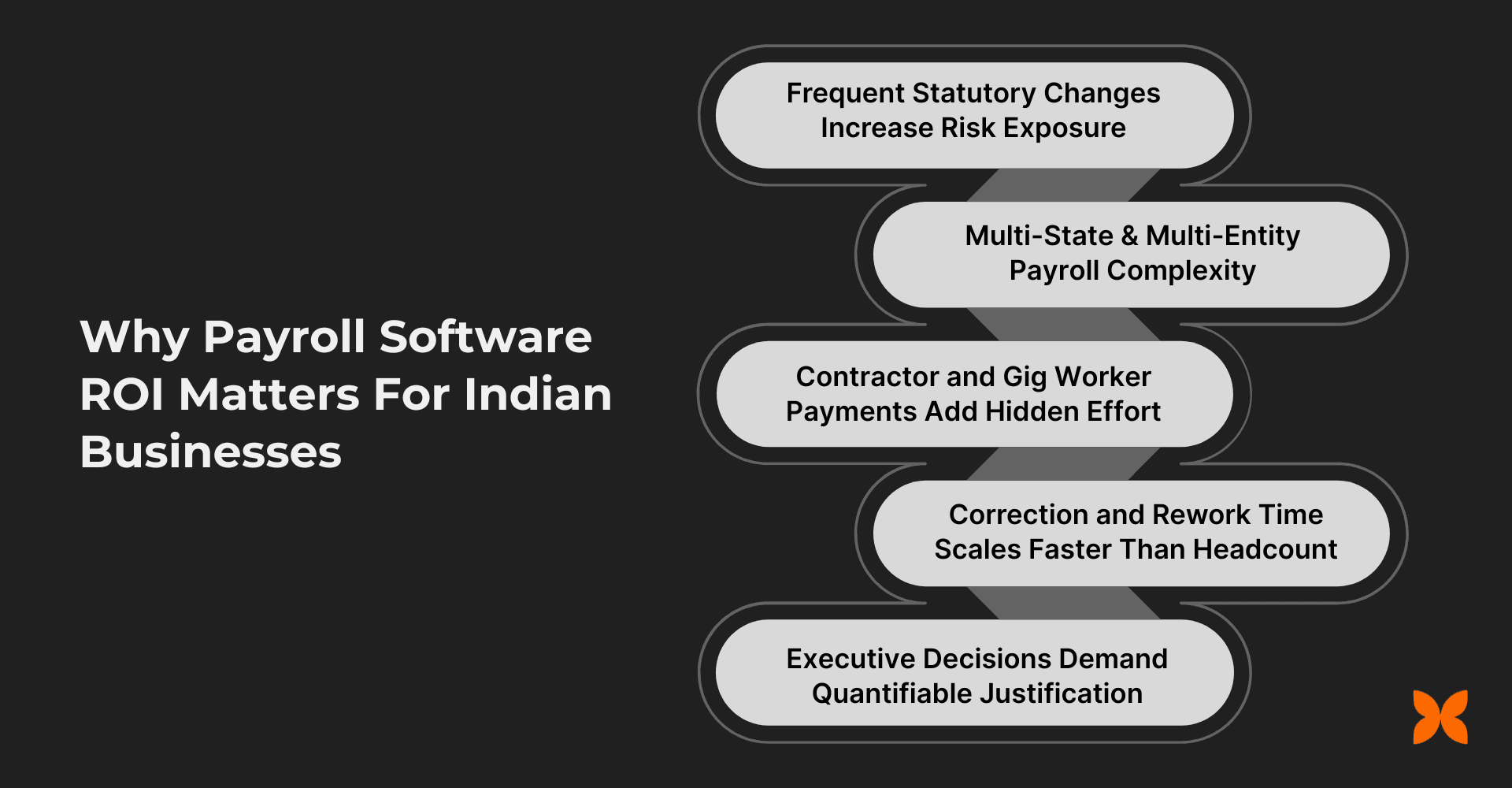
Payroll decisions in India sit at the intersection of compliance, employee trust, and financial accuracy. As your organisation scales, payroll stops being a routine HR process and becomes an executive concern. It influences audits, cash flow planning, month-end closure, and even employer brand.
Here are the most common India-specific reasons payroll software ROI becomes meaningful at growth stage.
Statutory changes increase risk exposure
Payroll is shaped by PF, ESIC, TDS, professional tax, labour welfare fund requirements (where applicable), and changing rules around declarations and proofs. When updates are tracked manually, the organisation carries hidden risk. Even small filing errors can create notices, penalties, and a lot of senior time spent on clarifications.
Multi-state and multi-entity complexity adds cost quietly
The moment you operate across states or multiple entities, payroll becomes harder to standardise. Different tax rules, different reporting needs, and multiple approval flows multiply the work. If you are using spreadsheets or fragmented tools, complexity usually increases faster than headcount.
Contractor and gig payments add parallel workflows
Many companies now run contractor payouts alongside employee payroll. That means separate cycles, approvals, documentation, and sometimes different compliance checks. These parallel workflows are often not included when teams calculate payroll effort, which underestimates the true baseline cost.
Corrections and rework scale faster than headcount
Payroll work does not rise linearly. Errors trigger follow-ups, revised payslips, updated filings, and finance reconciliations. In a company with 150 employees, a small percentage of exceptions can still consume dozens of hours each month.
Leaders need a quantifiable justification
Founders and CFOs rarely approve system changes purely on convenience. They want a measurable case that payroll software will save time, reduce errors, lower risk, and make the organisation easier to run.
With the “why” established, the next step is to define what ROI actually means in payroll terms, so your calculation does not miss key value drivers.
A common mistake is treating ROI as “subscription fee versus savings”. That is too narrow for payroll. A proper payroll ROI definition includes measurable financial outcomes and operational outcomes that reduce effort and risk.
The easiest way to make payroll ROI defensible is to split it into two categories.
Financial ROI vs operational ROI
Financial ROI includes direct, measurable savings or cost avoidance, such as:
Reduced dependence on payroll consultants or external processing support
Fewer penalties or interest due to late or incorrect statutory filings
Lower spend on duplicate tools that payroll software replaces
Reduced overtime or recurring rework cost
Operational ROI includes efficiency and stability improvements that still matter to leadership, such as:
Shorter payroll cycle time
Fewer payroll exceptions and correction loops
Fewer employee salary queries and escalations
Improved audit readiness through clear reports and traceable changes
Operational ROI often converts into financial ROI over time because it protects senior bandwidth and reduces disruptions. Still, when you present the case to finance, keep the ROI calculation anchored on measurable financial impact, and use operational outcomes as supporting evidence.
What payroll software ROI is not
To keep expectations realistic, it helps to be explicit about what ROI is not:
Payroll software will not magically fix messy data. If attendance inputs are inconsistent, you still need process discipline.
Payroll software will not remove approvals. It makes approvals easier and auditable, but decision-making still matters.
Payroll software will not eliminate edge cases. It reduces exceptions, but complex payouts and policy situations will still require judgement.
Once your definition is clear, you are ready to build a calculation model that finance teams trust.
Before you reach for formulas, build a worksheet structure that anyone can audit. This is what makes your ROI model credible.
At a minimum, your worksheet should have four blocks:
Current baseline cost (annual)
Annual benefits after payroll software
Total cost of ownership (annual)
ROI and payback calculation
A simple structure that works well is:
Column A: Cost or benefit item
Column B: Current value (baseline)
Column C: Post-software value (expected)
Column D: Difference (savings)
Column E: Notes and source of the input
To reduce debate, keep two input styles:
Measured inputs (from timesheets, ticket logs, finance records, compliance history)
Assumption inputs (clearly labelled, conservative by default)
Now, let’s use this structure to calculate payroll ROI step by step with India-specific line items.
A payroll ROI calculation becomes straightforward once you follow a consistent order:
establish baseline
quantify benefits
quantify total ownership costs
compute ROI and payback
Step 1: build your current annual payroll cost baseline
Start by documenting what payroll currently costs your organisation. Most teams underestimate this because the cost is distributed across HR, finance, leadership, and vendors.
Include these baseline items.
HR payroll processing time (annual)
Preparation and validation work
Collecting approvals and handling exceptions
Communication with employees during and after processing
Corrections and revised payslips
Convert time to cost:
hours per payroll cycle × number of cycles per year × hourly cost
Finance payroll processing time (annual)
Salary reconciliation and variance checks
Statutory reconciliation for PF, ESIC, TDS, PT
Payroll journals and accounting exports
Bank coordination for payouts and approvals
Convert time to cost using finance hourly cost.
External payroll and compliance support
Payroll vendor fees (if any)
Consultant or CA fees for filings, year-end support, audit support
Penalties and interest (two-year view)
Look at:
PF late payment interest or penalties
ESIC issues and corrections
TDS mismatch corrections, notices, late fees
Any professional tax compliance issues
Use two years of history, then annualise conservatively.
Payroll-related tool subscriptions
List all tools used for:
Attendance exports and manual reconciliation
Compliance tracking
Approval workflows
Payslip generation or document distribution
Any bank payout tooling
If payroll software will replace some of these, they become part of your future savings.
Once you have this baseline, you can estimate what changes after software implementation.
With the current cost clear, the next step is to map out what you will realistically save after automation.
Step 2: estimate savings after payroll software implementation
The strongest payroll ROI cases are built on savings you can measure month to month. Focus on categories that have a clear link to software capability.
1) Payroll processing time reduction
Estimate how many hours HR and finance will save per payroll cycle once automation is live, including:
Reduced manual data entry
Faster validation checks
Fewer manual calculations for deductions and arrears
Less time spent preparing statutory outputs and reports
Convert saved hours into annual savings:
hours saved per cycle × cycles per year × hourly cost
To keep assumptions conservative, do not claim extreme reductions. Instead, build a reasonable range and use the lower end for your ROI model.
Time savings is often the biggest bucket, but it is not the only one. The next bucket is where many organisations lose money silently.
2) Error reduction and rework cost savings
Payroll corrections cost time and create secondary work:
revised payslips
employee follow-ups
revised filings (in some cases)
additional finance reconciliation
Estimate current correction load using:
number of correction tickets per cycle
average time per correction
senior time involvement (where applicable)
Then estimate the reduction after payroll software based on better validations and structured workflows.
Once you reduce errors, the next ROI driver becomes easier to justify at leadership level because it links directly to risk.
3) Compliance penalty and interest avoidance
If your organisation has had late fees, interest payments, or notices, this is measurable value. Payroll software supports this by:
reducing miscalculations
improving filing readiness through structured outputs
creating stronger audit trails
Use actual records wherever possible. If you have had no penalties historically, keep this line item small or set it to zero. ROI still often works based on time savings alone, and credibility matters more than forcing a number.
After risk reduction, there is another category that improves ROI quickly, especially for growing teams.
4) Tool and vendor consolidation
If payroll software replaces:
approval workflow tools
payslip distribution tooling
payroll calculators
compliance trackers
parts of vendor support
Then those costs move from “current spend” to “savings”.
Be precise. Only include tools you can actually retire.
Now that benefits are defined, you need to capture the full cost of ownership so the ROI is realistic.
Step 3: include total cost of ownership (TCO)
TCO is where many ROI models fail because implementation effort and internal costs get ignored. A CFO-defensible model includes them upfront.
Include these cost items.
Annual subscription cost
Use the fee based on expected headcount and payroll frequency.
Implementation and onboarding (one-time)
This often includes:
data cleanup and migration
salary structure setup
statutory configuration
approvals and roles configuration
validation runs
For ROI calculation, you can treat this as one-time investment for payback, and also annualise it if you want a “steady-state annual ROI” view.
Internal training time
Estimate the time HR, finance, and approvers will spend learning the system. Convert it into cost using internal hourly rates.
Integrations and configuration
If you need integration with accounting tools, attendance systems, or HR data sources, include the setup cost and any ongoing maintenance cost.
Bank payout and transaction charges
If relevant, include bulk payout fees or transaction charges that occur through the payroll system.
With benefits and costs clear, you can now calculate ROI and payback using simple formulas.
Step 4: calculate ROI and payback period
Use these formulas.
ROI (%)
ROI (%) = [(Total Annual Benefits − Annual Total Cost) ÷ Annual Total Cost] × 100
Payback period (months)
Payback = Total investment ÷ Monthly benefits
Where:
Annual TCO includes subscription plus annualised ongoing costs.
Total Investment includes implementation plus any one-time integration costs.
Now, let’s see how this looks with realistic INR numbers.
Below are two illustrative examples using conservative inputs. Replace these with your real numbers when building the final business case.
Example 1: 120-employee company (single entity, monthly payroll)
Baseline
HR time per cycle: 18 hours
Finance time per cycle: 10 hours
Hourly blended cost: ₹1,200
Correction effort: ₹50,000 per year
Tools retired: ₹30,000 per year
Penalties avoided: ₹20,000 per year (based on history)
Benefits
Time saved: (18+10) × 12 × ₹1,200 = ₹4,03,200
Correction reduction: ₹30,000
Penalty avoidance: ₹20,000
Tool consolidation: ₹30,000
Total annual benefits: ₹4,83,200
Costs
Annual subscription: ₹1,50,000
Annual ongoing support/integration: ₹20,000
Annual TCO: ₹1,70,000
One-time implementation: ₹80,000
ROI (%)
ROI = ((₹4,83,200 − ₹1,70,000) ÷ ₹1,70,000) × 100
ROI = 184%
Payback (months)
Monthly benefits = ₹4,83,200 ÷ 12 = ₹40,267
Payback = ₹80,000 ÷ ₹40,267 ≈ 2.0 months
Example 2: 320-employee company (two entities, off-cycle payments)
This is where ROI often increases because exceptions and complexity amplify time savings.
Benefits
HR + finance time saved: 55 hours per cycle × 12 × ₹1,500 = ₹9,90,000
Correction and rework reduction: ₹1,20,000
Compliance risk avoidance: ₹60,000
Tool and vendor consolidation: ₹1,00,000
Total annual benefits: ₹12,70,000
Costs
Annual subscription: ₹3,60,000
Annual integration and ongoing cost: ₹60,000
Annual TCO: ₹4,20,000
One-time implementation: ₹1,50,000
ROI (%)
ROI = ((₹12,70,000 − ₹4,20,000) ÷ ₹4,20,000) × 100
ROI = 202%
Payback (months)
Monthly benefits = ₹12,70,000 ÷ 12 = ₹1,05,833
Payback = ₹1,50,000 ÷ ₹1,05,833 ≈ 1.4 months
These examples show why many organisations see fast payback. Still, the most credible ROI models are grounded in your own baseline data.
If you want your ROI calculation to survive a CFO review, your next focus should be collecting inputs in a way that avoids assumptions.
A payroll ROI model is only as strong as the inputs behind it. The goal is not perfection, but defensibility.
Collect the following.
Payroll processing time data
Track average hours spent per cycle by:
HR operations
Finance and payroll accounting
Approvers (for sign-offs, changes, exceptions)
Break time into:
preparation
validation
exceptions and corrections
employee queries
reporting and closure
If you do not have time tracking, do a simple two-month manual log. Even a basic estimate backed by a small sample is better than a guess.
Cost rates for internal teams
Use real cost rates where possible:
annual CTC + overhead allocation
convert to hourly cost
Finance leaders trust this more than generic market rates.
Compliance and penalty history
Collect:
challan delays
filing errors
interest payments
notices and time spent resolving them
Even if penalties are rare, time spent responding to notices is real cost.
Tool and subscription inventory
List all tools involved in payroll execution:
attendance exports
approval tools
payslip distribution
compliance tracking
reporting tools
Mark which ones payroll software can replace.
Employee query volume
Use:
ticket logs
HR inbox tags
shared mailboxes
WhatsApp group volume (if you must)
Calculate time spent per query on average.
With this data, you can finalise an ROI model that leadership can trust. However, even good models can go wrong if common mistakes are not avoided.
Payroll ROI models usually fail because they miss cost categories or measure too early.
Mistake 1: focusing only on subscription cost
What happens: ROI looks weak because you ignore the hidden costs of corrections, queries, and compliance effort.
Fix: include time savings, rework reduction, audit readiness effort, and tool consolidation.
Mistake 2: assuming time savings without a baseline
What happens: time saved becomes a guess, and finance questions the model.
Fix: log time for at least one or two payroll cycles before implementation.
Mistake 3: ignoring complexity drivers
What happens: your model treats payroll as one process even though you have contractors, off-cycle payments, or multiple entities.
Fix: add separate line items for contractor cycles, entity-specific workflows, and off-cycle payments.
Mistake 4: measuring ROI too soon after go-live
What happens: ROI looks poor because the team is still learning the system.
Fix: measure after three to six steady payroll cycles.
With measurement errors avoided, you can now focus on how to maximise ROI after implementation, because adoption and workflows matter as much as software.
Payroll ROI improves faster when the rollout is structured.
Days 0–30: stabilise the data and workflow
finalise salary structures and components
lock approval workflows and escalation rules
ensure attendance and leave inputs are clean and consistent
run parallel payroll checks for one cycle, if needed
Days 31–60: reduce exceptions and improve self-service
introduce employee self-service for payslips, tax declarations, and updates
standardise exception handling and reduce one-off adjustments
set a clear cut-off calendar for inputs and approvals
Days 61–90: measure and optimise
track cycle time, correction tickets, and query volume
retire redundant tools and document savings
finalise audit-ready reports and statutory workflows
Once you have a post go-live plan, it becomes easier to see how a platform like Craze can drive ROI through connected workflows.
Payroll ROI is strongest when payroll is not isolated. It improves when payroll connects cleanly with HR operations, attendance, leave, documents, and finance reporting. Craze is designed to remove the friction that creates payroll exceptions and manual reconciliation.
Here is how that translates into ROI outcomes.
Fewer corrections through cleaner data flows
When HR data, attendance, leave, and payroll rules sit in one system, you reduce duplicate entry and inconsistencies. That leads to fewer exception cases, fewer revised payslips, and fewer last-minute changes.
Faster payroll closure and simpler payouts
Craze supports structured payroll runs, approvals, and one-click payouts so payroll processing and finance coordination take less time every cycle. Faster closure also reduces month-end pressure for finance teams.
Better compliance readiness and reporting
With built-in statutory outputs and consistent reporting, teams spend less time preparing for filings and audits. You also improve traceability, which reduces the back-and-forth during compliance reviews.
Lower SaaS sprawl over time
When payroll, HR workflows, and connected admin processes are handled in one platform, you can retire overlapping tools. That is a direct ROI lever that shows up clearly in budgets.
Schedule a free call to evaluate how Craze fits your organisation’s growth model.
With ROI drivers covered, let’s wrap up with what to remember when you take this model back to your leadership team.
Payroll software ROI is not a theoretical metric. It is the measurable outcome of reducing payroll effort, corrections, and compliance exposure as your organisation grows.
A strong ROI model starts with a baseline, uses conservative assumptions, includes total cost of ownership, and measures after teams settle into steady operations. When you approach it this way, payroll ROI becomes a reliable input for leadership decisions, not a justification exercise.
If you want a practical next step, build the worksheet with your current payroll baseline and run the numbers for time saved, corrections reduced, and tools retired. You will usually find that even small efficiency gains compound quickly across 12 payroll cycles.
1) How do CFOs typically evaluate payroll software ROI before approval?
CFOs look at total cost of ownership against measurable outcomes: time saved across HR and finance, reduction in correction cycles, tool consolidation, and lower compliance risk. They also prefer conservative assumptions and clear source data.
2) Is payroll software ROI higher for in-house payroll teams or outsourced payroll?
Payroll software often delivers higher ROI for in-house teams because it reduces recurring outsourcing fees and improves control, speed, and reporting. That said, organisations that outsource can still see strong ROI if software reduces coordination overhead and improves accuracy.
3) Does payroll software ROI vary by industry in India?
Yes. Industries with frequent hiring, variable pay, contractor payouts, and multi-location operations tend to see higher ROI because complexity increases payroll effort and exceptions.
4) How does payroll frequency affect ROI calculations?
The more often you run payroll or off-cycle payments, the more value automation delivers. Time savings and error reduction compound with each additional run.
5) What role does payroll accuracy play in long-term ROI?
Accuracy reduces rework, employee disputes, compliance corrections, and audit queries. Over time, consistent accuracy protects HR and finance bandwidth and improves trust, which sustains ROI beyond the first few months.
