
AI Agents for Business Intelligence: What They Do, What Fails, and How to Start
Learn how AI agents work in BI, what they change vs traditional tools, real adoption data, and how to pilot your first BI agent without wasting budget.

By: Deepit Patil
Co-Founder and CTO
Published
Updated
Edited by Craze Editorial Team · See our Editorial Process
Your dashboards refresh on schedule. The analyst queue keeps growing. And suddenly, every BI vendor is pitching “agentic AI” as the fix.
The buzz is not baseless. The AI agents market is projected to grow from $8.29 billion to $12.06 billion in 2026 alone, and 62% of organizations are already experimenting with or scaling AI agents. But the full picture is less tidy: Gartner predicts that over 40% of agentic AI projects will be canceled by the end of 2027, mostly due to data readiness and governance gaps.
This guide breaks down what AI agents actually do inside a BI stack, where they deliver value fastest, what’s going wrong in early deployments, and how to pilot your first BI agent without burning through budget or trust.
TL;DR
- Beyond dashboards and chatbots. AI agents for BI are autonomous software that monitors data, runs multi-step analysis, and triggers actions, going well beyond what dashboards or chatbots can do.
- Broad experimentation, shallow scaling. 62% of enterprises are experimenting with agents, but only 23% are scaling, and most only in one or two functions.
- High failure rates ahead. Gartner expects over 40% of agentic AI projects to be canceled by end of 2027, primarily due to data readiness and governance gaps.
- Start small, start focused. The best entry point: pick one high-value, repeatable BI workflow (like KPI monitoring or anomaly alerting) and pilot there first.
- Analysts evolve, not disappear. BI analysts are not going away. Agents handle routine data pulls; analysts handle strategy, storytelling, and the questions agents can’t frame.
What Are AI Agents for Business Intelligence?
If you’ve used a chatbot on a database, you’ve seen what it can do: you ask a question, it writes a query, it returns an answer. Then it forgets everything and waits for your next prompt.
AI agents are a different category. An AI agent for BI is software that perceives data signals, reasons about what they mean, acts through tools (SQL queries, BI APIs, workflow triggers), and learns from results. It operates in a continuous loop rather than responding to one-off prompts.
The practical difference comes down to four capabilities that chatbots lack:
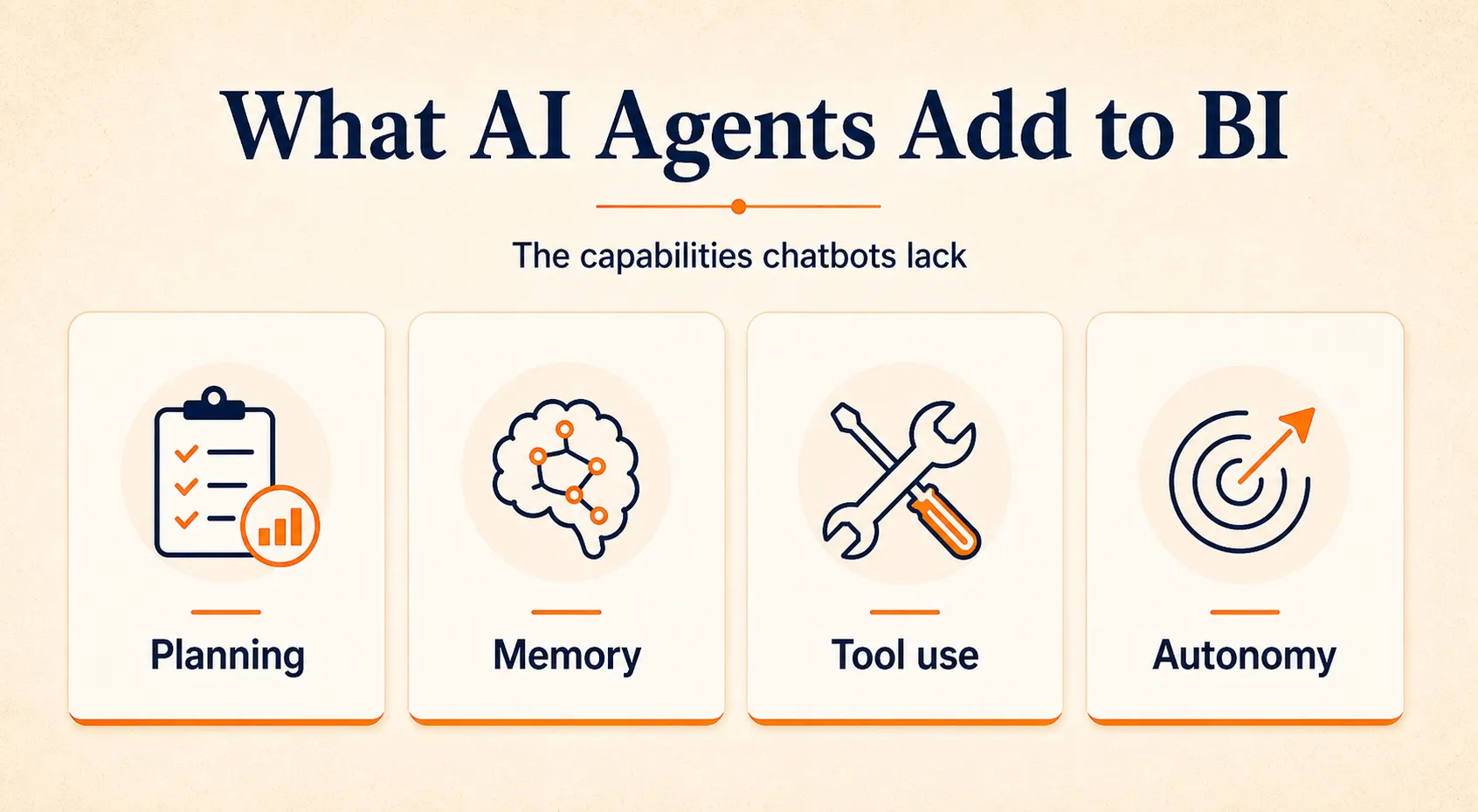
- Planning: An agent breaks complex analytical questions into multi-step plans. Ask “why did customer acquisition cost spike in the Northeast” and it doesn’t just run one query. It segments by region, compares against seasonal patterns, checks marketing spend changes, and synthesizes findings.
- Memory: Agents retain context across sessions. When you ask a follow-up question next week, the agent remembers what it already found.
- Tool use: Agents connect to data warehouses (Snowflake, BigQuery, Databricks), BI platforms, messaging apps (Slack, Teams), and workflow tools. They don’t just answer questions; they pull data, generate reports, and push alerts.
- Autonomy: Agents can operate proactively. A KPI monitoring agent watches your metrics around the clock and investigates anomalies before anyone asks.
How AI Agents Differ From Chatbots and Traditional BI
The simplest way to understand the difference:
| Capability | Traditional BI (dashboards) | BI chatbot | AI agent |
|---|---|---|---|
| Who initiates | Human opens dashboard | Human asks question | Agent monitors and acts proactively |
| Scope per interaction | Pre-built views | Single question, single answer | Multi-step analysis plans |
| Memory | None | None (session resets) | Retains context across sessions |
| Action | Displays data | Returns query result | Queries, alerts, generates reports, triggers workflows |
| Learning | None | None | Adapts thresholds and patterns over time |
The key distinction: chatbots answer questions reactively while agents pursue analytical goals proactively . A chatbot waits for you to notice a problem. An agent spots the problem, runs initial diagnostics, and brings you an explanation with supporting data.
That autonomy is what makes BI teams pay attention, and also what makes governance so important. More on both shortly.
Why BI Teams Are Adopting AI Agents
The adoption numbers tell a clear story about direction, if not about maturity.
62% of organizations are at least experimenting with AI agents. But the same McKinsey research reveals that only about 10% are scaling agents in any given business function. Most organizations that are scaling are doing so in just one or two functions. So adoption is broad but shallow.
Gartner projects that 40% of enterprise applications will include task-specific AI agents by end of 2026, up from less than 5% in 2025. And 82% of companies plan to integrate AI agents within one to three years.
What’s driving the interest? Four things that map directly to pain points BI teams already have:
Closing the insight-to-action gap. Traditional BI shows you what changed. A revenue dashboard tells you Q2 was down 8%. But it stops there. You still need an analyst to dig into why, segment the data, and recommend what to do. An agent can handle that diagnostic loop, from detecting the drop to isolating the cause to suggesting a response, without waiting in the analyst queue.
Reducing the analyst bottleneck. Self-service BI tools have helped, but complex questions still route to analysts. Agents extend self-service by letting non-technical users ask multi-part questions in plain language and get structured answers. The analyst’s time shifts from pulling data to validating findings and advising on strategy.
Continuous monitoring vs periodic reporting. Most BI teams operate on reporting cycles: weekly dashboards, monthly reviews, quarterly deep dives. Between those cycles, problems go unnoticed. Agents run agentic workflows that watch KPIs continuously and investigate anomalies as they happen, not after the monthly review surfaces them.
Data democratization without the chaos. When non-technical stakeholders can ask questions in natural language, data access expands. But this only works if the agent queries through a governed semantic layer (standardized metric definitions). Otherwise, you get inconsistent answers to the same question, which is worse than no answer at all.
The combination of these drivers is real. But the gap between experimenting and scaling is where most organizations currently sit, and understanding what agents actually do in practice helps explain why.
How AI Agents Work in Practice: BI Use Cases
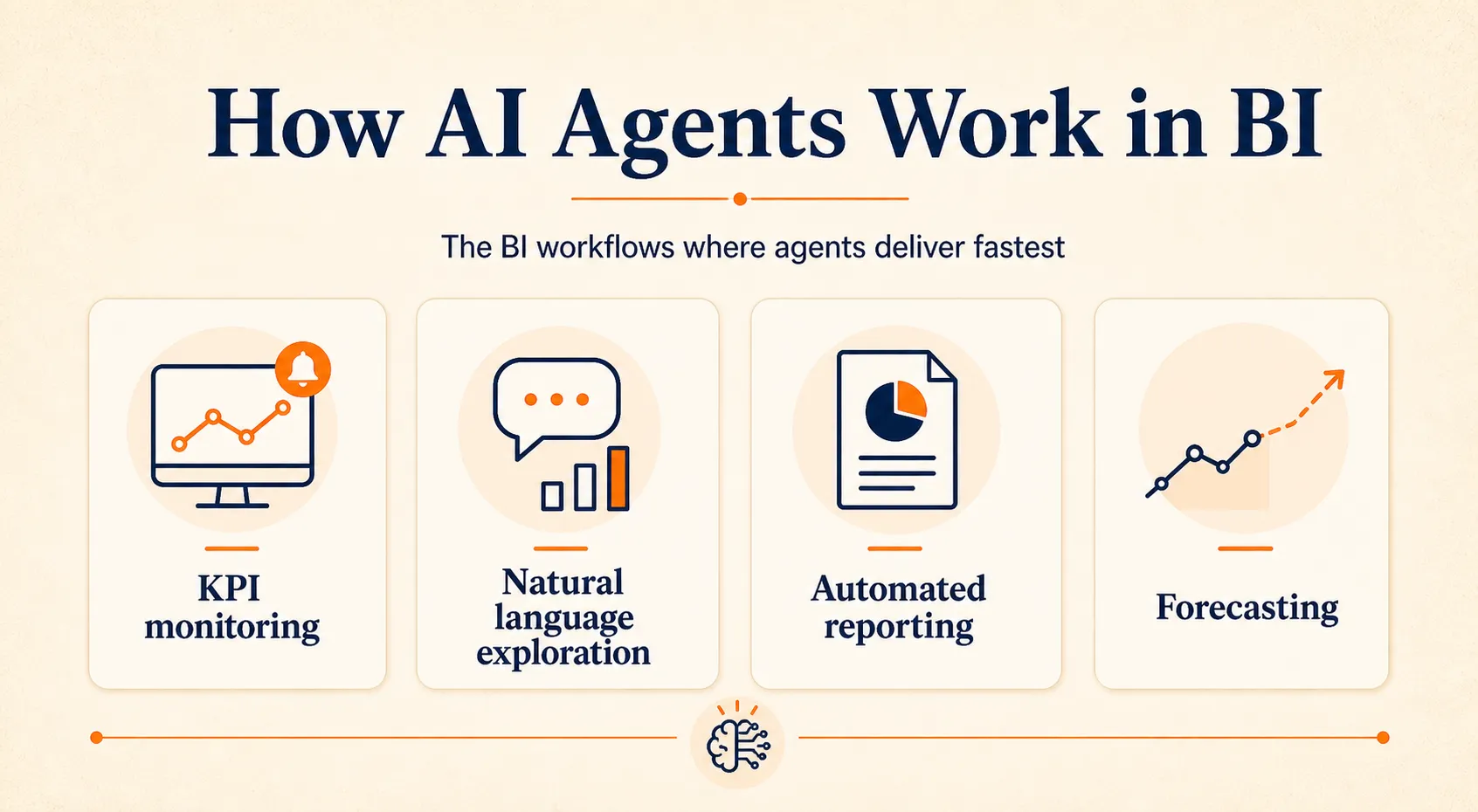
The most useful way to think about BI agent use cases is by workflow type, not by department. Finance, sales, and marketing teams all benefit from the same core agent patterns. Here are the four that deliver value fastest.
KPI Monitoring and Anomaly Alerting
This is the most common entry point for BI agents, and for good reason: it has clear inputs, measurable outputs, and immediate ROI.
The workflow: an agent continuously monitors your core KPIs (revenue, conversion rates, churn, operational metrics). When a metric deviates beyond defined thresholds, the agent runs initial diagnostics. It compares against seasonal patterns, segments by cohort or region, checks for correlated changes in other metrics, and pushes an explanation with supporting data to the team via Slack, email, or your project management tool.
What makes this different from a static alert rule: the agent does not just say “revenue dropped 8%.” It says “revenue dropped 8% in the Northeast region, driven primarily by a 23% decline in new customer acquisition, which correlates with a marketing spend reduction that started three weeks ago.” That diagnostic layer is the value add.
Natural Language Data Exploration
A marketing manager asks: “Why did customer acquisition cost increase in the Northeast last quarter?” The agent parses the question, maps “customer acquisition cost” and “Northeast” to their definitions in the semantic layer, writes and executes SQL queries against the data warehouse, runs the analysis, and returns a narrative explanation with supporting visualizations.
This sounds simple, but it depends on a critical foundation: a semantic layer with governed metric definitions. If your organization hasn’t standardized what “customer acquisition cost” means across teams, the agent will either pick the wrong definition or return inconsistent results. The semantic layer (sometimes called a metrics store or business glossary) is what makes natural language querying trustworthy rather than just impressive.
Automated Report Generation
Weekly executive briefings, variance analyses, board reporting: these follow predictable structures but consume significant analyst hours. An agent can pull data from multiple sources, populate standardized report templates, highlight key changes and anomalies, generate data models or dashboard tiles, and distribute the finished report, all without analyst intervention.
The time savings here are straightforward. What’s less obvious is the consistency gain. Human-generated reports have variable formatting, different analysts emphasize different metrics, and the narrative framing changes depending on who writes it. Agent-generated reports follow the same structure every time, making it easier for leadership to compare across periods.
Predictive Analytics and Forecasting
This is where agents move from reactive to forward-looking. A forecasting agent runs continuous scenario planning for demand projections, revenue forecasts, or resource allocation. As new data arrives, the agent adjusts predictions and alerts stakeholders when forecast confidence drops below acceptable thresholds.
In mature organizations, this use case often involves multi-agent architectures : a data cleaning agent ensures input quality, a forecasting agent runs the models, and an alerting agent handles distribution and escalation. Each agent specializes in one part of the workflow and they collaborate on the complete process.
If these use cases sound promising, the natural next question is: what does adoption look like in practice, and how many organizations are actually making this work?
What the Adoption Data Actually Shows
The growth numbers and failure numbers both tell important parts of the story. Here’s what the data says when you look at both sides.
The growth is real
The AI agents market was valued at $7.63 billion in 2025 and is projected to reach $182.97 billion by 2033 at a 49.6% CAGR. Gartner estimates that AI agent software spending will jump from $86.4 billion in 2025 to $206.5 billion in 2026 and $376.3 billion in 2027.
88% of organizations now use AI in at least one business function, up from 78% the year before. The baseline AI adoption is broad and growing.
But scaling is another story
Nearly two-thirds of organizations haven’t scaled AI beyond initial experiments. For agents specifically, only 23% report scaling, and most are doing so in just one or two business functions. In any given function, no more than 10% of organizations are scaling agents.
The failure rates are high
Gartner predicts that over 40% of agentic AI projects started before end of 2025 will be canceled by end of 2027.
The reasons: escalating costs, unclear business value, or inadequate risk controls. This is Gartner’s formal forecast, and it aligns with what practitioners report on the ground.
The most common reasons BI agent projects fail:
- Deploying before fixing data quality. If your data warehouse has inconsistent definitions, duplicate records, or stale data, an agent will produce confident but wrong analysis. Bad data in, hallucinated insights out.
- Treating agents as chatbot upgrades. Agents need tool access, memory, and planning capabilities. Bolting a language model onto a database doesn’t create an agent; it creates a chatbot that will disappoint users expecting agent-level performance.
- Skipping governance. Agents that can query any table and trigger workflows without permission controls are a security and compliance risk. Role-based access, audit trails, and approval workflows are prerequisites, not nice-to-haves.
- Starting too big. Organizations that try to deploy agents across all departments simultaneously have the highest failure rates. The data readiness and governance requirements compound across business units.
What this means for BI teams
The market is real and growing fast, but it is firmly in the early-adopter phase. The organizations succeeding are not the ones buying the biggest platform or deploying the most agents. They’re the ones starting small, investing in data foundations, and building governance into the workflow from day one.
With that reality check in place, here’s what a practical path forward actually looks like.
How to Pilot AI Agents for BI
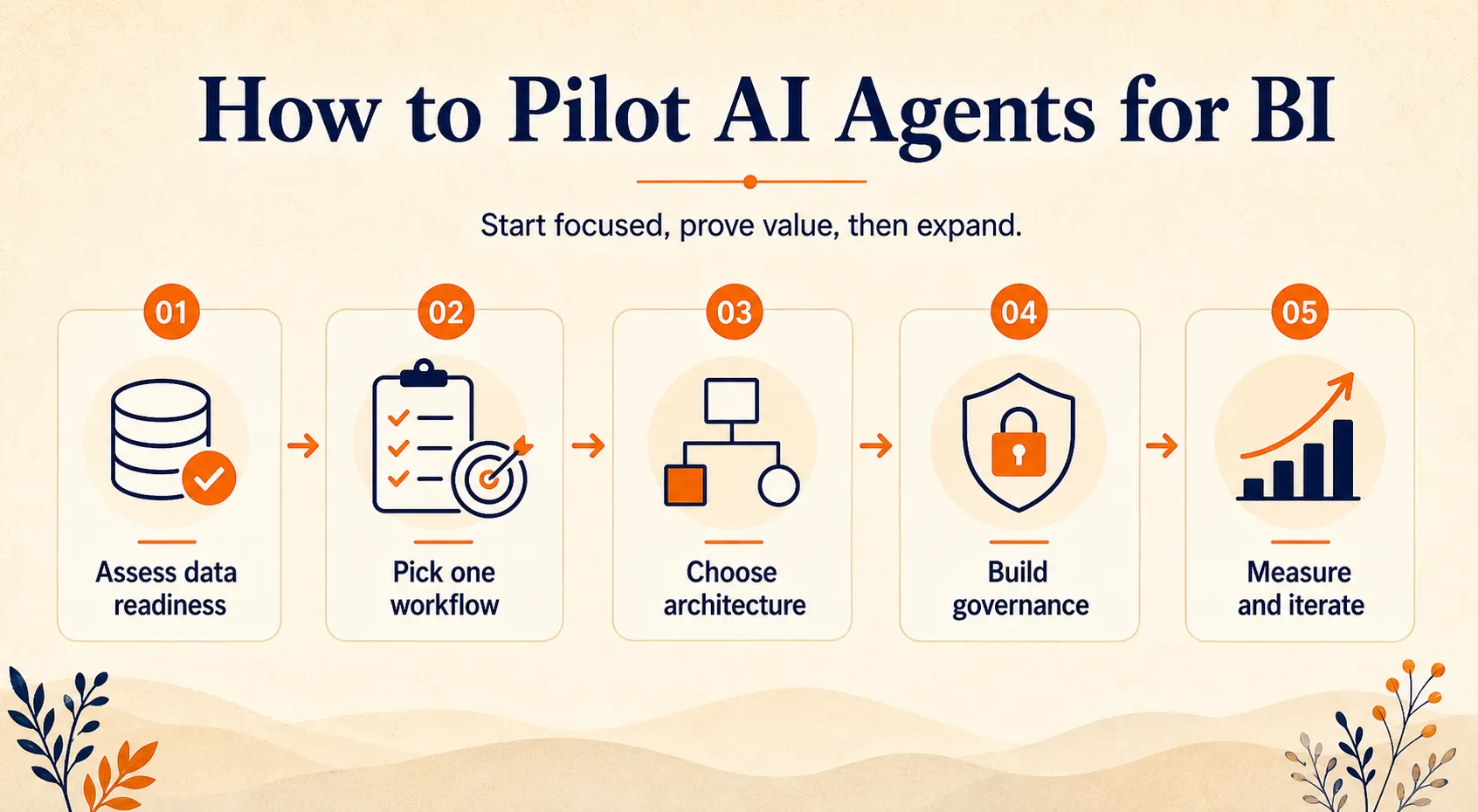
Starting with a focused pilot is not just cautious advice. Given the 40% cancellation rate Gartner projects, it’s the approach most likely to produce results without wasting budget. Here’s a five-step framework.
Step 1: Assess Your Data Readiness
Before evaluating any agent tool, answer three questions:
- Is your data warehouse reliable? Are tables updated consistently? Are there known quality issues (duplicates, nulls, stale records) that would undermine agent outputs?
- Do you have a semantic layer? Standardized metric definitions, a business glossary, and governed calculations are what let agents return consistent answers. Without them, the same question asked two different ways gets two different numbers.
- Are access controls in place? Agents need permissions boundaries. If your data warehouse doesn’t have role-based access, an agent could expose sensitive data to unauthorized users.
If any of these are missing, fix them first. An agent running on ungoverned data produces confident wrong answers, which erodes trust faster than no agent at all.
Step 2: Pick One High-Value Workflow
The best pilot candidates share three traits: they’re repeatable, they have well-defined inputs and outputs, and there’s a measurable baseline to compare against.
Strong starting workflows for BI agents:
- KPI monitoring and anomaly alerting (the most common choice, highest immediate ROI)
- Ad hoc Q&A for non-technical stakeholders (reduces analyst queue, demonstrates agent value to leadership)
- Automated weekly or monthly reporting (measurable time savings, low-risk if reports are reviewed before distribution)
Do not start with “deploy agents across all departments.” Pick one workflow, prove value, then expand.
Step 3: Choose Your Architecture
Three common patterns, each suited to different maturity levels:
-
Conversational BI agent : An NLP layer on your data warehouse. Users ask questions in natural language, the agent writes and runs queries, and returns structured answers. This is the easiest starting point and works well for ad hoc data exploration.
-
Monitoring agent: Autonomous and proactive. It watches KPIs, detects anomalies, runs diagnostics, and pushes alerts. Requires more setup than conversational agents but delivers value without requiring users to ask questions.
-
Multi-agent orchestration : Specialized agents (data cleaning, forecasting, alerting, reporting) that collaborate on complex workflows. This is for mature organizations with strong data infrastructure and governance. Most teams should not start here.
These capabilities exist in different forms: native features in BI platforms, standalone agent builders, and model-agnostic AI platforms like Craze that let you build and run BI agents using any model without being locked into a single vendor’s ecosystem.
For agent architecture considerations specific to your use case, the key decision is whether you need a conversational interface, autonomous monitoring, or both.
Step 4: Build Governance From Day One
Governance is not a Phase 2 concern. It’s a launch requirement. The 40% project cancellation rate Gartner projects is driven in large part by inadequate risk controls. Here’s what governance looks like for a BI agent deployment:
- Role-based access controls: Agents should only query data that the requesting user is authorized to see. If a marketing analyst asks about finance data, the agent should deny the request, not answer it.
- Audit trails: Every query, every action, every alert should be logged. When leadership asks “how did the agent arrive at this number?” you need a clear answer.
- Approval workflows for high-impact actions: If an agent can trigger budget adjustments, pricing changes, or customer communications, those actions need human sign-off before execution.
- PII handling and data residency: Define what data the agent can and cannot access. Regulated industries (finance, healthcare) have additional compliance requirements.
- Cost monitoring: LLM API costs can scale quickly when agents run continuous monitoring. Set cost alerts and usage caps early.
Step 5: Measure and Iterate
Without measurement, you can’t tell if the pilot succeeded. Track these metrics from day one:
- Time-to-insight: How long does it take from question to answer, compared to the manual process?
- Alert precision and recall: Are the agent’s anomaly alerts catching real issues? How many false positives?
- Analyst hours saved: Quantifiable but don’t over-optimize for this alone. Agent value also comes from catching things humans miss.
- Output accuracy: Compare agent-generated analyses against manual analyst work on the same questions.
- Cost per insight: LLM API costs, data warehouse compute, and infrastructure overhead divided by the number of useful outputs.
Review agent performance weekly during the pilot. Switch to monthly reviews once the deployment stabilizes. Expand to adjacent workflows after the pilot shows measurable improvement on two or three KPIs with acceptable accuracy.
The pilot framework handles the “how to start” question. But there’s one more concern that comes up in nearly every BI team conversation about agents.
How BI Roles Are Changing
The question every BI analyst is asking: will AI agents take my job?
The honest answer is nuanced. Agents will take over parts of the job, but not the parts that matter most.
What agents handle well:
- Routine data pulls and standard queries
- KPI monitoring and first-pass anomaly detection
- Automated report generation and distribution
- Data formatting, cleaning, and pipeline monitoring
What stays with humans:
- Strategic question framing. An agent can answer “why did revenue drop?” but it can’t decide which questions are worth asking in the first place. That requires business context, organizational knowledge, and judgment.
- Stakeholder communication. Presenting findings to a CFO requires understanding their priorities, concerns, and communication preferences. Agents generate data; humans translate it into decisions.
- Data storytelling. Turning a set of findings into a compelling narrative that drives action is a distinctly human skill. Agents can provide the facts; the story needs a human author.
- Quality judgment. When agent outputs look wrong or when the data itself is questionable, it takes human expertise to recognize the problem and decide how to handle it.
- Governance oversight. Someone needs to define what agents can and cannot do, review their configurations, and ensure compliance. That role grows as agent adoption expands.
The career trajectory shifts from “person who pulls data and builds charts” to “person who configures agents, validates their outputs, and translates findings into business decisions.” The skill premium moves from SQL proficiency and tool expertise toward analytical judgment, business context, and communication.
This is consistent with what practitioners are saying. Discussions in BI communities like r/businessanalysis suggest a strong consensus that agents change what analysts spend their time on, but they don’t eliminate the need for human analytical judgment. The routine work (what many analysts describe as “grunt work”) gets automated, while the strategic and interpretive work expands.
For BI teams, the practical implication is clear: invest in the skills that agents can’t replicate. Business acumen, communication, critical thinking about data quality, and the ability to frame the right questions will matter more than speed at writing queries.
Wrapping Up
AI agents for business intelligence represent a genuine shift from periodic, human-initiated reporting to continuous, autonomous analytics. The market is growing fast, the technology is real, and the use cases (KPI monitoring, natural language exploration, automated reporting, predictive analytics) are delivering value for organizations that deploy thoughtfully.
But the shift is early and unevenly distributed. Most organizations are experimenting, not scaling. Failure rates are high when data foundations are weak or governance is an afterthought. The organizations getting the best results are starting small, fixing their data layer first, and building human oversight into every agent workflow.
If you’re evaluating AI agents for your BI stack, start here: audit your data readiness, pick one repeatable workflow to pilot, and measure results before expanding. That’s a more productive path than evaluating ten vendors or trying to deploy agents across every department at once. And if you want a model-agnostic AI platform where you can build an AI agent for BI without being locked into a single provider, Craze gives you that flexibility.
FAQs
What is the difference between an AI agent and a chatbot in BI?
A BI chatbot answers individual questions reactively: you ask, it queries, it responds, and then the session resets. An AI agent plans multi-step analyses, retains memory across sessions, uses tools (SQL engines, BI APIs, workflow apps), and can operate proactively by monitoring data and triggering actions without being prompted. The core differentiator is autonomy. Agents pursue analytical goals; chatbots respond to prompts.
Will AI agents replace BI analysts?
No. Agents handle routine data pulls, standard monitoring, and first-pass analysis. Analysts retain strategic question framing, stakeholder communication, data storytelling, and quality judgment. The role evolves from data extraction toward analytical strategy and governance oversight.
How much does it cost to implement AI agents for BI?
Costs vary widely depending on approach. A simple conversational BI agent using an existing LLM and data warehouse may cost a few thousand dollars per month in API and infrastructure. A full multi-agent deployment with custom integrations requires significantly more investment. The key cost drivers are LLM API usage, data warehouse compute, integration development, governance tooling, and team training.
What data do AI agents need to work in BI?
Agents need access to a governed data warehouse or lakehouse, a semantic layer with standardized metric definitions, and clear access controls. Without governed metric definitions, agents will produce inconsistent results. Data quality is the single biggest prerequisite for useful agent outputs.
What are the biggest risks of deploying AI agents for BI?
The top risks are hallucinated insights (agents generating confident but wrong analysis), data leakage (agents accessing or exposing sensitive data without proper controls), over-automation (letting agents trigger high-impact actions without human approval), cost escalation (LLM API costs scaling faster than budgeted), and project failure. Mitigate through data readiness investment, governance from day one, phased rollout, and human-in-the-loop for all critical decisions.
More Articles
The 8 Best Lindy AI Alternatives in 2026 (Tested & Compared)

The 8 best Lindy AI alternatives for 2026, anchored to why people leave Lindy, with current pricing, third-party ratings, honest pros and cons, and the best pick for each reason to switch.
The 7 Best Make Alternatives in 2026 (Tested & Compared)
The 7 best Make.com alternatives for 2026, anchored to why people leave Make, with current pricing, third-party ratings, honest pros and cons, and the best pick for each reason to switch.
The 8 Best Zapier Alternatives in 2026 (Tested & Compared)
The 8 best Zapier alternatives for 2026, anchored to why people leave Zapier, with current pricing, third-party ratings, honest pros and cons, and the best pick for each reason to switch.


