


Struggling with missed shifts, overlapping rosters, or sudden compliance issues? Many Indian businesses managing rotating shifts and multi-location teams face these challenges daily, creating stress for both managers and employees.
The right Employee Scheduling Software can make a real difference when it includes the features that matter most. Forecasting, automated rostering, attendance sync, and compliance tools save time, reduce errors, and help employees feel more in control of their schedules.
In this blog, we’ll show you which employee scheduling software features to prioritise to make your team’s scheduling efficient and straightforward.
Employee Scheduling Software automates shift planning, roster management, and schedule adjustments, replacing manual spreadsheets and emails.
It ensures optimal staffing, reduces conflicts, and improves productivity while maintaining compliance with labour regulations.
Core features include shift creation and assignment, recurring schedules, swap and time-off management, notifications and alerts, self-service access, and reporting dashboards.
Advanced features like AI-driven forecasting, labour cost optimisation, mobile access, integration with attendance and payroll systems, and compliance tracking help streamline operations.
Select providers based on ease of use, flexibility, integration capabilities, reporting depth, support quality, and total cost of ownership.
An Employee Scheduling Software helps organisations plan, assign, and manage shifts in an automated, policy-compliant manner. It replaces spreadsheets and manual planning with data-driven scheduling that aligns labour supply with operational demand.
From forecasting headcount and managing preferences to publishing shifts and tracking attendance, modern scheduling tools provide real-time visibility for HR, managers, and employees. The result is fewer conflicts, better utilisation, and compliance with India’s overtime and weekly-off rules.
Efficient workforce scheduling is the backbone of smooth business operations, especially in industries where shifts, attendance, and compliance directly impact productivity and costs. An Employee Scheduling Software brings automation, accuracy, and visibility to the process, helping organisations balance staffing needs with employee satisfaction.
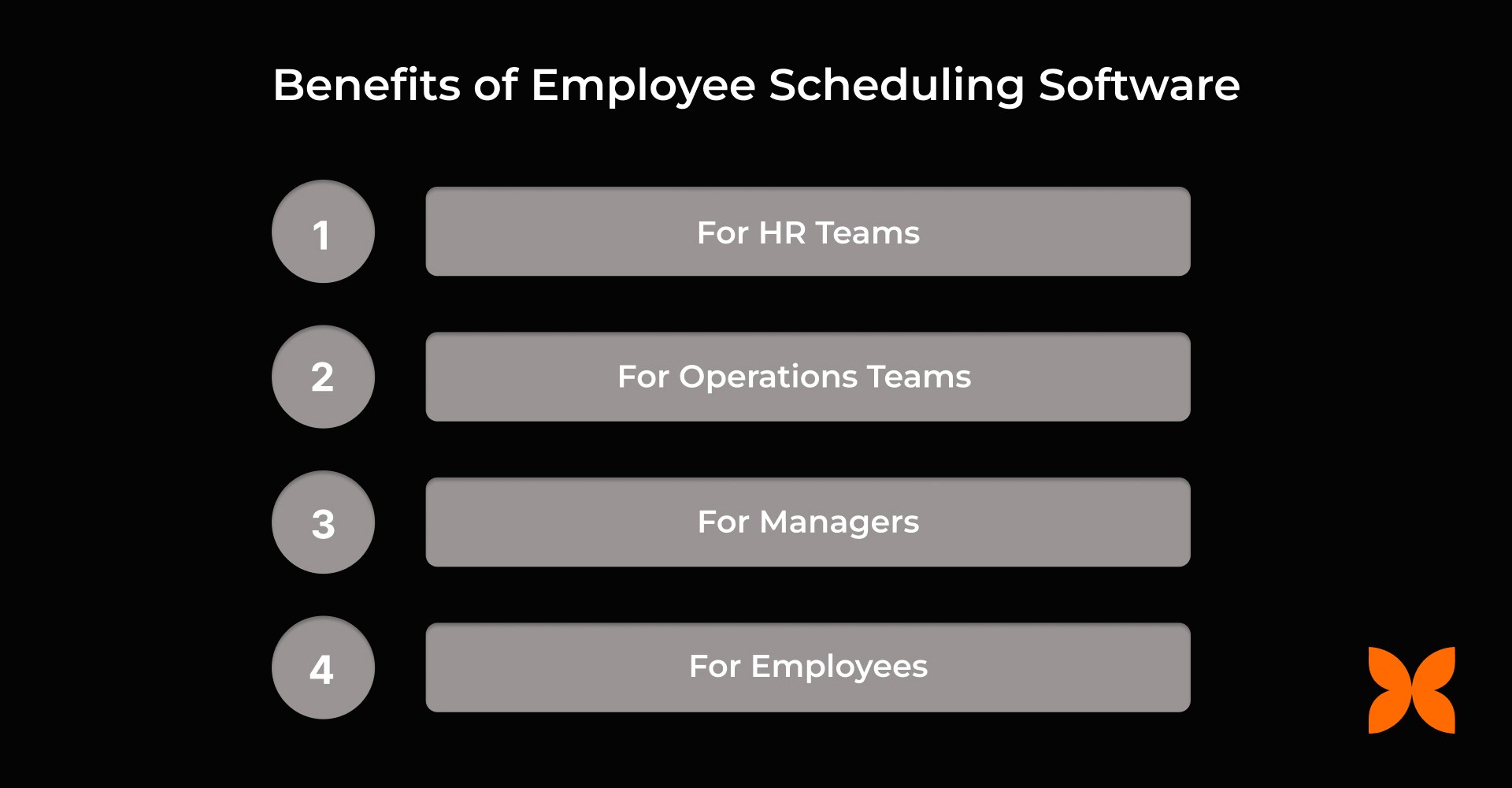
Here’s a list of key benefits for each stakeholder group:
1. For HR Teams
HR teams often juggle compliance, staffing, and reporting challenges. Employee Scheduling Software provides a centralised platform for efficiently managing schedules while ensuring compliance with labour regulations and internal policies.
Simplifies scheduling across departments, locations, and shifts.
Automates compliance with labour laws, overtime, and rest-period rules.
Reduces manual corrections and ensures payroll accuracy.
Generates audit-ready reports for better governance and documentation.
2. For Operations Teams
Operations teams need to align workforce availability with business demand. Scheduling software offers data-driven insights and predictive tools to optimise staffing and maintain smooth operational workflows.
Aligns staffing levels with real-time business demand.
Prevents under- or over-staffing through smart forecasting.
Improves shift coverage reliability and reduces last-minute changes.
Enhances overall operational efficiency and cost control.
3. For Managers
Managers are responsible for day-to-day scheduling and ensuring team productivity. The software streamlines roster creation, conflict resolution, and shift approvals, reducing administrative burden.
Enables faster roster creation and one-click publishing.
Provides real-time visibility into team availability and conflicts.
Simplifies shift swaps and approvals through configurable workflows.
Reduces administrative workload and communication delays.
4. For Employees
Employees benefit from clarity and flexibility in their schedules. Scheduling software empowers them to manage shifts, swaps, and requests, improving engagement and work-life balance.
Offers transparency through fair, predictable schedules.
Allows easy access to assigned shifts, swap options, and open opportunities.
Improves flexibility for mobile app updates and requests.
Enhances work-life balance and overall job satisfaction.
Now, let’s explore the key features you should look for in employee scheduling software to streamline operations and enhance workforce efficiency.
Also read: Employee Database Management System for HR Leaders: What It Is, How It Helps, and How to Choose
Choosing the right Employee Scheduling Software can make all the difference between smooth, compliant operations and constant scheduling chaos. The ideal solution should combine forecasting, automation, and compliance, while offering flexibility for both HR teams and employees.
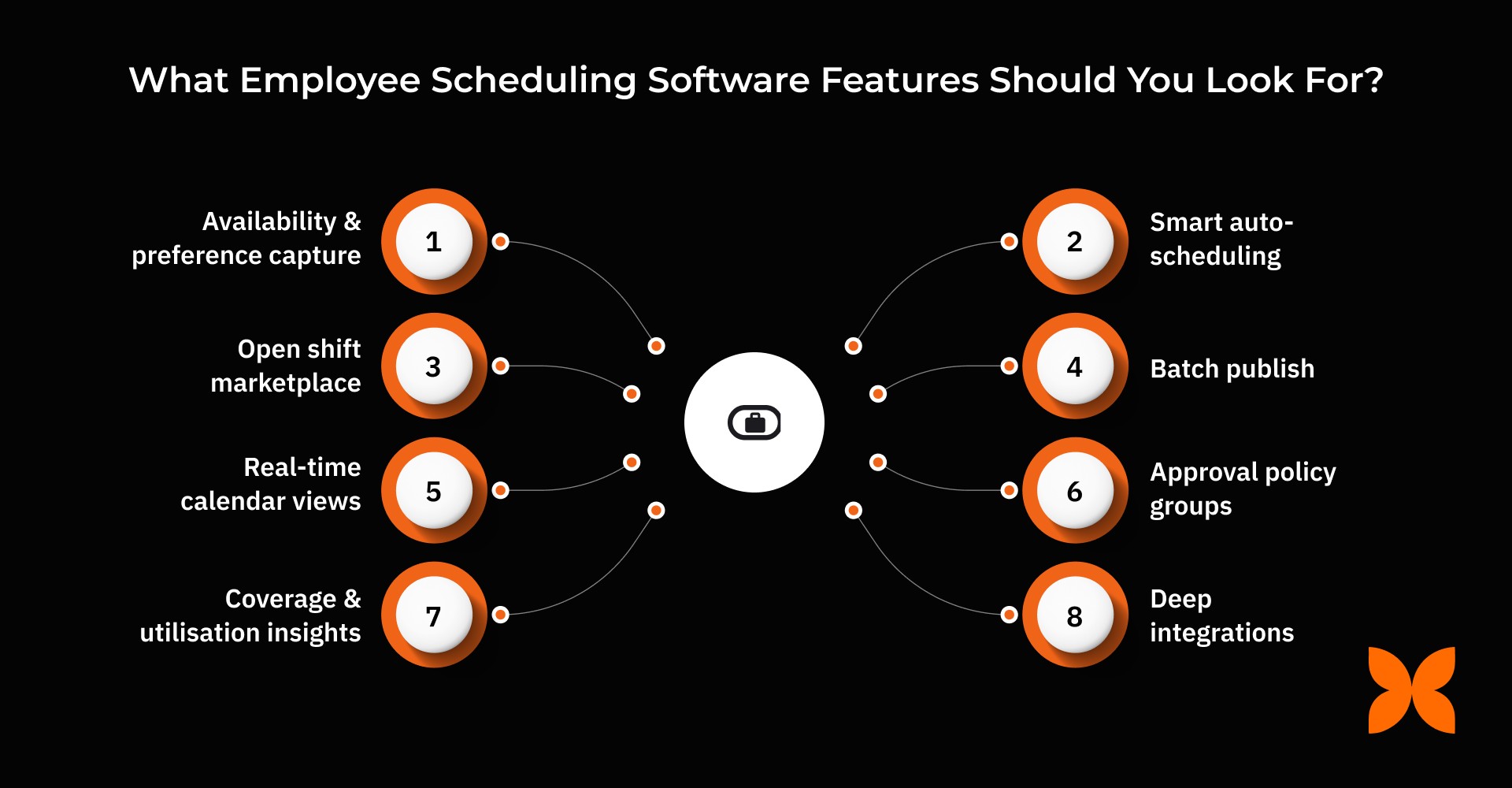
Here’s a list of key feature categories every modern scheduling platform should include:
1. PLAN (Forecasting, Availability & Compliance Guardrails)
An effective scheduling process starts with accurate planning and compliance control. The software should help forecast workforce needs, capture employee preferences, and automatically apply labour laws.
Demand forecasting & headcount modelling: Predict staffing needs based on roles, skills, and business demand to maintain minimum coverage levels.
Availability & preference capture: Record employee time-off, preferred shifts, and blackout dates to reduce conflicts.
Skill/qualification & certification rules: Ensure only qualified staff are assigned to specific tasks or shifts.
Labour law, OT & fatigue rules: Enforce compliance with maximum hours, rest periods, and weekly-off policies.
Budget guardrails: Control costs with labour percentage limits and per-shift cost targets.
2. BUILD (Smart Rostering & Patterns)
Once planning is complete, building efficient rosters is key. Look for tools that automate scheduling while offering flexibility and visibility.
Smart auto-scheduling: Automatically assign shifts based on demand, availability, and compliance rules.
Recurring shift patterns & rotations: Create reusable templates and preview rotations before publishing.
Multi-schedule support: Manage multiple teams, locations, and time zones from a single dashboard.
Bulk actions: Add, edit, or remove multiple shifts at once to save time.
Draft vs planned rosters: Review work-in-progress rosters before publishing final schedules.
3. FILL (Employee Workflows to Close Coverage Gaps)
Unexpected absences or open shifts are inevitable. Your scheduling tool should make it easy to fill these gaps while maintaining fairness and compliance.
Open shift marketplace: Publish open shifts for employees to volunteer, based on eligibility.
Shift swap/pick-up/drop requests: Allow flexible shift exchanges with manager approvals.
Waitlists & bidding: Enable employees to request or bid for hard-to-fill shifts.
Fairness rules: Maintain equity through rotation tracking and overtime equalisation.
4. PUBLISH (Change Control & Communication)
Transparent communication ensures everyone stays aligned when schedules change.
Batch publish: Roll out selected shifts or groups in stages for smoother updates.
Change visibility controls: Differentiate between planned and published rosters to avoid confusion.
Notifications & reminders: Send instant alerts for new shifts, changes, or upcoming start times.
Acknowledgements & read receipts: Confirm that employees have viewed updated schedules.
5. OPERATE (Day-of Tools, Exceptions & Attendance Tie-In)
On-the-ground operations depend on real-time tracking and exception handling. The software should integrate closely with attendance systems to minimise manual corrections.
Real-time calendar views: Display assigned and open shifts side-by-side for quick decision-making.
Holiday/weekend/leave overlay: Flag potential conflicts during scheduling.
Exception handling: Manage no-shows, late logins, or extended shifts with instant alerts.
Attendance integration: Connect biometric, mobile, or web check-ins with automated policy enforcement.
Regularisation workflows: Enable employees to fix missed punches or errors via maker-checker approvals.
6. GOVERN (Access, Approvals & Policy Control)
Strong governance ensures accountability, security, and compliance across all scheduling activities.
Approval policy groups: Define multi-level approval rules per schedule or request type.
Fine-grained access control: Assign permissions based on roles (admin, manager, viewer).
Audit trails: Maintain records of who changed what and when, with rollback options.
Role/location scoping: Restrict visibility to relevant users or business units.
SSO/MFA readiness: Support secure authentication and centralised access management.
7. ANALYSE (Staffing, Costs & Performance)
Analytics help organisations measure efficiency, utilisation, and cost-effectiveness over time.
Coverage & utilisation insights: Identify under- or over-staffed shifts to optimise resources.
Labour vs revenue dashboards: Compare workforce costs against business performance indicators.
Request analytics: Track approval rates, response times, and volumes for better decision-making.
Export & BI connectors: Integrate with business intelligence tools for deeper reporting and insights.
8. EXTEND (Integrations & Mobility)
Modern scheduling platforms should seamlessly connect with your existing ecosystem and support mobility for all users.
Deep integrations: Connect Attendance, Leave, Payroll, and HR Core for accurate, policy-aware time data.
POS/CRM/ERP signal ingest: Adjust staffing dynamically based on demand signals like sales or customer volume.
APIs & webhooks: Enable custom automations and reliable data exchange.
Mobile app: Allow managers and employees to view schedules, manage requests, and receive alerts anytime, anywhere.
Every team within an organisation interacts with scheduling software differently. Founders focus on cost and compliance; HR teams need governance and reporting; managers seek agility and control, while employees value transparency and fairness. The best Employee Scheduling Software bridges these needs, offering tailored features for each role.
Here’s a quick map of what matters most to each stakeholder:
Role | Top Priorities |
Founders/COOs | Labour cost vs revenue insights, forecast accuracy, compliance dashboards, and risk visibility. |
HR/Workforce Operations | Deep policy configuration, cross-location governance, audit trails, and reporting packs for compliance. |
Managers/Team Leads | Quick roster edits and publishing, conflict detection, approval queues, and full mobile parity. |
Employees | Fair and transparent schedules, open shift sign-up and swap options, mobile access, and timely notifications. |
Selecting the right Employee Scheduling Software is crucial for maintaining transparency, efficiency, and compliance, especially in organisations operating across multiple shifts, locations, and labour laws. The right platform should not only automate scheduling but also integrate seamlessly with attendance, leave, and payroll systems for end-to-end accuracy.
Here’s a checklist to guide your evaluation process:
Forecasting & Guardrails: Ensure the tool includes demand forecasting, availability management, and compliance enforcement for Indian labour laws.
Smart Rostering & Patterns: Look for automation, recurring shift templates, and bulk editing features to speed up scheduling.
Marketplace Workflows: Verify that employees can claim, swap, or drop shifts easily with transparent approval flows.
Publishing & Notifications: Choose systems that support staged rollout, instant alerts, and acknowledgement tracking.
Day-of Operations & Exception Handling: Check for real-time dashboards, no-show alerts, and attendance integration.
Attendance & Payroll Integration: Make sure data syncs automatically for accurate compensation and reporting.
Governance & Audit: Strong access controls, approval rules, and detailed audit trails are essential for accountability.
Analytics Depth: Evaluate whether the tool provides staffing, cost, and utilisation insights with export-ready reports.
Mobile Experience: Prioritise mobile-first designs that allow both employees and managers to stay connected on the go.
Also read: Best Employee Scheduling Software in India for Startups & SMEs
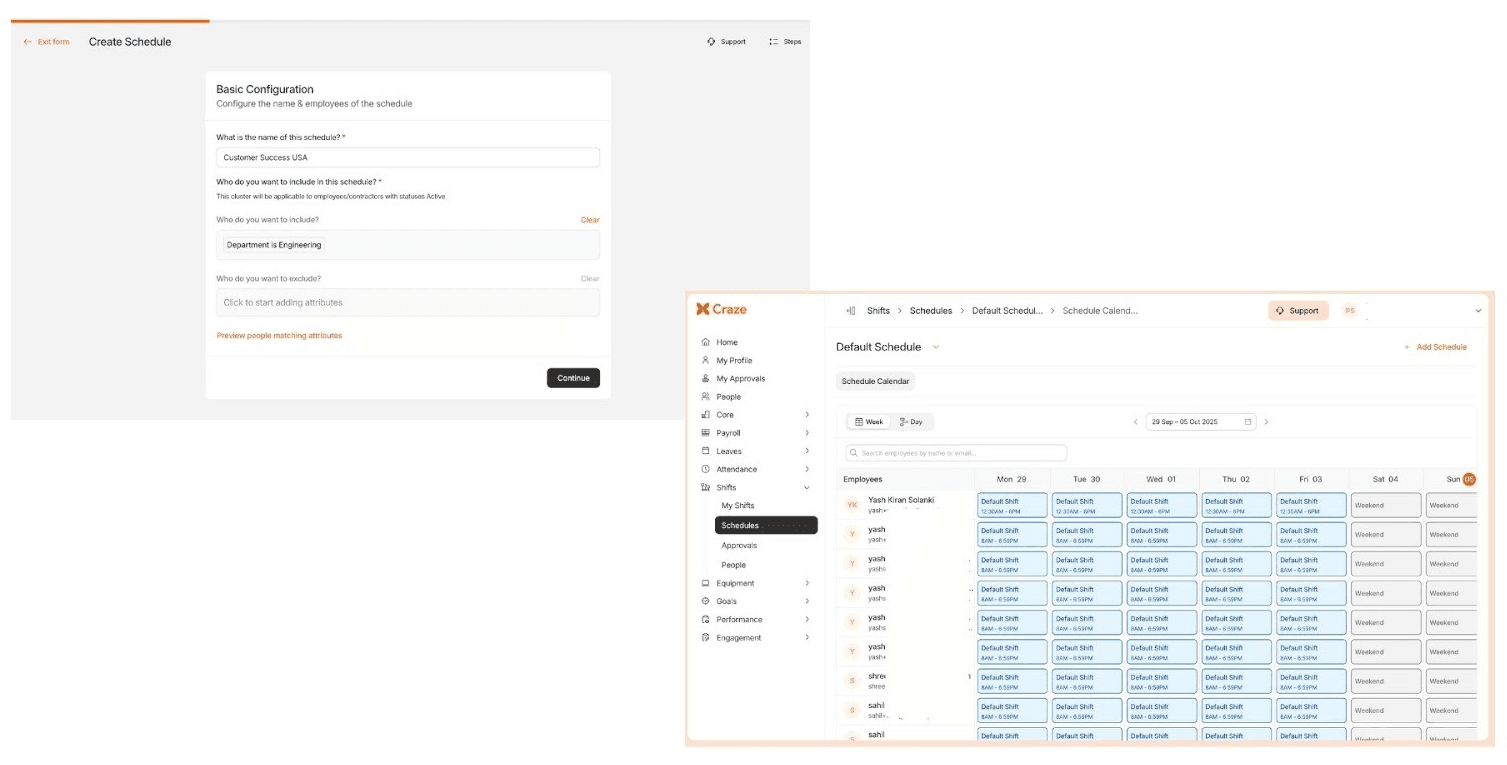
Craze brings everything HR and operations teams need into a single unified platform, simplifying shift planning, attendance tracking, and payroll accuracy. Designed for Indian businesses, Craze helps organisations maintain compliance, reduce manual effort, and ensure every schedule aligns with real-world policies and labour laws.
Here’s how Craze makes scheduling smarter and more efficient:
Plan & Build Fast: Create and manage multi-schedule calendars with recurring shift patterns, bulk actions, and conflict overlays for weekends, holidays, or leaves.
Fill Shifts Reliably: Empower employees with open sign-up, swap, and drop request workflows, backed by configurable approval policies and eligibility rules.
Publish with Control: Use batch publishing, staged rollout, and planned vs published views to manage change visibility. Employees receive instant notifications on updates.
Operate with Context: Access real-time dashboards showing assigned and open shifts, integrated attendance data, and automated policy engines to reduce exceptions.
Govern Precisely: Maintain control with role-based access, fine-grained permissions, approval workflows, and full audit trails for transparency.
Analyse & Improve: View coverage, utilisation, and request analytics in one place.
Integrate & Mobilise: Connect with Attendance, Leave, Payroll, and HR Core modules. Use APIs, webhooks, and the mobile app to schedule and approve anytime, anywhere.
By unifying scheduling, attendance, and payroll, this platform streamlines workforce operations and enhances overall efficiency. It ensures businesses stay compliant while empowering teams with visibility and control.
1. How does employee scheduling software help reduce labour costs?
By optimising shift assignments, predicting staffing needs, and avoiding overstaffing, the software minimises unnecessary overtime. It also ensures fair shift allocation, improving productivity while controlling labour expenses.
2. Why is Employee Scheduling Software important for companies in India?
It simplifies complex workforce operations by automating scheduling, tracking attendance, and enforcing compliance with India’s labour laws. This reduces manual errors, improves coverage, and ensures fair and transparent scheduling practices.
3. Can scheduling software integrate with attendance and payroll systems?
Yes. Advanced platforms like Craze integrate seamlessly with attendance, leave, and payroll modules to maintain real-time data sync, ensure accurate payouts, and reduce administrative workload.
4. How does an employee scheduling system support multi-location or shift-based organisations?
It allows businesses to manage multiple schedules, locations, and time zones from a single dashboard. The system supports recurring shift patterns, delegation workflows, and region-specific compliance settings.
5. Can employees swap or request shifts easily in Craze?
Absolutely. Craze includes an open shift marketplace and swap/drop workflows, allowing employees to exchange or pick up shifts with manager approvals, improving flexibility, fairness, and team coordination.
