


Are you struggling to manage routine HR tasks while giving your employees quick access to their pay, leave, and attendance information? If you are just starting with HR software or already using one that doesn’t meet your needs, the right Employee Self-Service (ESS) features can make a big difference.
With ESS, employees can handle tasks such as viewing payslips, submitting leave requests, and updating personal information independently, reducing HR workload, improving accuracy, and ensuring compliance.
This guide highlights the essential employee self service features Indian companies should prioritise in 2026 and explains what each feature does and why it matters.
Employee Self Service (ESS) is a digital interface that allows employees to access and manage their personal, attendance, leave, and payroll data independently.
ESS reduces HR intervention by enabling employees to submit leave requests, regularise attendance, update profiles, upload documents, access payslips, and track approval status.
Core features include leave and attendance workflows, profile management, document management, access to payslips and tax statements, policy visibility, and system notifications.
Advanced features such as digital onboarding, KYC/eKYC, mobile-first access, workflow automation, and integration with payroll and compliance systems improve accuracy and turnaround time.
Select providers based on feature depth, data accuracy, mobile usability, integration strength, security, and overall support quality.
Employee Self-Service (ESS) is a feature in an HR software that enables employees to independently access, update, and manage their personal, attendance, leave, and payroll information. Instead of relying on HR teams for routine tasks, employees use digital portals or mobile apps to view payslips, update details, request leave, or check attendance records.
For Indian organisations, ESS helps streamline day-to-day HR operations by reducing dependency on manual interventions and providing employees with direct visibility into their data.
ESS features can significantly enhance efficiency in Indian businesses by reducing HR workload and improving overall accuracy. Here's how ESS benefits your employees by enabling them to manage their own tasks and facilitating smoother operations.
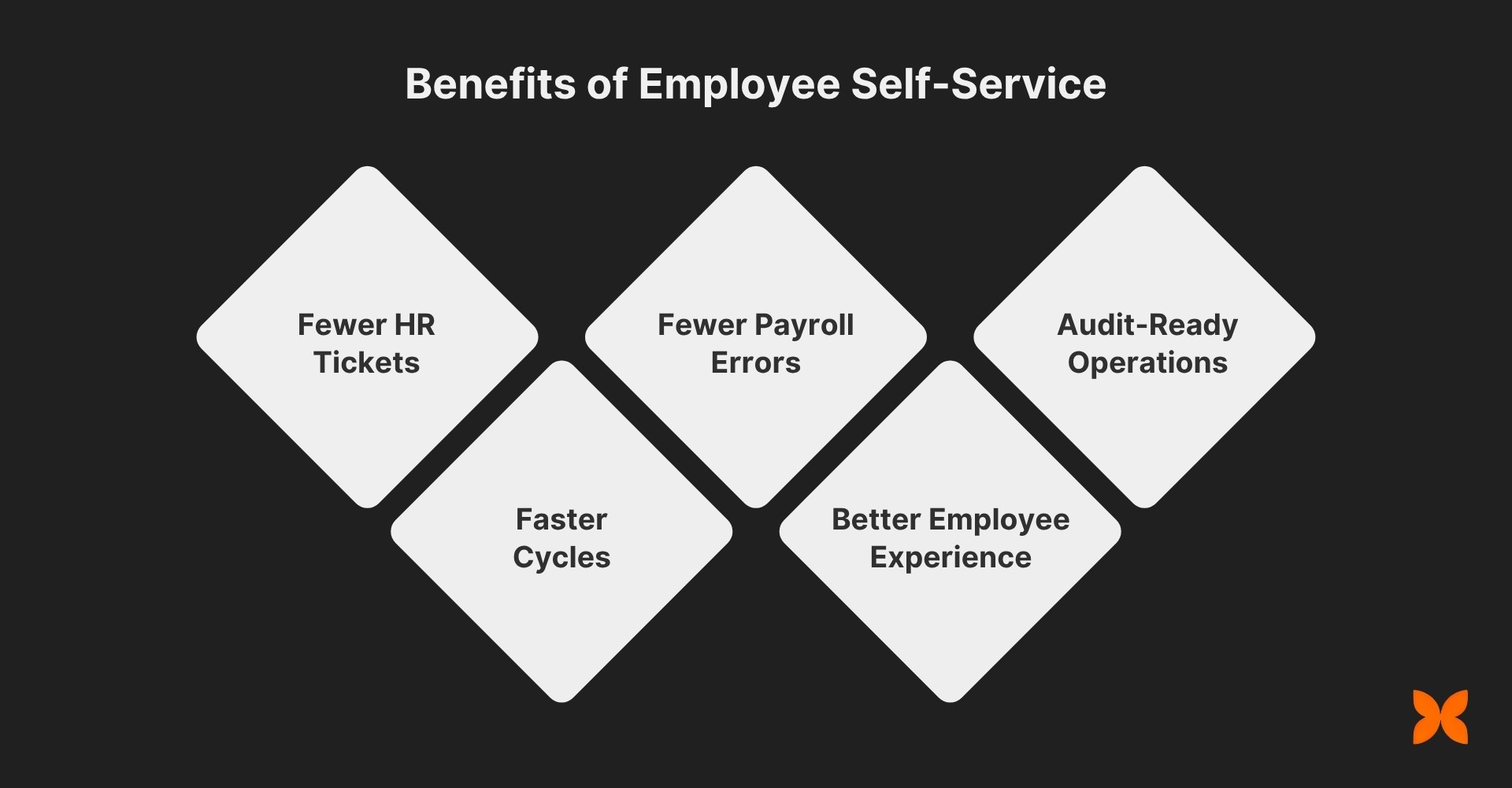
Fewer HR Tickets: Employees can handle routine tasks like leave requests and attendance updates, freeing up HR to focus on more critical issues.
Faster Cycles: With mobile access, employees can quickly submit requests, get approvals, and receive updates, speeding up response times.
Fewer Payroll Errors: With real-time data input and visibility, payroll errors are reduced, ensuring accurate compensation and tax compliance.
Better Employee Experience: ESS gives employees more control over their information, increasing transparency and fostering a sense of ownership.
Audit-Ready Operations: ESS provides logs, acknowledgements, and transaction proofs, making it easier to maintain compliance and prepare for audits.
The right ESS features are crucial for your organisation; therefore, consider the specific ones you need to optimise your workforce management.
Also Read: Best Payroll Software in India for Small Businesses and Startups
Employee Self Service features, if chosen right, can help reduce a lot of load and manual labour. These features must address the unique pain points you are already facing. It can help your business speed up processes and improve employee satisfaction.

Here's what you should look for in ESS software to optimise your operations.
1. Personal and Profile Management
Employees should be able to view and update their personal details, emergency contacts, addresses, and bank information directly, with approval workflows to ensure accuracy.
KYC Uploads and Verification Checklist: ESS should allow employees to upload and verify documents such as PAN, Aadhaar, and bank statements, ensuring compliance with regulatory requirements.
Consent & Policy Acknowledgements: Employees must acknowledge policies and consent to data use, with timestamp logs, to ensure compliance with legal standards and provide a clear audit trail.
2. Pay and Tax Self-Service
Employees should have access to their pay information, including payslips, CTC breakdowns, Form 16, and tax calculations, to avoid dependency on HR for basic queries.
Payslip Download: Employees should easily download historical payslips and view a detailed CTC breakdown, helping them understand their compensation structure.
Form 16/12BA Access: ESS should provide quick access to Form 16 and Form 12BA, with options to view tax sheets, including simulations for the old/new tax regimes.
Investment Declarations: Employees can upload investment proofs, declare tax-saving investments, and submit forms like 12BB, with automated approval workflows to streamline the process.
Reimbursements & Flexi Benefits: ESS must allow employees to submit reimbursement claims, track caps and receipts, and view the status of their payouts.
3. Leave, Attendance, and Timesheets
ESS should simplify leave requests, attendance tracking, and timesheet management, with real-time updates and approvals to maintain transparency and reduce errors.
Leave Management: Employees can apply for or cancel leave, view their balance, and receive team calendar overlap warnings for better planning.
Attendance & Regularisation Requests: ESS should allow employees to view their attendance records, request corrections for missed punches, and log out-of-geo notes.
Online Punching: Employees should be able to punch in/out through web or mobile apps, with optional geo-location and liveness checks for added security.
Timesheet Management: ESS must support time tracking through start/stop timers or manual entries, with manager approvals to ensure accurate records.
4. Requests and Workflows
Streamlining employee requests through self-service ensures faster resolution and reduces HR workload.
Letter Requests: Employees should be able to request experience, employment, or visa/NOC letters through ESS, with real-time tracking and approval.
Asset & Access Requests: Employees can request devices, applications, or permissions directly through ESS, simplifying asset management and ensuring smooth exits with NDCs.
Expense Submissions: ESS should allow employees to submit basic expense claims, travel requests, and document requests without HR involvement.
5. Notifications and Guidance
ESS can improve compliance and transparency by sending automated reminders and offering built-in guidance for routine tasks.
Automated Notifications: Employees receive reminders for low leave balances, pending proofs, missing timesheets, and shift changes, keeping them on track.
Playbooks & Micro-Guides: ESS can include built-in guides to help employees navigate complex tasks like investment claims, tax regime switches, and proof submissions.
6. Collaboration and Visibility
The right ESS platform enables better communication and collaboration between employees and managers.
Manager Dashboards: Managers can access dashboards that display pending approvals, team calendars, and coverage alerts to support efficient team management.
Delegation & Backup Approver: When managers are on leave, backup approvers can step in to ensure tasks are completed on time.
Role-Based Views: ESS should offer distinct views for employees, managers, HR, finance, and IT teams, ensuring each role has access to the data they need.
7. Security, Privacy, and Control
To ensure data protection, ESS should provide robust security features and data privacy controls.
Role-Based Access: Control access to sensitive information with least-privilege, ensuring only authorised personnel can view specific data.
Session Timeout & Audit Trails: Implement session timeouts, IP/device restrictions, and audit trails to ensure secure usage and track all changes.
Data Retention & Export: ESS should comply with data retention rules and offer one-click exports so auditors can easily access the required information.
8. Integrations and Mobility
ESS should integrate smoothly with other systems and offer mobile-first access to improve flexibility and usability.
Native Links to HR, Payroll, Attendance, and More: ESS should seamlessly sync with core HR, payroll, attendance, performance, and document management systems.
Mobile-First ESS: Ensure full parity across mobile platforms so employees can apply, approve, or download documents on the go, with offline capabilities when needed.
Open APIs & Webhooks: ESS should support open APIs and webhooks, allowing integration with finance and IT workflows for custom automations.
A trusted ESS partner would offer simple integration with payroll, attendance, and leave management. With Craze, you also gain access to powerful automation and advanced configuration options that keep HR and payroll data fully aligned.
As companies grow, ESS requirements evolve for different user roles. The table below summarises the essential features for HRs, Managers, Employees, and Contractors/Interns across Startups, Medium-Sized Businesses, and Enterprises to ensure efficient, scalable, and compliant workforce management:
Role / Business Stage | Startups | Medium-Sized Businesses | Enterprises |
HRs | Profile & Document Management, Basic Leave & Attendance Tracking, Digital Payslip Access | Version-controlled Document Management, Multi-level Leave Approvals, Biometric/Geo Attendance Integration | Automated Expiry Alerts, Policy Automation, Exception Handling, Full Payroll Archive, Audit-Ready Logs |
Managers | Leave Request & Approval, Basic Attendance Review, Simple Roster Visibility | Multi-level Approvals, Shift & Roster Visibility, Expense Claim Approvals | Custom Rules & Policies, Automated Workflows, Complex Shift Planning, Performance Tracking |
Employees | Profile Updates, Leave Requests, Digital Payslip Access, Basic Expense Submission | Controlled Info Updates, Multi-Level Leave Workflow, Category-Wise Expense Claims, Mobile Access | Policy-Driven Validations, Full Payroll History, OCR Expense Uploads, and Mobile App Mandatory |
Contractors / Interns | Profile & Document Upload, Basic Leave (if applicable), Expense Claims | Read Receipts for Announcements, Structured Query Handling, Project Expense Approval | Mandatory Policy Acknowledgements, SLA-based Helpdesk, Automated Notifications |
Selecting the right Employee Self-Service (ESS) platform is critical for maintaining operational accuracy, ensuring compliance, and enhancing the overall employee experience. So let’s outline the key factors that will help you evaluate the right solution with clarity and confidence.
When selecting an Employee Self-Service (ESS) provider, focus on features that complement your business's regulatory and operational needs. Here are the must-check factors to ensure the software supports the growth of your business:
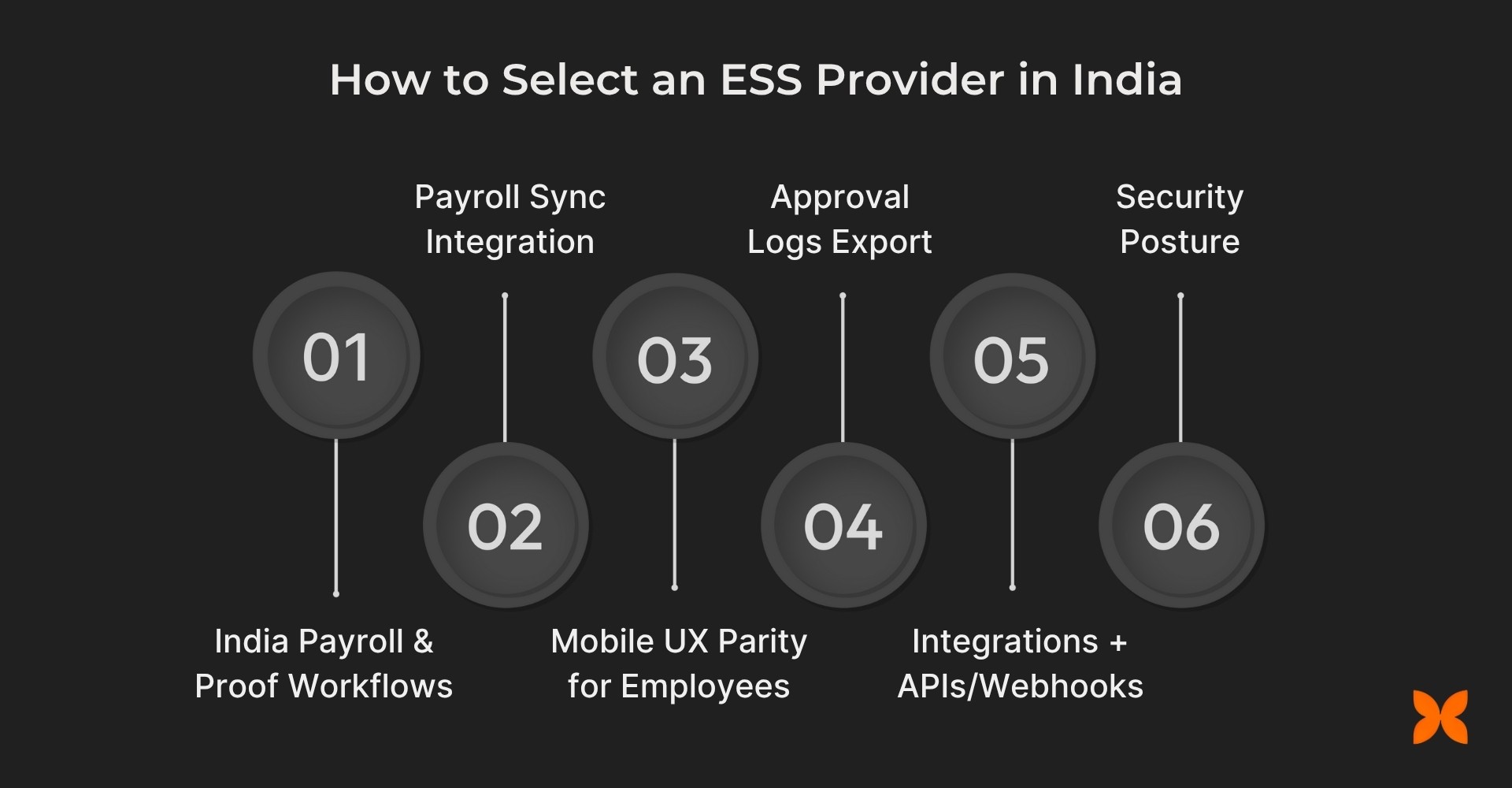
India Payroll/Tax Artefacts & Proof Workflows: The provider should offer seamless handling of Indian payroll-related documents, including Forms 16, 12BA, and 12BB. It should also provide automated workflows for proof submission and approval to ensure compliance with local tax regulations.
Attendance/Leave/Timesheet Depth Sync to Payroll: Look for an ESS system that offers robust leave, attendance, and timesheet management, and integrates seamlessly with your payroll system to ensure accurate pay calculations.
Mobile UX Parity for Employees and Managers: The system should provide a mobile-first design or a dedicated mobile app with full functionality for both employees and managers, enabling them to submit requests, approve tasks, and access documents on the go.
Approval/Delegation, Audit Logs, Data Retention/Export: Ensure the ESS platform supports approval workflows, delegation options, and maintains audit logs for all activities. It should also comply with data retention policies and provide easy export options for audits.
Integrations (HR/Payroll/Attendance/DMS/ITAM/IAM) + APIs/Webhooks: Choose a provider that integrates well with other business systems, such as HR, payroll, attendance, DMS, IT asset management (ITAM), and Identity & Access Management (IAM). Open APIs and webhooks are crucial for custom workflows and extended functionality.
Security Posture (RBAC, Encryption, Device/IP Controls, SSO/MFA): Ensure the ESS provider has role-based access control (RBAC), data encryption, device/IP restrictions, and supports Single Sign-On (SSO) and Multi-Factor Authentication (MFA) to protect sensitive employee information.
A well-chosen ESS provider ensures your workforce, data, and payroll processes stay tightly aligned as the organisation scales. By prioritising these criteria, you can adopt a solution that strengthens compliance, enhances efficiency, and supports long-term operational stability.
Modern organisations need a reliable ESS system to minimise manual HR work, improve data accuracy, and give employees direct control over their everyday tasks. Craze delivers this by offering a unified ESS platform that integrates seamlessly with HR, payroll, and attendance, ensuring smooth, efficient, and employee-friendly operations.
Here's how Craze addresses your business needs:
Pay & Tax Self-Service: Let your employees access payslips, tax sheets, Form 16/12BA, and submit investment declarations (Form 12BB) with proof uploads and automated approval workflows for smooth tax processing and compliance.
Time & Leave in One Place: Simplifies leave management with easy application and cancellation, team calendar visibility, and attendance regularisation. Employees can also punch in via web or mobile, with timesheet management synced to payroll for accurate calculations.
Requests & Documents: Allows employees to request letters, NOCs, submit expense claims, and upload KYC documents, with all records automatically filed in the HR Document Management System (DMS) for easy access and compliance.
Mobile App: Provides an Android/iOS app with full ESS functionality, enabling employees to apply for, approve, clock in, and track requests on the go. Additionally, it offers geofencing and liveness checks (if enabled), even in low-bandwidth conditions.
Built to Scale Securely: Ensures secure, scalable growth as you connect other systems like Performance/OKRs, IT Assets, IAM, and Scheduling with role-based access, audit logs, data retention policies, and open APIs.
With Craze, organisations get an ESS system that reduces administrative effort while giving employees complete transparency and control. Its integrated, scalable design makes it a reliable partner for businesses looking to strengthen efficiency, compliance, and workforce experience.

1. How can Employee Self-Service (ESS) reduce HR workload in a growing company
A. ESS automates routine tasks like leave applications, attendance tracking, and pay inquiries, significantly reducing HR’s administrative burden. Employees can handle these tasks on their own, leaving HR teams to focus on more complex and strategic activities. This leads to faster response times and fewer HR tickets.
2. What are the cost benefits of implementing ESS software for Indian companies?
A. ESS software helps businesses save costs by reducing HR manpower dedicated to repetitive tasks. It also eliminates manual errors that can lead to costly payroll and compliance mistakes. Over time, these savings translate into a more efficient and cost-effective HR operation.
3. How can ESS software improve employee engagement and satisfaction?
A. ESS empowers employees by giving them more control over their personal data, leave, and pay information. It fosters transparency and trust, as employees can access their records and make updates themselves. This improved autonomy leads to higher employee satisfaction and better engagement.
4. How does ESS ensure compliance with Indian labour laws?
A. ESS software is designed to automatically incorporate Indian labour laws, including statutory leave entitlements, tax filing, and payslip generation. It keeps records such as Form 16, Form 12BA, and investment proofs, ensuring compliance without manual intervention. This reduces the risk of legal penalties.
5. How can ESS improve payroll accuracy in businesses with a large workforce?
A. ESS ensures payroll accuracy by providing real-time data on attendance, leave, and timesheets that directly feed into the payroll system. Employees can review their pay details, update discrepancies, and submit claims directly, reducing errors and discrepancies in the payroll process.
