


Managing employee expenses, processing reimbursements on time, and staying compliant can still be a challenge for HR and finance teams. The real challenge is deciding which features will have the most significant impact on your organisation.
The right expense management software features enable employees to submit claims easily, give managers clear visibility into approvals, and ensure accurate integration with payroll and accounting systems. This reduces errors, saves time, and improves control over company spending.
This guide highlights the essential expense management software features that Indian companies should prioritise in 2026, explaining what each feature does and why it matters.
Expense management software automates the capture, approval, and tracking of employee expenses, replacing manual reporting and spreadsheets.
It ensures accurate recording of travel, reimbursement, and business expenses while reducing errors and delays.
Core features include expense submission, multi-level approval workflows, receipt scanning, policy enforcement, reporting, and integration with accounting or payroll systems.
Advanced features such as mobile access, automated auditing, corporate card integration, analytics dashboards, and compliance checks improve efficiency and transparency.
Select software based on accuracy, policy enforcement, ease of use, mobile capability, reporting quality, and total cost of ownership.
Expense Management Software is a digital solution that automates and streamlines the entire expense reimbursement process, from receipt capture to approvals, payouts, and reporting. It allows businesses to track, control, and manage company expenses efficiently, while ensuring compliance with policies and regulations such as GST in India.
With features like automated expense approval workflows, receipt capture, multi-currency support, and seamless integration with accounting and payroll systems, expense management software helps companies reduce manual errors, ensure timely reimbursements, and maintain financial transparency.
Expense Management Software automates claims, approvals, and reimbursements, reducing errors and delays. It improves visibility, keeps Finance, HR, and leadership aligned, and boosts overall efficiency.
Here’s how different teams can benefit from implementing Expense Management Software:
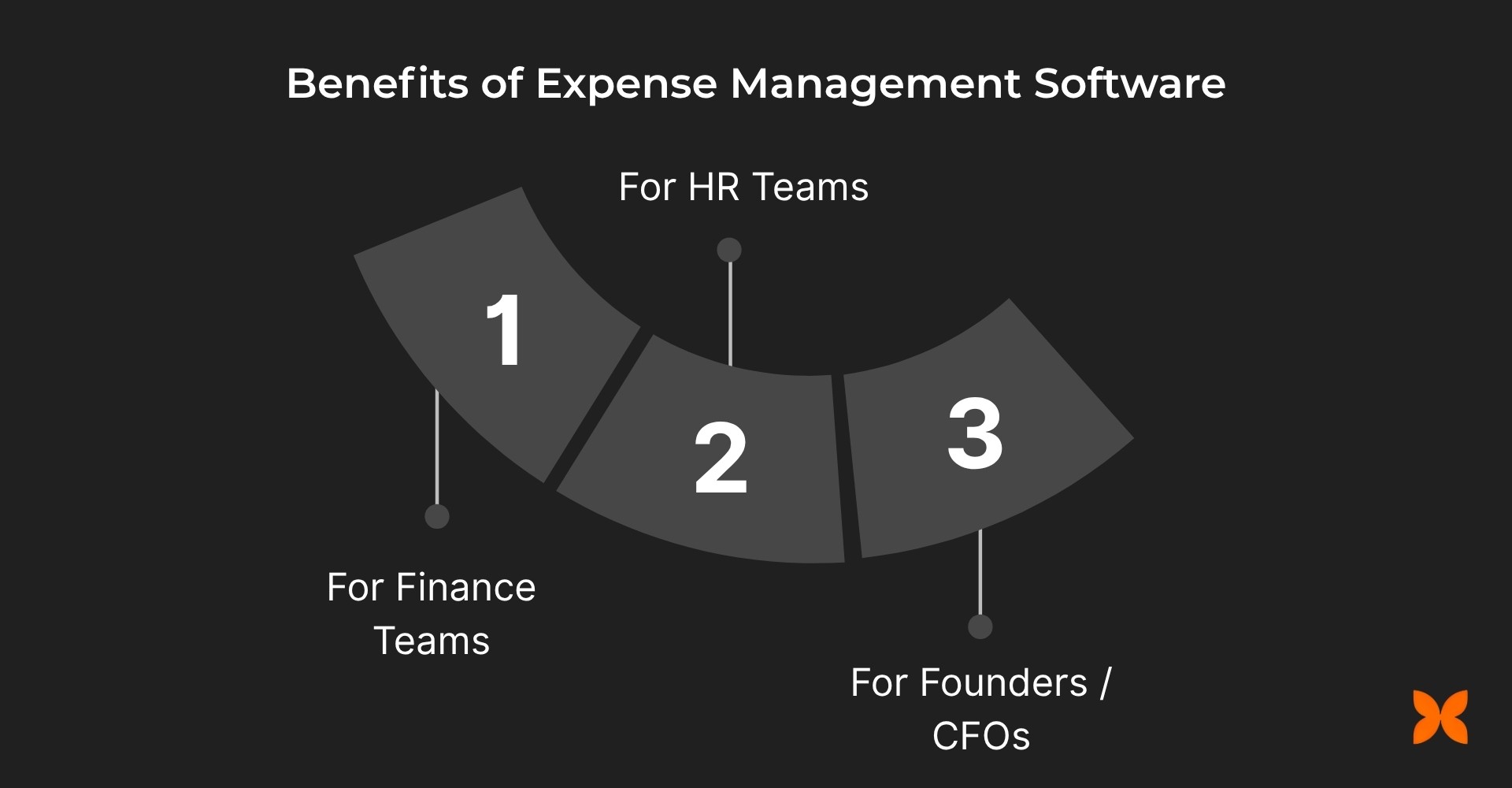
1. For Finance Teams
Finance teams are often burdened with manual processes that can lead to delays, errors, and missed compliance requirements. An automated expense management system allows them to focus on more strategic tasks. Here’s how it can make a difference:
Faster reimbursements with automated validation and approval flows.
Fewer manual errors and double entries with real-time data sync to payroll and ledgers.
GST-ready reports, audit trails, and compliance exports for tax filing.
Clear visibility into category-wise spend and policy violations.
2. For HR Teams
HR departments manage employee expense policies and ensure timely reimbursements. An efficient system can significantly reduce the administrative burden. Here’s how Expense Management Software helps HR teams:
Seamless coordination between expense policies, payroll, and employee records.
Reduced administrative workload with automated approvals and reminders.
Transparent reimbursement timelines that build employee trust and improve the experience.
Configurable rules for role, location, or project-specific expense handling.
3. For Founders / CFOs
For founders and CFOs, controlling costs and maintaining compliance across departments is critical. Expense Management Software offers them efficient tools to manage and optimise company spending. Here’s what it provides:
Real-time dashboards for spend visibility and budget control.
Automatic anomaly detection for policy breaches or unusual trends.
Improved forecasting through accurate, categorised expense data.
Stronger financial discipline and compliance across departments.
Before selecting an expense management tool, ensure it aligns with your company’s approval structures, financial workflows, and compliance needs.
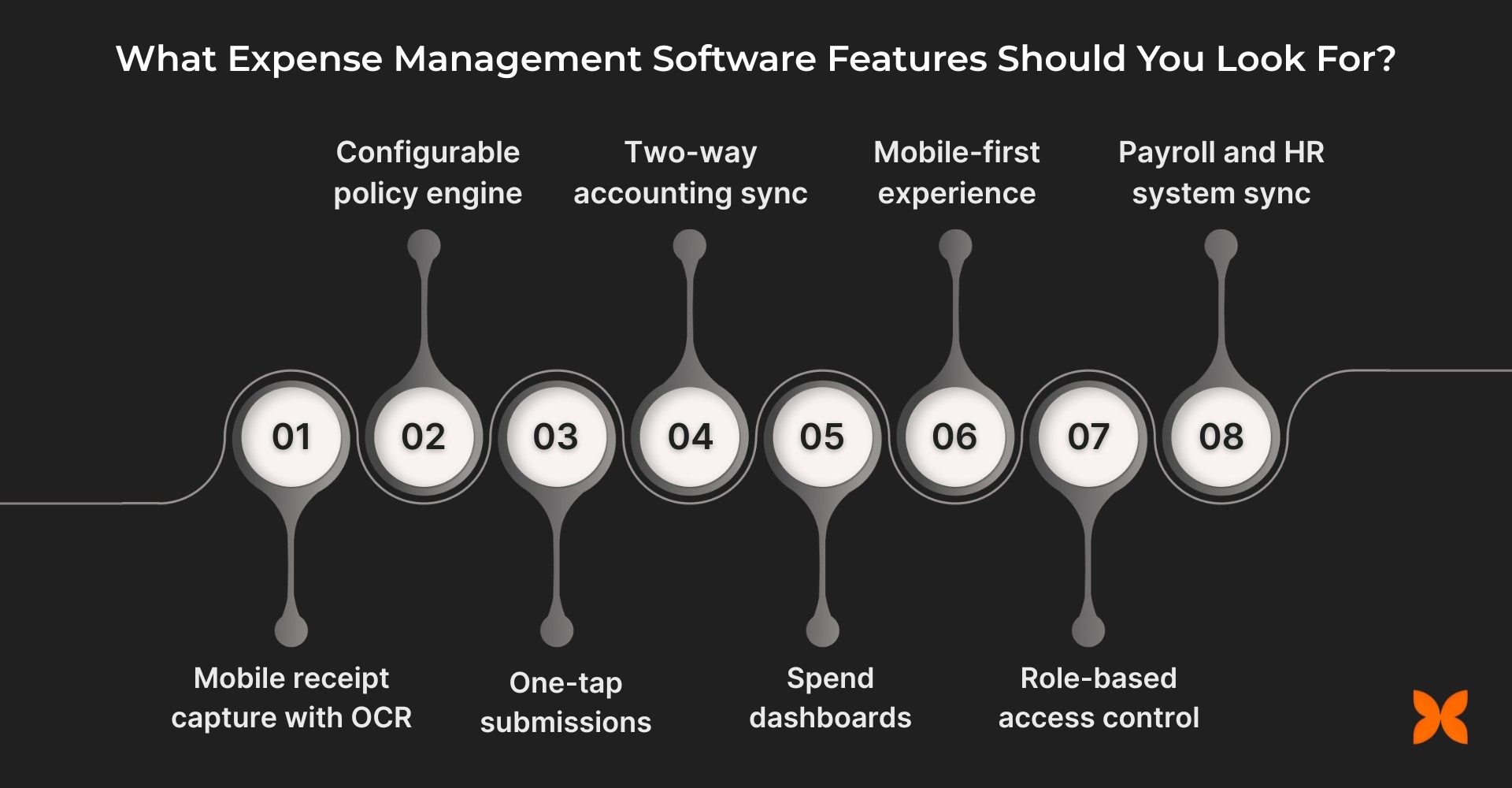
The right platform should automate the end-to-end process, from capturing receipts to reconciling books, while supporting GST compliance, real-time tracking, and seamless payroll integration for Indian businesses. Below are some key features you should look for when evaluating a solution:
1. CAPTURE (Receipts, Cards & Requests)
The software should make it easy for employees to capture and submit expenses quickly and accurately. Automated data collection ensures that the details of each expense are accurately recorded. Look for these key features:
Mobile receipt capture with OCR: Automatically extracts details such as merchant name, date, amount, and GST from a simple photo upload.
E-receipt parsing: Forward email receipts or upload in bulk using drag-and-drop for faster data collection.
Corporate and virtual cards: Issue cards with category or merchant limits, and enable one-time cards for controlled spending.
Mileage and per diem tracking: Calculate distance-based claims and daily allowances automatically for travel-related expenses.
Advance and float requests: Allow employees to request and track business advances with clear settlement timelines.
Travel integration: Sync booked itineraries directly with expense reports for faster submission and approval.
Delegate entry support: Let assistants or finance partners file expenses on behalf of executives when needed.
2. CONTROL (Policies, Budgets & Approvals)
The software should allow companies to enforce policies and controls on expenses through automated approval workflows. This ensures that expenses are in line with the company’s financial policies, reduces overspending, and ensures regulatory compliance.
Configurable policy engine: Set flexible rules by role, category, department, or location to prevent overspending.
Real-time policy prompts: Notify users of violations (like exceeding category caps or weekend claims) before they submit.
Multi-level approval routing: Route claims automatically from employee to manager to finance, based on value and type.
Live budget monitoring: Track cost centre or project budgets and view remaining spend in real time.
Duplicate and out-of-policy detection: Identify repeat or suspicious receipts instantly to maintain compliance.
GST validation: Verify GSTIN, HSN/SAC codes, and missing tax components for error-free input credit claims.
3. SUBMIT & PAY (Workflows & Payouts)
The software should streamline the submission process, making it easy for employees to submit their expenses and for managers to approve them. It should also ensure timely and accurate reimbursements.
One-tap submissions: Employees can bundle expenses by trip, project, or time period and submit in one click.
Maker-checker controls: Add dual verification for high-value or sensitive claims before final approval.
SLA reminders and escalations: Keep approvals moving with automated reminders and escalation workflows.
Direct reimbursements: Transfer approved payouts directly to employee bank accounts or via UPI.
Split payments and advance recovery: Manage partial payouts or adjust balances against existing advances.
Multi-currency support: Automatically apply exchange rates and capture FX fees for global transactions.
4. RECONCILE (Books, Payroll & Tax)
The platform should integrate seamlessly with your accounting and payroll systems, automatically recording approved expenses. This helps maintain accurate financial records and ensures compliance with tax laws.
Two-way accounting sync: Connect with ERP or accounting systems to reflect approved expenses instantly.
Automated GL mapping: Categorise transactions by vendor, tax code, or cost centre for accurate journal entries.
Payroll integration: Sync taxable and non-taxable reimbursements directly into payroll for precise payouts.
GST-ready exports: Generate compliant reports with tax separation and input credit details for filing.
Lock periods and audit logs: Secure closed months to prevent retroactive edits and maintain accountability.
5. ANALYSE (Visibility, Risks & Optimisation)
Expense Management Software should provide real-time insights into spending patterns, risks, and potential inefficiencies.
Spend dashboards: Get real-time insights by department, vendor, or project to identify trends and inefficiencies.
Budget vs. actual tracking: Compare planned budgets with real-time spending to control overruns.
Fraud and anomaly alerts: Detect duplicate submissions or high-risk claims using pattern-based analytics.
Comprehensive reporting: Schedule stakeholder digests or export BI-ready data for in-depth financial analysis.
6. EXPERIENCE (Employees, Managers, Finance)
The system should provide a mobile-first experience to employees, managers, and finance teams.
Mobile-first experience: Employees can capture, submit, and track claims anytime, even offline.
Manager dashboards: Enable faster approvals with policy, budget, and team expense context in one view.
Finance workbench: Simplify month-end closures with exception queues, bulk actions, and audit-ready reports.
7. SECURITY, IDENTITY & ADMIN
Security is paramount, especially when dealing with sensitive financial data. The software should offer enterprise-grade security features to ensure data integrity and privacy.
Role-based access control: Assign granular permissions to employees, managers, finance teams, and auditors.
Enterprise-grade security: Enable SSO, MFA, and IP/device restrictions to prevent unauthorised access.
Data governance and auditability: Enforce retention policies, legal holds, and immutable activity logs for compliance.
8. INTEGRATIONS & ECOSYSTEM
Ensure that the software integrates smoothly with your existing tools, such as accounting systems, payroll software, and travel management platforms.
ERP and accounting integrations: Connect with Tally, Zoho Books, QuickBooks, SAP, and other platforms for automated posting.
Payroll and HR system sync: Link reimbursements directly to payroll and employee records for seamless payout handling.
Travel and procurement tie-ins: Automatically import trip bookings and vendor invoices into the expense system.
Open APIs and webhooks: Enable two-way data exchange and trigger alerts for high-value or policy-breach events.
Choosing the right expense management software ensures smoother workflows, better compliance, and complete visibility into company spending. By prioritising these features, Indian businesses can save time, reduce errors, and make data-driven decisions across their finance operations.
Also read: 11 Best Expense & Reimbursement Management Software in India
Next, let’s look at the key features of expense management software designed for different roles.
Every department manages expenses differently. A modern software solution should deliver role-specific visibility, control, and automation to keep finance operations accurate, compliant, and efficient.
Role | Key Essentials |
Founders & CFOs | • Real-time visibility into spending, budgets, and policy adherence. • Dashboards for cost trends, vendor insights, and burn rate forecasting. • Automated anomaly alerts to flag unusual claims or spending spikes. • Audit-ready compliance and scalable controls as the company grows. |
Finance Teams | • GST-compliant data with validation for GSTIN, HSN/SAC, and input credit. • Faster reconciliation with accounting and payroll integrations. • Comprehensive audit trails, attachments, and exportable reports. • Lock periods and exception handling to maintain clean books. |
Managers | • Approve expenses with full context, policy rules, budget balance, and team data. • Quick decision-making through mobile or email approvals. • Delegate or escalate approvals easily during absence. • Transparent workflows ensuring employees are reimbursed on time. |
Employees | • Simple mobile capture for receipts and expenses, even offline. • Real-time updates on approval and payout status. • Automated policy and GST checks to prevent rejections. • Fast reimbursements directly to bank or UPI accounts. |
Before choosing an expense management platform, it’s essential to recognise potential pitfalls that can slow down processes, cause compliance issues, or reduce user adoption. Here’s a quick list of common red flags to watch out for:
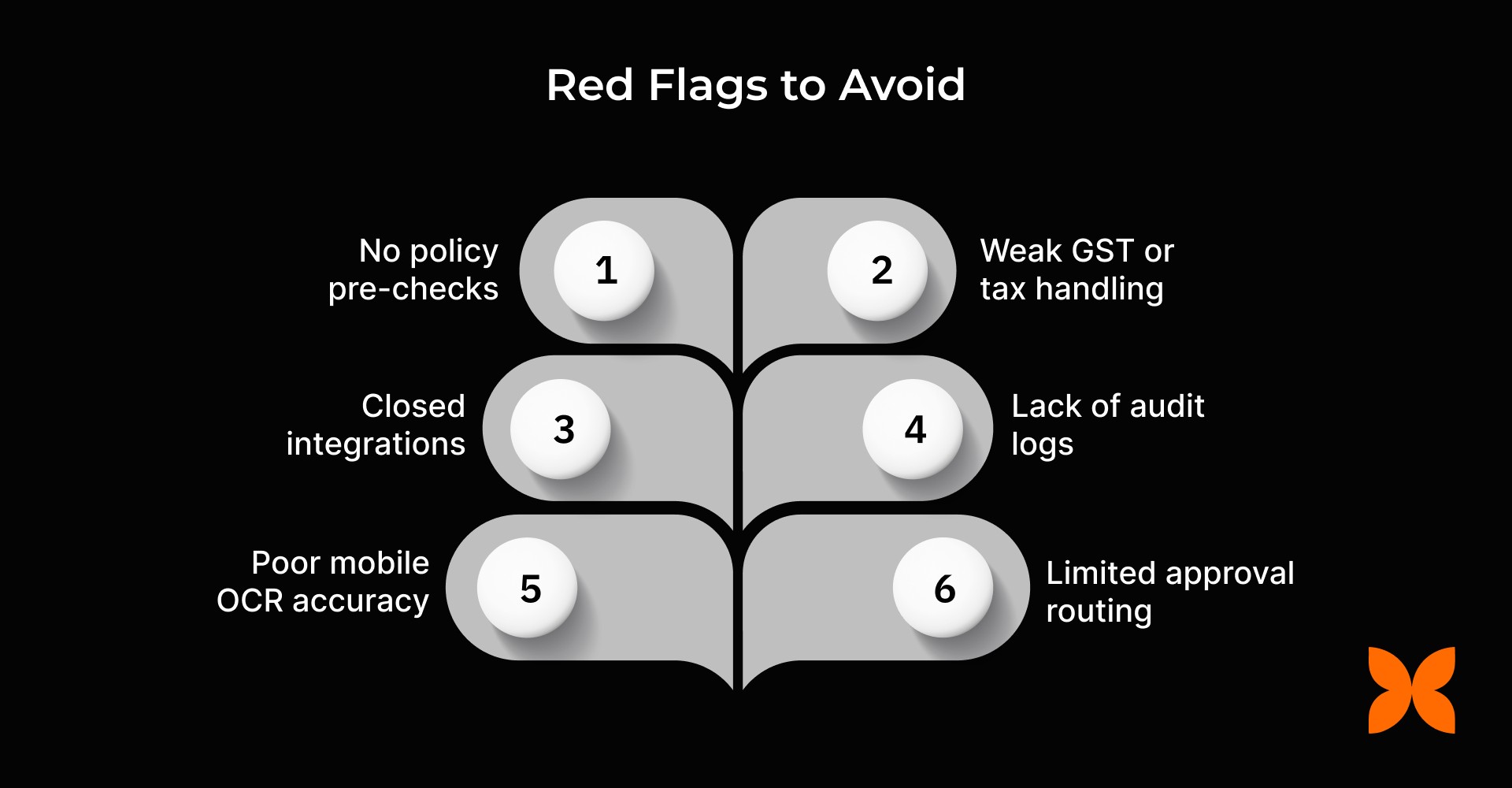
No policy pre-checks: Leads to frequent policy violations and manual corrections after expense submission.
Weak GST or tax handling: Missing or incorrect GSTINs, HSN/SAC codes, and tax separation can create compliance risks.
Closed integrations: Limited connectivity with payroll, accounting, or HR systems prevents automated posting and reconciliation.
Lack of audit logs and period locks: Makes it difficult to track edits or maintain transparency during audits.
Poor mobile OCR accuracy: It causes errors in receipt scanning and increases manual data entry.
Limited approval routing: Restrictive workflows that can’t adapt to organisational hierarchies or exception cases.
Being aware of common red flags helps you avoid workflow bottlenecks, compliance issues, and user frustration. Next, let’s look at a practical checklist for selecting the right expense management provider, so you can evaluate options confidently and ensure smoother adoption and efficient financial operations.
Choosing the right expense management software can significantly improve financial efficiency and compliance. The ideal platform should balance automation, ease of use, and integration with your existing systems. Here’s a checklist to guide your evaluation:
Capture quality: Look for high OCR accuracy(if needed), multi-format uploads, and real-time card feeds for seamless expense capture.
Policy and approval depth: Ensure the system supports layered approval chains and real-time policy prompts to prevent violations.
Accounting, payroll, and GST integrations: Verify compatibility with tools like Tally, Zoho, QuickBooks, or SAP for accurate reconciliation.
Analytics and anomaly detection: Choose platforms that offer dashboards, trend analysis, and fraud-detection alerts.
Security and audit readiness: Prioritise role-based access, SSO/MFA, and detailed audit trails for transparency.
Onboarding and support model: Evaluate implementation speed, training options, and availability of responsive customer support.
Total cost of ownership: Review not just the subscription fees but also setup, integration, and ongoing maintenance costs.
Once you’ve evaluated potential platforms using the checklist above, the next step is choosing a solution that not only meets these requirements but also simplifies day-to-day HR, payroll, and expense management. This is where Craze comes in.
Craze unifies Expenses, Payroll, and HR into a single, automated platform that eliminates manual processes and ensures full compliance. It helps employees submit claims faster, managers approve with context, and finance teams close books accurately and on time.
Streamlined Approvals that Save Time: Built-in policies and multi-level approval flows reduce bottlenecks, ensuring employees get reimbursed quickly while managers maintain full visibility and control.
Compliance without Complexity: India-ready GST validation, tax separation, and accurate handling of taxable vs. non-taxable reimbursements ensure your business stays audit-ready without extra effort.
Seamless Payroll Integration: Approved expenses automatically sync with payroll, enabling on-time reimbursements and precise FBP allocation, eliminating manual errors and reducing finance overhead.
Scalable for Teams of any Size: Role-based access, audit trails, and flexible configurations let businesses scale from 10 to 1,000+ employees without added operational complexity.
Quick deployment, fast ROI: Startup-friendly pricing, rapid implementation, and responsive support mean teams can start realising value within weeks, not months.
Craze empowers businesses to manage expenses, payroll, and HR with accuracy and transparency. Its automation and insights drive faster approvals, smarter decisions, and scalable growth.

1. Can expense management software handle multi-currency transactions?
Yes, it automatically converts foreign expenses using current exchange rates and captures any applicable fees for accurate reimbursement.
2. How can mobile accessibility improve employee adoption of expense systems?
Mobile apps allow employees to submit receipts, track approvals, and monitor reimbursements anytime, even offline, boosting compliance and speed.
3. What role does automated anomaly detection play in expense management?
It flags duplicate, unusually high, or out-of-policy claims, reducing fraud risk and easing finance team review workloads.
4. How important are integration capabilities with other business systems?
Seamless integration with ERP, accounting, payroll, travel, or procurement platforms ensures accurate data flow and faster reconciliation.
5. How does Craze help businesses streamline expense, payroll, and HR management?
Craze unifies these processes on one platform, automating approvals, syncing payroll, and providing dashboards for real-time financial insights.
