


What happens when your organisation outgrows basic passwords, manual provisioning, and scattered access controls? For many Indian companies, the result is rising security risks, compliance gaps, and overwhelmed IT teams struggling to manage identities across cloud and on-prem systems. Shared credentials, excessive permissions, and inconsistent approval workflows only make the problem worse.
This is exactly why having the right Identity and Access Management (IAM) features is now critical. With the right capabilities, businesses can secure user identities, automate access governance, and maintain compliance with standards such as CERT-In and ISO 27001.
In this blog, you'll learn seven essential identity and access management features Indian businesses need to manage access, reduce security risks, and ensure strong compliance.
Identity and Access Management (IAM) systems control and secure user identities, authentication, and access to organisational applications and data.
IAM ensures that only authorised users access specific systems by enforcing authentication, role-based permissions, and policy-driven controls.
Core features include user provisioning, role-based access control (RBAC), single sign-on (SSO), multi-factor authentication (MFA), password management, and audit logs.
Advanced features such as adaptive authentication, identity lifecycle automation, privileged access management, API security, and integration with HR/IT systems strengthen security and compliance.
Select IAM solutions based on access control depth, security standards, integration coverage, reporting, scalability, and administrative ease.
Identity and Access Management (IAM) is a framework of policies, processes, and technologies. It ensures that only authorised individuals can access the resources they are permitted to use within an organisation. By managing user identities and controlling access to sensitive data, IAM safeguards digital assets. It also enables employees and other authorised users to interact securely with the systems and applications they need.
With the rapid adoption of cloud computing and the growing prevalence of remote work, IAM has become critical for modern businesses. It provides secure authentication, centralised access control, and consistent enforcement of security protocols across multiple networks and platforms, helping organisations maintain both data protection and seamless business operations.
IAM software helps and benefits your business by automating and centralising identity management. Companies can mitigate security risks and improve overall workflow efficiency.
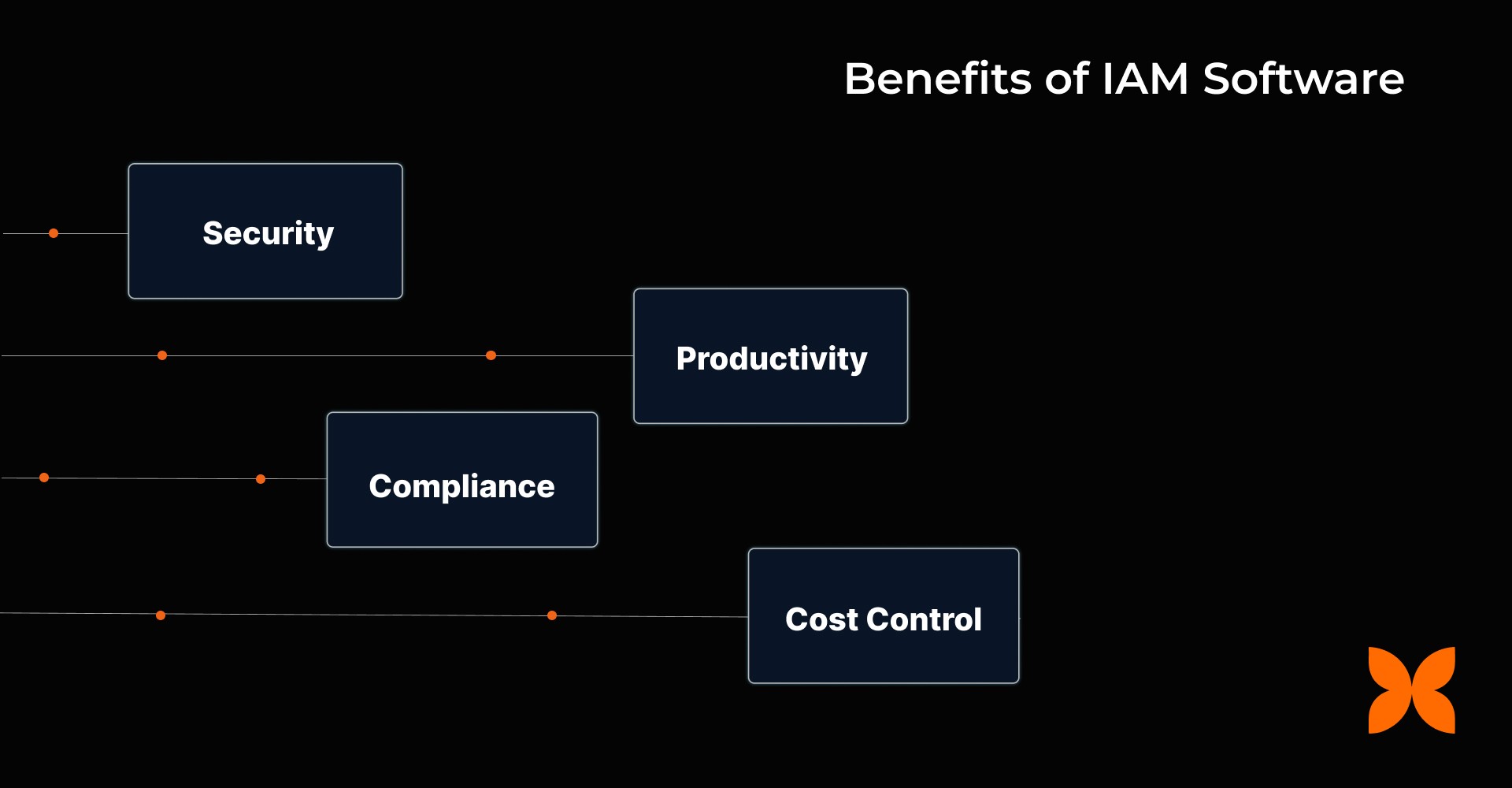
Here are the significant advantages that an IAM software offers:
Security: IAM ensures that only authorised users access sensitive systems with centralised authentication, MFA, and least-privilege access. Fast deprovisioning immediately revokes access, reducing security risks when employees leave.
Productivity: Features like Single Sign-On (SSO) eliminate the need for multiple logins, reducing password resets and speeding up app onboarding, so your team can focus on what matters.
Compliance: IAM helps you stay compliant with regulations by providing full audit trails and automated access reviews, making it easy to track user access and export necessary compliance data.
Cost Control: Automating user provisioning and deactivation ensures you pay only for the licenses you need, while group-based policies prevent unnecessary spending on unused accounts.
Your business may have unique needs, so the features you look for must match them. Let’s take a look at these features in detail.
Also Read: 13 Best Identity and Access Management Tools in India
When selecting the ideal IAM solution for your business, it is essential to identify features that align with your expectations. Below are some of the most important IAM features to look for when evaluating solutions.
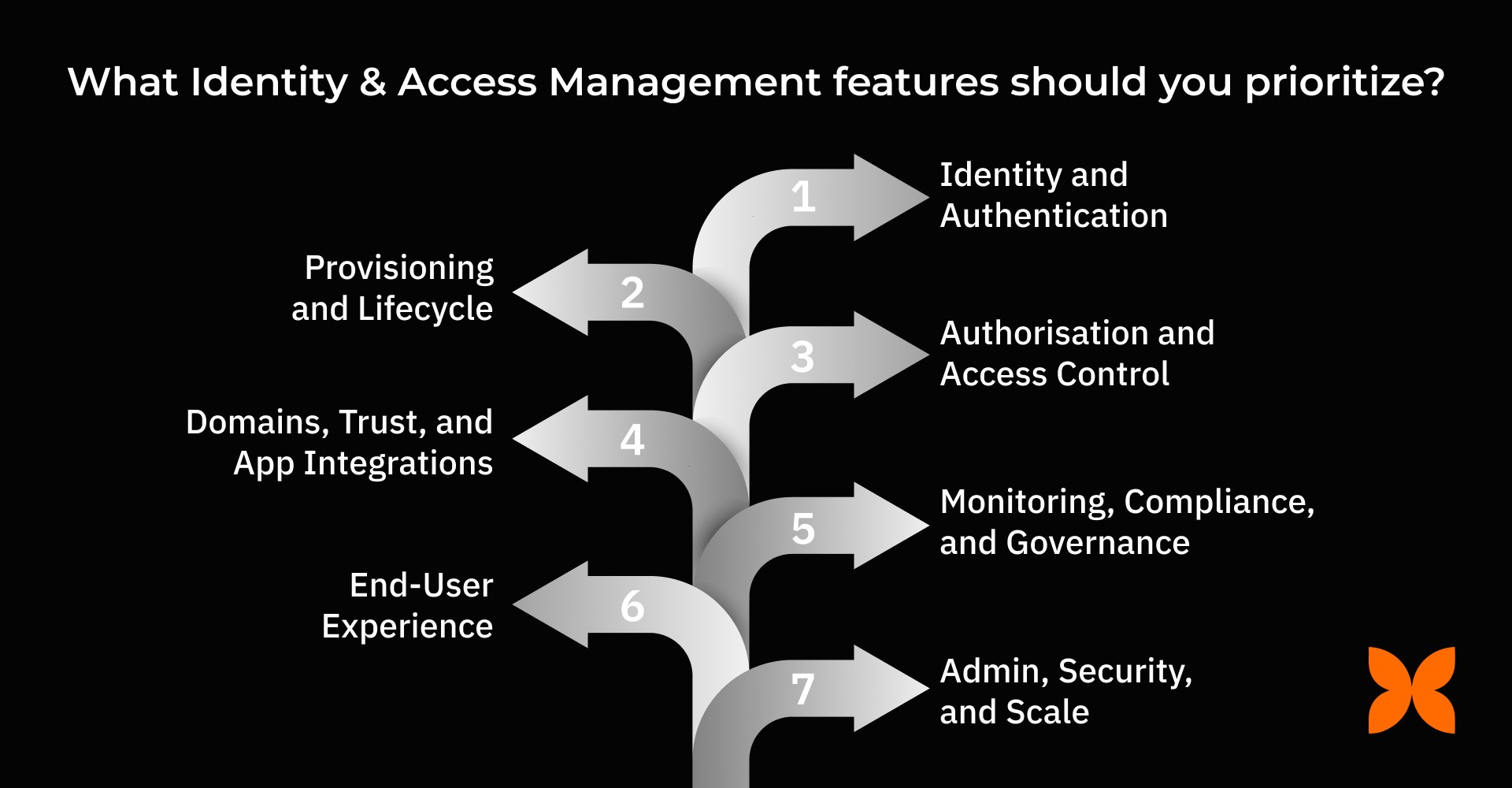
1. Identity and Authentication
Look for robust identity and authentication features to ensure secure access across all applications with ease.
Single Sign-On (SSO): Simplifies login by allowing employees to access multiple apps with a single set of credentials, saving time and reducing password fatigue.
Multi-Factor Authentication (MFA): Adds an extra layer of security through methods such as push notifications and hardware keys, protecting against unauthorised access.
Password & Session Controls: Strengthen security with policies on password complexity, session timeouts, and adaptive lockouts to prevent malicious login attempts.
2. Provisioning and Lifecycle
Automating the employee lifecycle ensures smoother transitions, reduces manual work, and keeps access up to date.
SCIM v2 Provisioning: Automates the creation, update, and disabling of user accounts across applications, streamlining onboarding and offboarding processes.
Deprovisioning Workflows: Instantly revokes access when an employee leaves, protecting sensitive data and preventing potential security risks.
Bulk Ops & Sync: Syncs employee data with HR systems in real time, ensuring access rights are accurate and up to date across all platforms.
3. Authorisation and Access Control
Proper access control ensures that users only have access to the resources they need, reducing security risks.
RBAC/ABAC: Role-based and attribute-based access controls assign permissions based on roles or attributes, ensuring the right people access the right resources.
Group Hierarchies: Easily manage cross-app groups with inherited access rights, reducing administrative overhead.
Access Policies: Enforces conditional access policies based on location, device, or risk factors, ensuring a secure environment for sensitive data.
4. Domains, Trust, and App Integrations
Integration with your existing applications and trust management is crucial for seamless IAM implementation.
Domain Verification: Confirms the legitimacy of domains to prevent unauthorised access and supports multi-domain environments.
Prebuilt & Custom Connectors: Offers ready-made connectors for popular SaaS apps and custom applications, enabling seamless integration with your current tools.
Connection Health: Ensures all integrations function optimally, with error alerts and retry logic to ensure smooth operations.
5. Monitoring, Compliance, and Governance
IAM solutions should provide continuous monitoring and reporting to ensure compliance and identify any security risks.
Comprehensive Audit Logs: Tracks user actions and administrative activities, making it easier to maintain compliance and resolve security incidents.
Access Reviews (Certifications): Regular reviews of access rights ensure that only authorised individuals retain access, reducing security threats.
Analytics & Risk: Provides insights into user activity, detecting anomalous logins or risky access, helping you stay ahead of potential security breaches.
6. End-User Experience
A great IAM solution should also enhance the employee experience by making access management easier and more efficient.
Unified App Launcher: Offers one-click access to all apps, improving user experience and productivity by reducing login time.
Self-Service: Allows employees to update profiles, reset passwords, and request access without IT intervention, empowering them to manage their own data.
Notifications: Sends timely alerts for login changes, MFA enrollment, and access updates, ensuring employees are always informed about their security status.
7. Admin, Security, and Scale
For growing businesses, IAM should scale with ease while keeping security at the forefront.
SSO/MFA/SCIM Admin UX: Simplifies the admin experience with a guided setup, rollback safety, and easy-to-navigate configuration tools.
Identity & Directory: Syncs with HRIS systems or directories like Google Workspace and Entra ID, ensuring consistent user information across your tools.
Security Posture: Protects your business with strong security policies, such as SSO-only apps, encryption, and backup procedures, to ensure data is always secure.
As IAM features vary by role, it's essential to understand which features are most important to specific team members.
Different roles require specific IAM features to maintain security and workflow efficiency. The table below outlines the key access management features for each role in your organisation.
Role | Key Essentials |
Founders / Operations |
|
IT Team |
|
Security Team |
|
Employees / End Users |
|
Understanding which IAM features address your current challenges makes selecting the right provider easier. Let's take a closer look.
When choosing an IAM provider, it's essential to evaluate how well their features address your business's security, scalability, and compliance needs. Here’s what to look for:
Protocol & App Coverage: Ensure the provider supports key protocols such as SAML, OIDC, OAuth2, and SCIM, along with prebuilt connectors for popular apps and custom app support, to integrate smoothly into your environment.
Lifecycle Depth: The provider should automate the joiner-mover-leaver processes, sync with your HRIS/Directory, and support bulk operations with rollback safety to ensure seamless user lifecycle management.
Security & Compliance: Look for a provider with comprehensive MFA, conditional access controls, detailed audit logs, and retention/export options to meet your security and compliance requirements.
Admin & UX: Choose an IAM solution with a user-friendly admin interface, guided setup, clear logging, mobile accessibility, and self-service options that let users easily manage their access.
Integrations & Extensibility: Ensure the IAM provider offers APIs/webhooks and supports integrations with SIEM/ITSM, directory/MDM systems, and other essential tools for seamless connectivity and automation.
Support & TCO: Select a provider that offers solid onboarding, clear SLAs, migration support, and transparent pricing to ensure cost-effective and scalable IAM solutions for your organisation.
For businesses looking to simplify access management and enhance security, let’s explore how Craze provides automated user provisioning, role-based permissions, and enterprise-grade access controls.
Identity and access management features help organisations control who can access specific modules, data, and workflows. Craze supports this through role-based permissions, access controls, authentication, and built-in activity logs across its HR and IT ecosystems.
Here are the key features that make access management efficient in Craze:
Advanced Permissions and Roles: Craze Core lets admins configure custom profiles and access levels across different modules, enabling control over who can view or manage specific HR, payroll, or IT functions.
App Management and Access Automation: Within the IT suite, Craze includes app management to automate software access and role assignments for team members.
Authentication Controls and Access Logs: The platform includes authentication controls and access logs to track who accessed what and when, supporting accountability and audit readiness.
Approval Workflows: Configurable approval chains help ensure that sensitive actions (such as changes to permissions, reimbursements, or document updates) are validated through defined steps before execution.
These features enable teams to assign roles, manage approvals, restrict sensitive information, and maintain clear visibility over user actions without relying on external IAM tools.
1. What makes identity and access management features essential for remote teams?
IAM features ensure secure access to business applications regardless of location. With SSO, MFA, and role-based controls, remote teams can work safely without compromising security or productivity.
2. How can IAM features help reduce IT support workload?
Self-service capabilities, password resets, and automated provisioning reduce manual IT tasks. Employees can manage their access and profiles, significantly reducing support tickets.
3. Can IAM features integrate with existing HR and payroll systems in India?
Yes, modern IAM solutions support real-time synchronisation with HRIS, payroll, and directory systems, ensuring accurate access rights and seamless lifecycle management to meet Indian compliance requirements.
4. How do IAM features support regulatory compliance in Indian businesses?
IAM provides audit logs, access reviews, and evidence exports, helping companies meet Indian data protection and security regulations, such as DPDP, while simplifying compliance reporting.
5. Are IAM features scalable for growing Indian startups and SMEs?
Yes, features such as automated provisioning, dynamic groups, and role-based access control allow businesses to scale securely, managing more users and applications without increasing administrative overhead.
