


Are you struggling to accurately capture employee work hours, monitor productivity, and prevent payroll errors? If your business is starting with time tracking software or using one that doesn’t meet your needs, choosing the right features can make a significant difference.
With the right time-tracking software, employees can log hours easily, managers can get real-time visibility into work patterns, and payroll is calculated accurately with minimal manual intervention. This improves efficiency, accountability, and compliance across the organisation.
In this guide, you will learn about the essential time tracking software features Indian companies should prioritise in 2026, what each feature does, and why it matters.
Time tracking software automates the recording and monitoring of employee work hours, replacing manual logs and spreadsheets.
It ensures accurate tracking through web, mobile, biometric, and GPS-enabled clock-ins, reducing errors and time theft.
Core features include multi-mode clock-in/out, project and task tracking, overtime calculation, reporting and analytics, alerts, and payroll integration.
Advanced features such as real-time dashboards, productivity monitoring, automated timesheets, mobile apps, and compliance with labor laws help streamline operations.
Select software based on accuracy, ease of use, integrations, mobile access, reporting capabilities, and total cost of ownership.
Time tracking software is a digital tool that helps organisations monitor how employees spend their working hours across tasks, projects, and departments. It provides a centralised system for time logging, attendance tracking, and accurate reporting, without relying on spreadsheets or manual tracking.
Beyond simple logging, modern time tracking software integrates with payroll, project management, and productivity tools, giving HR teams and management visibility into work patterns, project timelines, and overall resource allocation. For growing businesses, it is a critical tool for optimising efficiency, preventing errors, and ensuring fair compensation.
Time-tracking software goes beyond monitoring hours; it enables better decision-making, streamlined operations, and assurance of compliance. By providing real-time insights, it reduces administrative overhead while supporting workforce productivity and accountability.
Below are a few key benefits of Time Tracking Software:
Accurate Payroll & Billing: Automated time logs synced with payroll reduce errors and ensure employees are paid correctly for the hours they work.
Enhanced Productivity: The software helps identify bottlenecks, monitor task completion, and efficiently track project progress.
Compliance & Audit Readiness: Detailed time records make it easier to comply with labour laws and prepare for internal or external audits.
Improved Transparency: Employees can view their logged hours and project contributions, promoting accountability and trust.
Data-Driven Decisions: Managers gain actionable insights from tracked data, supporting better resource allocation, project planning, and budgeting.
A strong time-tracking solution bridges these gaps, offering structure, visibility, and control over every logged hour while managing variable shifts and ensuring compliance to prevent costly errors.
Read more: Best Time Tracking Software for Startups and SMEs
When evaluating time tracking tools, it is essential to focus on features that not only capture hours but also integrate seamlessly with attendance, payroll, and compliance requirements in India.
The right system should make it easy for teams to log time, track productivity, and ensure every minute is accurately reflected in payouts and project insights.
Core (Must-Have) Capabilities
A reliable time tracking system should cover all fundamental features that simplify workforce management and enhance visibility:
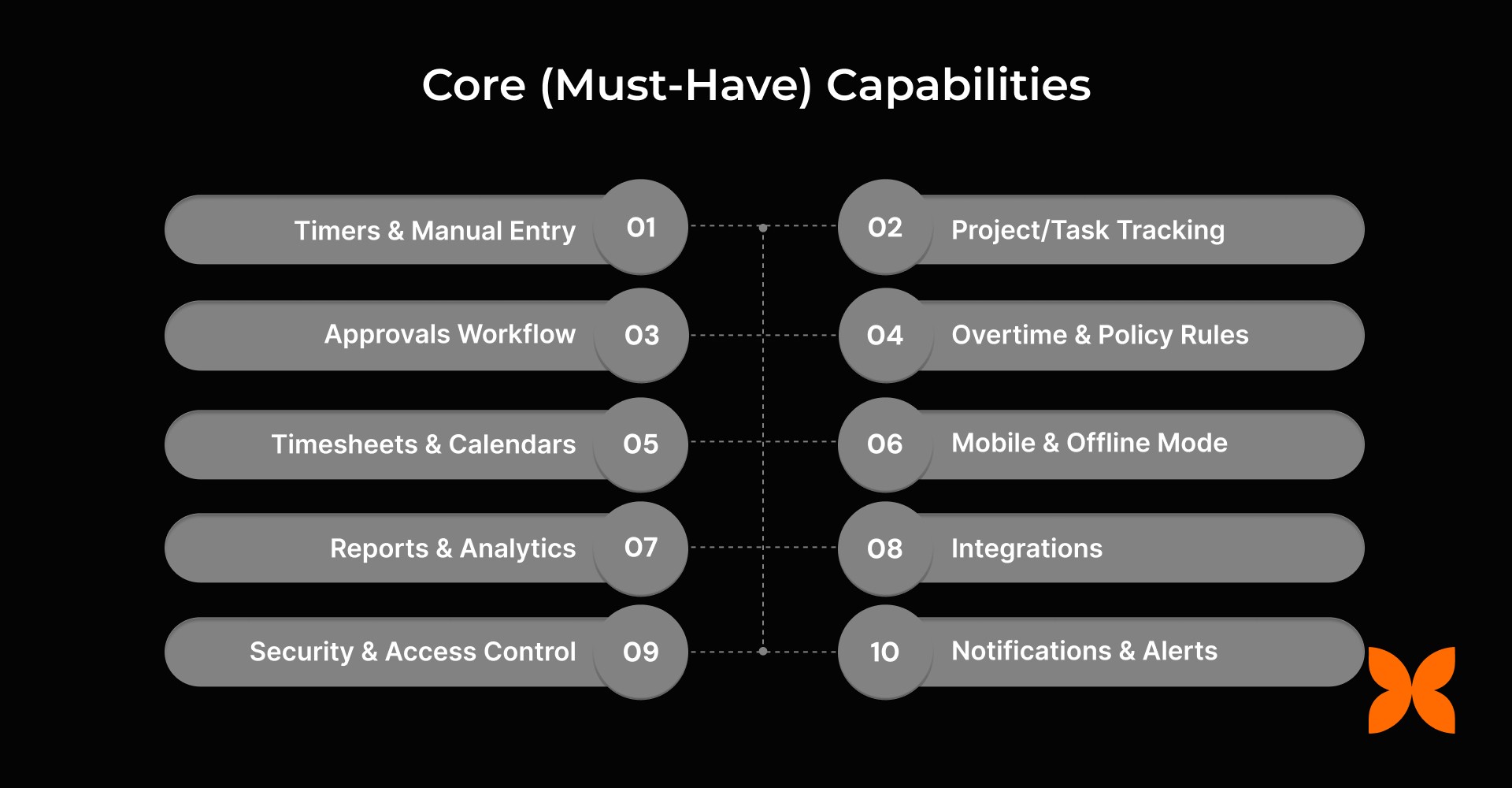
Timers & Manual Entry: Start/stop timers, add manual entries, and make bulk edits with full audit logs.
Project/Task Tracking: Create projects, assign tasks, tag billable/non-billable hours, and set rates by role or client.
Approvals Workflow: Streamlined employee → manager → finance approvals with comments and SLA reminders.
Overtime & Policy Rules: Define daily/weekly thresholds, night shift rules, and holiday rules, and integrate them with attendance.
Timesheets & Calendars: Daily or weekly timesheet views with drag-and-drop entries and shared team calendars.
Mobile & Offline Mode: Enable employees to log time via mobile, even offline, with automatic sync.
Reports & Analytics: Get utilisation, billability, and profitability insights with export-ready reports.
Integrations: Connect with HR, attendance, payroll, accounting, or ERP systems via APIs/webhooks.
Security & Access Control: Ensure role-based permissions, IP/device restrictions, and audit trails.
Notifications & Alerts: Automated reminders for missing timesheets, over-limit hours, or nearing project budgets.
Advanced / Differentiator Capabilities
As businesses grow, basic time-tracking tools often fall short of managing complex workflows, multi-project billing, or compliance requirements. Advanced capabilities help companies scale efficiently, reduce errors, and gain deeper visibility into workforce productivity and profitability.
Here are the differentiators that set a robust time tracking system apart:
Rate & Contract Management: Configure blended, client-specific, or project-based rates with automatic calculations and billing caps.
Budgeting & Forecasting: Track project budgets, compare actuals vs. estimates, and visualise burn-up or burn-down rates.
Geo & Proof Controls (Optional): Use geofencing, geotagging, or proof-of-work mechanisms such as screenshots or URL tracking (with privacy safeguards).
Task Automation & Shortcuts: Automate recurring entries, sync calendars (Google/Outlook), and simplify workflows with templates.
Compliance Toolkit (India): Generate audit packs, maintain immutable edit histories, and log employee consent for time policies.
Advanced Analytics: Analyse team productivity trends, detect anomalies, and identify margin leakages using visual dashboards.
Multi-Entity/Multi-Currency: Manage multiple entities, currencies, and tax rules from one platform with consolidated analytics.
Client Portal (Optional): Allow clients to access approved timesheets, download reports, and verify billing transparency.
A comprehensive time tracking platform, such as Craze, brings these capabilities together by automating timesheets, improving billing accuracy, and ensuring seamless payroll alignment. This allows organisations to maintain compliance, strengthen productivity, and minimise manual overhead across teams.
The importance of specific time-tracking software features varies depending on a business's size and operational complexity. The table below outlines must-have features for startups, medium-sized businesses, and enterprises, helping organisations select the right tools at each stage.
Time Tracking Software Features | Startups | Medium-sized Businesses | Enterprises |
Multi-mode Clock-in/Clock-out | Flexible tracking for small or remote teams | Supports hybrid teams with geolocation | Supports a large, multi-location workforce |
Leave Management Integration | Basic leave tracking for small teams | Syncs leave data with payroll and project schedules | Comprehensive leave policy management with approvals and audit trails |
Overtime Automation | Optional in early stage | Helps manage team workload and compliance | Critical for labour law compliance and operational efficiency |
Shift Scheduling | Basic scheduling for small teams | Structured shift management for growing staff | Advanced shift planning across departments and locations |
Audit Trails & Compliance Logs | Limited tracking | Ensures compliance for regulatory reporting | Mandatory for detailed audits and legal compliance |
Payroll Integration | Manual or simple exports | Direct integration for accuracy and efficiency | Seamless integration across HRIS and ERP systems |
Self-Service Portal | Simple portal for leave and time requests | Employee access to balances, schedules, and approvals | Robust portal with multi-level access, reporting, and analytics |
Alerts & Notifications | Minimal alerts | Automated reminders for timesheets, approvals, and deadlines | Advanced notifications for compliance, project deadlines, and escalations |
Mobile & Geo-verified Punches | Enables remote teams | Supports field staff and hybrid teams | Critical for large-scale workforce monitoring and location verification |
Next, we will explore the key factors to consider when selecting the right provider for your organisation.
Choosing the right time tracking software goes beyond basic functionality. For Indian businesses, it should ensure accuracy, compliance, and scalability, while simplifying approvals and integrating with payroll and accounting systems.
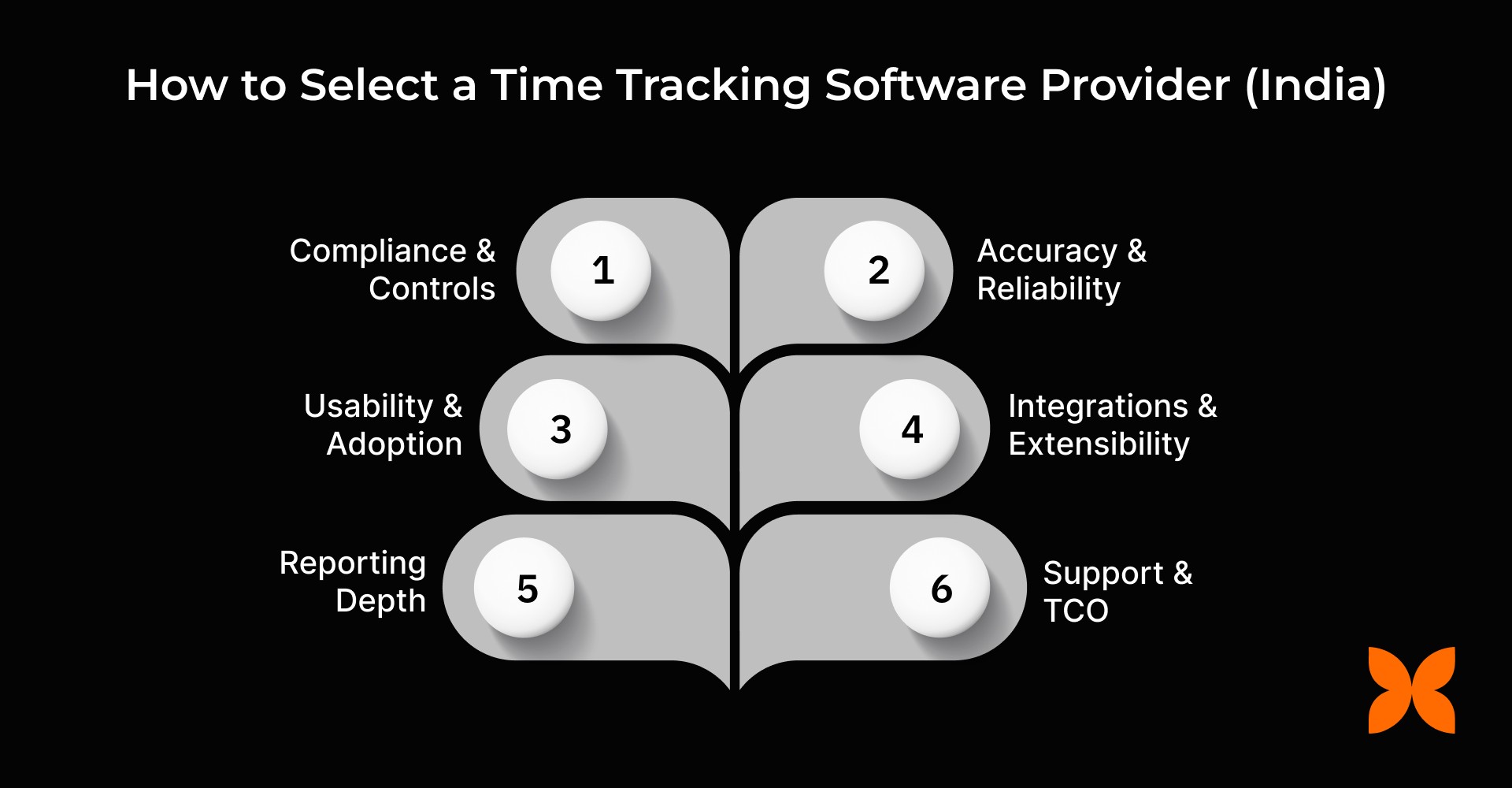
Here are the key factors to consider:
Compliance & Controls: Look for immutable audit logs, granular role permissions, edit locks, and data handling compliant with India’s DPDP Act.
Accuracy & Reliability: Choose systems with offline-first time capture, mobile parity, and rollback safety to prevent data loss.
Usability & Adoption: Ensure the platform supports intuitive timers, templates, calendar sync, and clear manager dashboards to encourage regular use.
Integrations & Extensibility: Prioritise tools that integrate with payroll, attendance, project, and accounting systems via APIs or SSO.
Reporting Depth: Opt for detailed analytics on project profitability, utilisation, billability, variance, and budget tracking with export options.
Support & TCO: Evaluate onboarding support, SLAs, migration assistance, and transparent pricing for users, features, and add-ons.
Selecting the right time tracking software ensures your organisation stays accurate, compliant, and efficient. A well-chosen platform streamlines operations and provides actionable insights to support better business decisions.
Also Read: 13 Best Attendance Software in India for Startups & SMEs
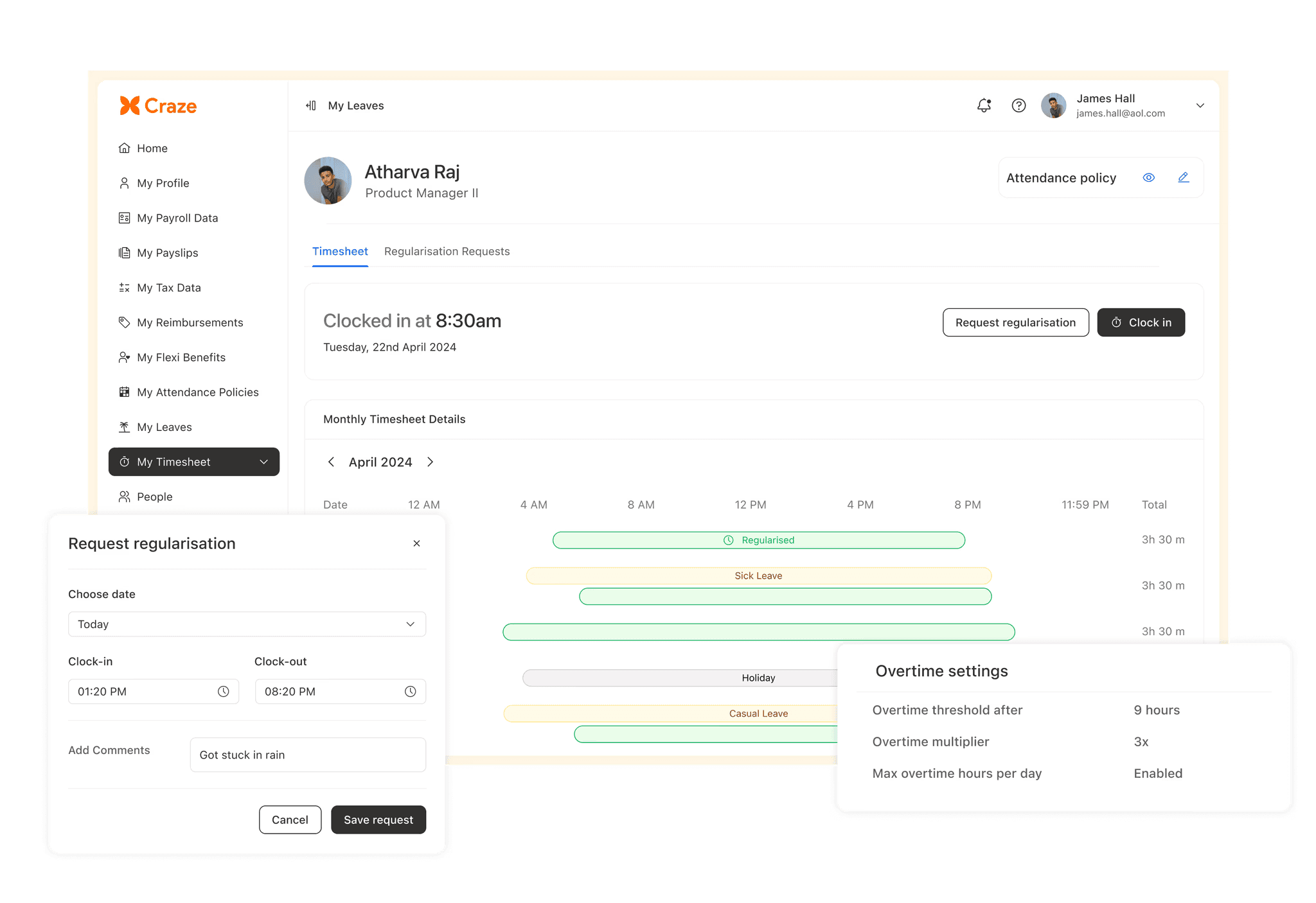
Modern organisations need a reliable time tracking solution to reduce manual errors, ensure accurate payroll, and provide managers with real-time visibility into team productivity. Craze time management across projects and teams by automating processes, providing real-time insights, and enabling managers to focus on results rather than manual tracking.
Here’s how Craze becomes your all-in-one time tracking partner:
End-to-End Flow: Manage everything from timers and timesheets to approvals, payroll sync, and client billing exports, all with built-in OT policies and project-based rate controls.
Seamless Integrations: Connects effortlessly with Attendance, Payroll, Core HR, Accounting/ERP, and Scheduling to create a single, automated workflow.
Intelligent Control & Insights: Get real-time alerts for missing timesheets, anomaly detection, and detailed dashboards for utilisation and profitability, with audit-ready reports.
Quick Deployment & Scalability: Start instantly with pre-built templates, imports, and mobile-ready access. Scale easily across multiple locations while maintaining full control and compliance.
Craze streamlines every aspect of time tracking, turning complex workflows into a simple, efficient, and insight-driven process. It empowers businesses to focus on results while effortlessly maintaining accuracy and compliance.

1. Can time-tracking software effectively handle remote and field teams?
A: Yes. Modern time-tracking software like craze, uses geofencing, mobile logging, and offline modes to capture hours for remote and field employees accurately. This ensures transparency, prevents discrepancies, and helps managers monitor productivity across multiple locations without manual intervention.
2. How does time tracking software support Indian labour compliance?
A: Many systems include India-specific compliance features, such as DPDP-aligned audit logs, overtime policies, leave integration, and immutable edit histories. These features help businesses avoid legal disputes, adhere to labour regulations, and maintain audit-ready records for internal and statutory inspections.
3. Can time tracking software improve project forecasting and planning?
A: Absolutely. By providing real-time insights into billable hours, resource utilisation, and project timelines, time-tracking software enables managers to forecast project costs accurately, optimise resource allocation, and plan budgets, thereby reducing overruns and improving profitability.
4. How do automated approvals in time tracking software benefit HR and finance teams?
A: Automated approvals streamline the review process by routing timesheets to managers, HR, and payroll. This reduces manual errors, accelerates payroll processing, ensures overtime compliance, and allows finance teams to close billing cycles faster while maintaining complete visibility and audit trails.
5. Can small businesses benefit from advanced time tracking software features?
A: Yes. Even startups and SMEs benefit from features like project tracking, mobile access, and payroll integration. These tools save time, improve billing accuracy, and provide actionable insights, helping smaller teams operate efficiently and scale processes without investing in complex enterprise systems.
