
How to Automate Employee Offboarding (Step-by-Step Guide for Modern Teams)
Learn how to automate employee offboarding with a practical step-by-step guide. Cover asset recovery, access termination, knowledge transfer, and compliance.

By: Deepit Patil
Co-Founder and CTO
Published
Updated
Edited by Craze Editorial Team · See our Editorial Process
Employee offboarding is one of the most overlooked processes in a growing company, and one of the riskiest to get wrong. It involves asset recovery, system access termination, knowledge transfer, and compliance tasks that all need to happen quickly and accurately when someone leaves.
According to a 2025 Redwood Software report, 73.2% of businesses increased their automation investments last year, yet 61.3% admit their automation is underutilized due to disconnected strategies and isolated implementations.
This gap is especially visible in offboarding, where manual handoffs between HR, IT, and payroll create security holes, compliance risks, and unnecessary delays.
Key Takeaways
-
Employee offboarding covers asset recovery, access termination, knowledge transfer, final settlements, and compliance documentation.
-
Automating the process saves time, reduces errors, and keeps the company compliant with labor laws.
-
Connecting HR, IT, payroll, and compliance systems into one automated workflow eliminates the handoff failures behind most offboarding breakdowns.
-
AI-powered workflow tools help teams design, test, and run offboarding automations faster and with fewer errors.
What Is Employee Offboarding?
Employee offboarding is the process of managing an employee’s exit from the company, whether they leave voluntarily or are terminated. It covers a series of structured steps to ensure that everything is handled properly before and after the last working day. In many ways, it mirrors the complexity of employee onboarding , but with higher security stakes and tighter timelines.
Offboarding matters for two primary reasons:
- Legal and regulatory compliance: settling dues, completing necessary paperwork, and following labor laws.
- Data protection: ensuring that access to systems and sensitive information is revoked when an employee departs.
When these steps are manual and scattered across teams, errors multiply. Automating the process makes it more efficient, more secure, and far less dependent on individual follow-through.
Why Is Automating Employee Offboarding Essential?
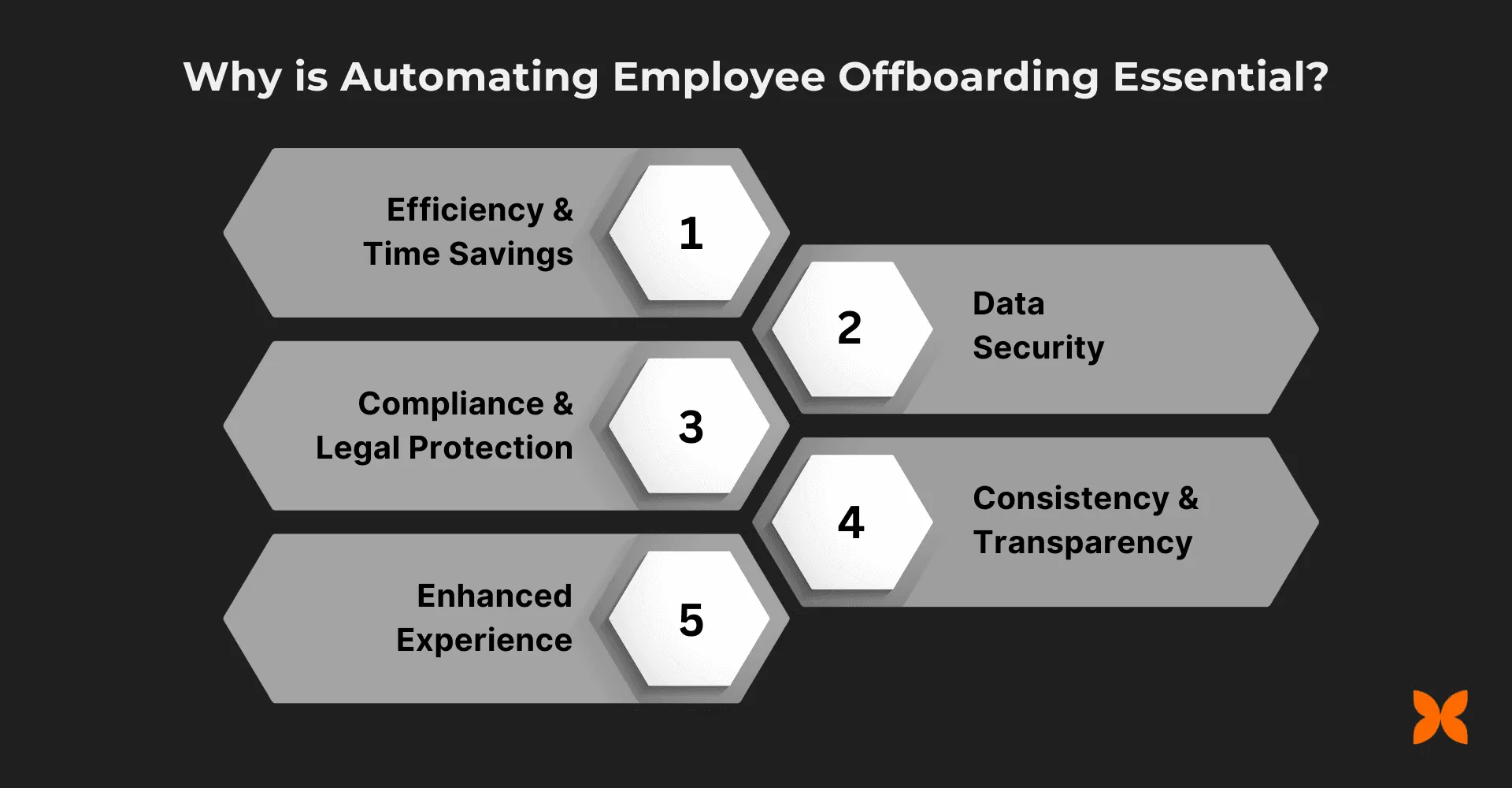
Automating the employee offboarding process improves efficiency while strengthening security and compliance. These benefits mirror the broader case for HR automation across the employee lifecycle. Below are the key reasons automation matters for modern teams.
Efficiency and Time Savings
Automating offboarding eliminates manual, repetitive tasks like paperwork, system access termination, and asset recovery. This frees teams to focus on higher-impact work instead of chasing checklists across departments.
Data Security
With an automated system, access to company systems, emails, and sensitive data can be revoked immediately when an employee exits. This prevents data breaches, protects intellectual property, and ensures no sensitive information is exposed after the last working day.
Compliance and Legal Protection
Automated offboarding systems ensure that final settlements, legal documents, and regulatory requirements are handled promptly and accurately. By reducing human error, automation helps maintain compliance with labor laws, company policies, and industry regulations.
Consistency and Transparency
Automation standardizes the offboarding process so every departing employee goes through the same steps. This consistency builds a fair, transparent approach and makes the process predictable for both teams and employees.
Improved Employee Experience
A structured, timely offboarding process leaves departing employees with a positive final impression. This strengthens your employer brand and helps maintain relationships that may lead to future rehires or referrals.
Key Steps and How to Automate Employee Offboarding
The employee offboarding process involves several steps that need careful management to ensure a smooth and compliant transition.
Key Steps in the Offboarding Process
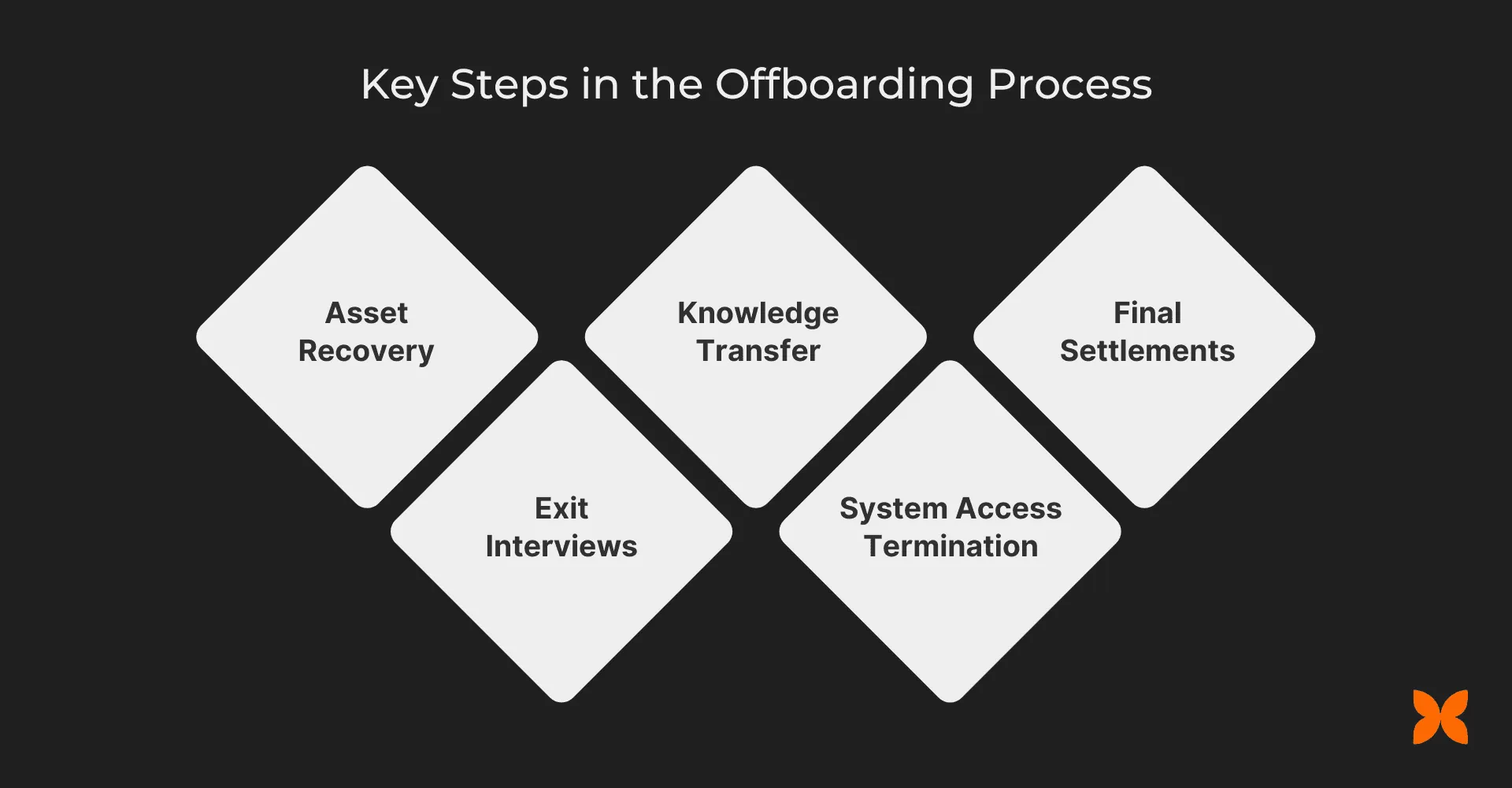
By automating these tasks, businesses can make the process faster, more secure, and more reliable.
-
Asset Recovery: Collect all company-owned property, including laptops, phones, credit cards, and keys. Proper tracking and return of assets prevent loss or misuse.
-
Exit Interviews: Conduct exit interviews to understand the reasons behind the employee’s departure and gather feedback on their work experience. This provides insights to improve company culture and processes.
-
Knowledge Transfer: Ensure that critical information and responsibilities are passed to remaining team members or a new hire. This is essential for continuity and operational stability.
-
System Access Termination: Immediately revoke access to company systems, emails, databases, and physical spaces. This is the most time-sensitive step for maintaining data security.
-
Final Settlements: Settle all dues (salary, benefits, and bonuses) in accordance with company policies and legal requirements, including issuing documents like the relieving letter.
How to Automate Employee Offboarding
To simplify and secure the offboarding process, automation can manage the following tasks:
What to Automate
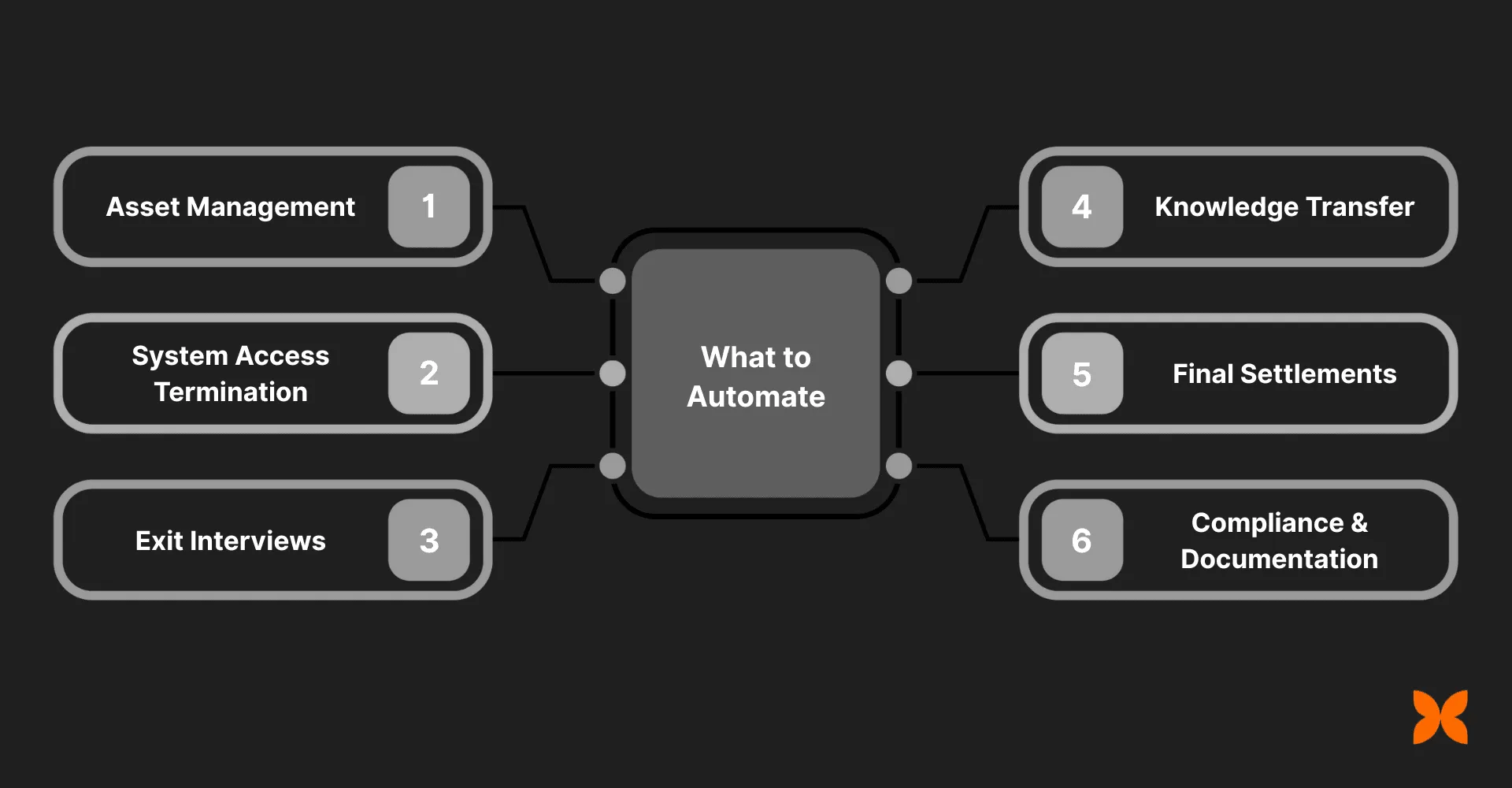
Key parts of the offboarding process that benefit from automation:
-
Asset Management: Automatically track and recover laptops, devices, or other company property issued to employees.
-
System Access Termination: Use identity and access management tools to automatically revoke app logins, email accounts, and passwords.
-
Exit Interviews: Automate scheduling, reminders, and feedback collection to gather actionable insights without manual coordination.
-
Knowledge Transfer: Trigger workflows to capture documentation, assign handover tasks, and ensure critical knowledge is shared before the last day.
-
Final Settlements: Auto-calculate dues, trigger full and final settlement workflows, and generate documents such as relieving and experience letters.
-
Compliance and Documentation: Automate collection and archiving of tax forms, contracts, and statutory documents required at exit. This aligns with the broader practice of automating HR document management across the employee lifecycle.
How to Automate
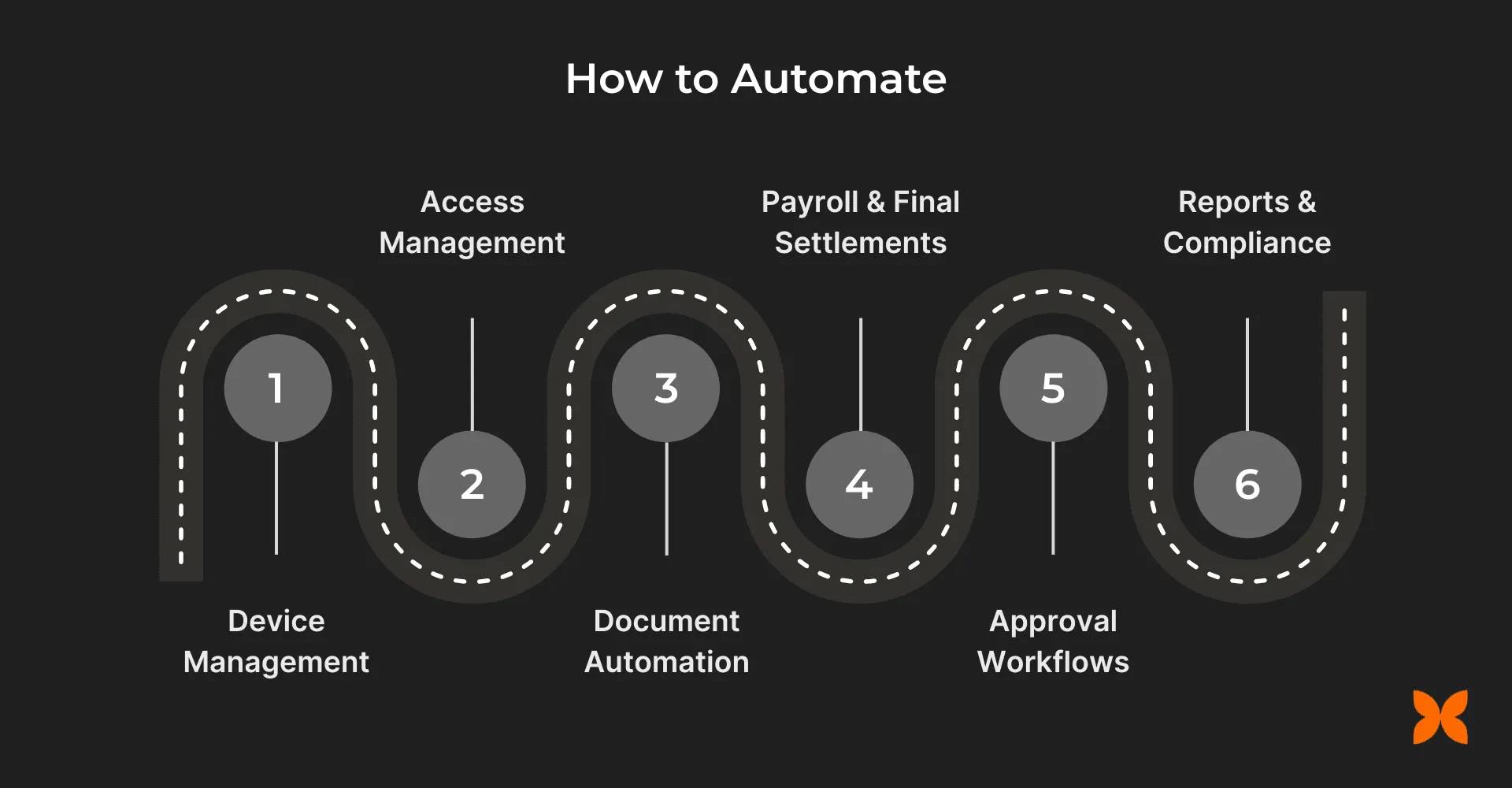
Offboarding becomes reliable when HR, payroll, IT, and compliance systems are connected into one automated workflow:
-
Equipment and Device Management: Use device management tools to track, provision, and recover laptops, phones, or other assets in real time, reducing the risk of missed recoveries.
-
App and Access Management: Employ identity and access management software to automatically deprovision accounts, revoke system logins, and manage role-based access across all business applications.
-
Document Automation: Generate relieving letters, experience certificates, and exit-related documents through approval workflows rather than manual drafting.
-
Payroll and Final Settlements: Integrate payroll with HR systems to calculate final dues, process reimbursements, and handle statutory filings.
-
Approval Workflows: Set up automated approval chains so no critical task is skipped or delayed.
-
Reports and Compliance: Automatically generate compliance-ready reports and maintain statutory documentation to meet labor law requirements during exit formalities.
With these building blocks in place, the question becomes how to connect them into one coherent system. AI workflow tools offer a practical path forward.
How AI Workflow Tools Improve Offboarding Automation
The biggest gap in most offboarding setups is not the lack of automation. It is the lack of connected orchestration across HR, IT, payroll, and managers. This is part of the broader shift toward AI-driven automation in HR . AI-powered workflow tools close this gap by helping teams design, test, and run multi-step offboarding automations without stitching together separate point solutions.
Here is how AI workflow tools strengthen offboarding automation:
-
Multi-Step Workflow Design: AI agents help you map offboarding sequences across departments, identify dependencies, and build trigger-based flows that run without manual coordination.
-
Intelligent Handoff Management: Instead of relying on emails or tickets between teams, AI workflows route tasks automatically based on role, status, and completion criteria.
-
Faster Iteration and Testing: Teams can prototype offboarding workflows, test them with sample scenarios, and refine them before rolling out to real exits.
-
Cross-Functional Visibility: A single workspace where HR, IT, finance, and managers can track progress eliminates status-check overhead.
-
Scalable Without Added Complexity: As organizational changes increase, AI-driven workflows scale consistently without requiring proportional increases in coordination effort.
With an AI workspace platform like Craze , you do not need deep technical knowledge to build these automations. You can describe the offboarding agent you need in plain language, specify the workflow steps, and Craze builds it for you. Need an agent that revokes system access, triggers final settlement calculations, and sends exit documents on the last working day? Just type it in the chat, and the platform creates and runs it. That is how simple it gets when multiple AI models work together in one workspace.
Conclusion
Automating employee offboarding is not just an efficiency play. It is a core operational process that directly affects security, compliance, and the experience departing employees carry with them.
The key is connecting HR workflows, IT access, asset recovery, payroll, and compliance into one system rather than automating each in isolation. AI workflow tools make this easier by helping teams design, run, and refine these automations in a single workspace.
FAQs
What challenges do businesses face when manually managing employee offboarding?
Managing employee offboarding manually is time-consuming, prone to errors, and inconsistent. Teams must manually track asset recovery, system access termination, and final payments, leading to delays and potential security risks. Automating these tasks ensures everything is completed accurately and on time.
How does automation improve the final settlement process during offboarding?
Automation syncs payroll systems with the offboarding process, ensuring final settlements are processed without errors. It automatically calculates dues (salary, benefits, and bonuses) and generates documents like relieving letters, helping businesses comply with legal requirements efficiently.
How can offboarding automation support businesses with remote employees?
Automating offboarding for remote employees ensures that tasks like system access termination and asset recovery are handled efficiently, regardless of location. This minimizes delays, ensures compliance, and enhances security, making the process smoother for both teams and remote employees.
How does automated offboarding help reduce legal risks for businesses?
Automated offboarding ensures that all legal and compliance-related tasks, such as issuing final pay, generating required documents, and adhering to labor laws, are completed on time and accurately. By eliminating human errors, businesses can reduce the risk of legal disputes and penalties.
Can automating offboarding help maintain good relations with departing employees?
Yes. Automation creates a more organized and timely offboarding process, ensuring employees have a positive exit experience. When the process is efficient and transparent, it leaves departing employees with a good impression, which can lead to future rehires or positive referrals.
More Articles
The 8 Best Lindy AI Alternatives in 2026 (Tested & Compared)

The 8 best Lindy AI alternatives for 2026, anchored to why people leave Lindy, with current pricing, third-party ratings, honest pros and cons, and the best pick for each reason to switch.
The 7 Best Make Alternatives in 2026 (Tested & Compared)
The 7 best Make.com alternatives for 2026, anchored to why people leave Make, with current pricing, third-party ratings, honest pros and cons, and the best pick for each reason to switch.
The 8 Best Zapier Alternatives in 2026 (Tested & Compared)
The 8 best Zapier alternatives for 2026, anchored to why people leave Zapier, with current pricing, third-party ratings, honest pros and cons, and the best pick for each reason to switch.


