


Struggling to find workforce management software that fits your hybrid teams, multiple locations, and compliance requirements? Many Indian businesses rely on spreadsheets and manual attendance tracking, which leads to errors, inefficiencies, and rising labour costs.
The right workforce management system consolidates scheduling, time tracking, leave, attendance, payroll readiness, and compliance into a single platform. By prioritising the features that matter most, businesses can reduce administrative burden, ensure accurate records, and empower teams to focus on productivity rather than administrative firefighting.
In the sections ahead, you’ll learn which workforce management software features matter most in 2026, how they support different roles in your organisation, and what to avoid when evaluating vendors.
Workforce Management (WFM) software is a digital solution that optimises employee scheduling, attendance, task allocation, and productivity tracking across an organisation.
WFM ensures accurate workforce planning, reduces operational inefficiencies, and helps maintain compliance with labour laws and company policies.
Core features include shift scheduling, time and attendance tracking, task and project allocation, leave and absence management, workforce analytics, alerts, and self-service portals.
Advanced features such as predictive staffing, AI-driven forecasting, India-compliance packs, payroll integration, and performance dashboards help scale operations efficiently.
Select providers based on compliance coverage, scheduling flexibility, reporting and analytics capabilities, integration ease, user experience, and total cost of ownership.
Workforce management software is a digital solution that simplifies the processes involved in managing a company's workforce. It helps businesses with scheduling, time and attendance tracking, payroll processing, and compliance management.
By automating these tasks, workforce management software improves efficiency, reduces human error, and ensures that employees are optimally allocated to meet business demands while staying compliant with labour laws.
Workforce management software streamlines operational processes and provides strategic value for HR leaders and founders. Automating routine tasks and offering real-time insights, it helps HR teams focus on employee performance and engagement while giving founders visibility into resource utilisation and costs.
Here are a few key benefits:
Optimised Scheduling: Automate shift planning and allocation to ensure the right employees are in the right place at the right time.
Accurate Time & Attendance Tracking: Capture work hours precisely, reduce manual errors, and support fair payroll processing.
Payroll Integration & Compliance: Sync workforce data with payroll systems and ensure adherence to labour laws and statutory regulations.
Enhanced Productivity: Identify underutilised resources, reduce overtime costs, and improve workforce efficiency.
Data-Driven Insights: Generate reports on attendance trends, absenteeism, and productivity for informed decision-making.
Employee Self-Service: Allow staff to view schedules, log time, request leave, and access policies independently, reducing HR workload.
Ranging from complex shift schedules to evolving compliance requirements, selecting the right workforce management software features can mean the difference between streamlined operations and costly mistakes.
Managing staff manually can lead to errors, inefficiencies, and higher costs, making it hard to meet business demands. Understanding the right workforce management features ensures better planning, tracking, and optimisation.
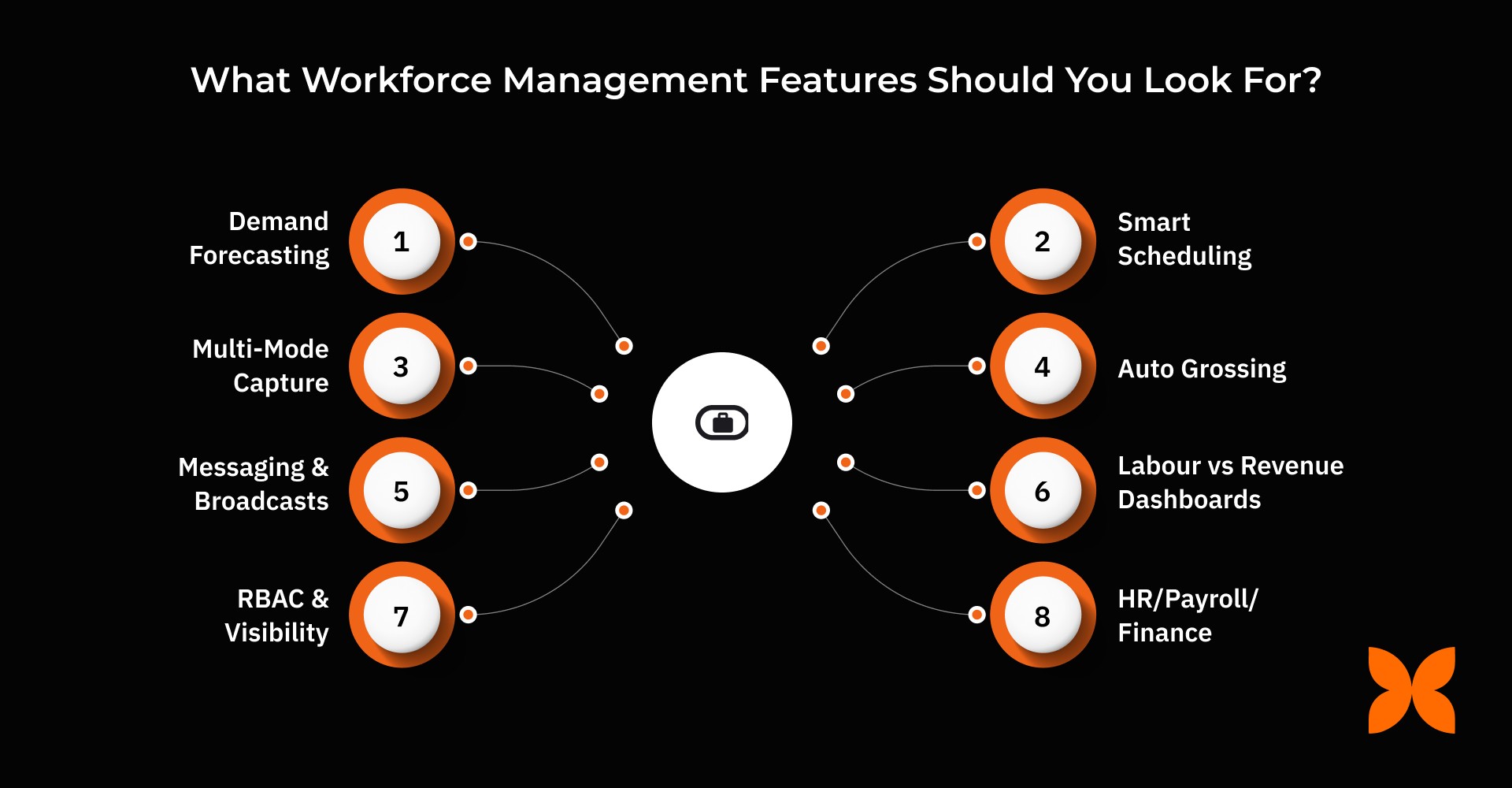
Here are the features you need to look for:
1. Plan → Forecast
Accurate forecasting and headcount planning ensure the right staff is available at the right time while controlling costs.
Demand Forecasting: Analyse historical sales, traffic, or ticket data along with seasonality and events to predict staffing needs accurately.
Headcount Modelling: Allocate the right skills and roles, ensure location coverage, and maintain minimum staffing levels for smooth operations.
Budget Guardrails: Set labour cost caps, overtime ceilings, and cost-per-shift targets to control expenses and improve profitability.
2. Schedule → Orchestrate
Smart scheduling and flexible shift management make rostering efficient and compliant with labour rules.
Smart Scheduling: Automatically builds rosters based on demand, employee skills, and compliance rules, reducing manual effort.
Shift Marketplace: Enable self-swaps, pick-ups, and drop requests with manager approvals for flexible scheduling.
Multi-Location Support: Manage multiple site calendars, cross-site floaters, and travel buffers efficiently.
Leave/Holiday Sync: Ensure carry-forward, lapse, and encashment rules are reflected in schedules to avoid conflicts.
3. Track → Time & Attendance
Tracking attendance with multiple capture methods and exception alerts ensures accurate records and accountability.
Multi-Mode Capture: Track attendance via biometric, RFID, mobile, web, or QR codes, with geofence and geotag verification.
Policy Engine: Automate OT, breaks, night shifts, weekly offs, and grace periods to maintain compliance.
Regularisation Workflows: Handle missed punches with maker-checker workflows to ensure accurate attendance records.
Exception Alerts: Receive alerts for late arrivals, no-shows, out-of-geo punches, and over-hours to enable timely intervention.
4. Pay → Payroll-Ready
Payroll-ready features automate grossing, validations, and contractor payments for error-free salary processing.
Auto Grossing: Convert attendance, OT, and shift differentials into payroll-ready components automatically.
Validations: Check for variance, duplicate entries, and protect bank file integrity before payroll processing.
Contractor/Gig Support: Manage separate cycles for contractors and gig workers, including TDS references under 194C/194J.
5. Engage → Communicate
Effective communication keeps employees informed, engaged, and aligned with schedule and policy updates.
Messaging & Broadcasts: Quickly inform employees about shift changes, policy updates, and emergency fills.
Acknowledgements: Track read receipts and use quizzes or acknowledgements for policy compliance.
Surveys & Pulse: Collect quick feedback after schedule changes to gauge employee sentiment.
6. Improve → Analytics
Analytics provide insights into labour costs, coverage, and trends, enabling informed workforce decisions.
Labour vs Revenue Dashboards: Monitor cost per hour, per outlet, or per team for better financial control.
Coverage & SLA Analytics: Identify under- or over-staffing issues and track service level compliance.
Absence & OT Trends: Detect anomalies and evaluate manager performance with scorecards.
Export/BI: Export data via CSV, PDF, or API for deeper analysis in BI tools.
7. Secure → Admin & Compliance
Robust security and compliance features protect data, control access, and ensure audit readiness.
RBAC & Visibility: Control access based on role and location, adhering to least-privilege principles.
Auditability: Maintain immutable logs, edit locks, and download ledgers for compliance tracking.
Identity & SSO: Enable secure logins with SSO/MFA, SCIM, and device/IP restrictions.
Data Retention: Apply policy-based retention and legal hold policies to comply with regulations.
8. Extend → Integrations
Seamless integrations with HR, payroll, and business systems enhance efficiency and enable automated workflows.
HR/Payroll/Finance: Two-way sync for people, time, payroll, and general ledger entries.
POS/CRM/ERP/Helpdesk: Feed demand signals into workforce planning for accurate forecasting.
APIs/Webhooks: Create custom automations and trigger events for seamless integration with other systems.
To get the most out of workforce management software, it is important to understand how its features benefit different roles within your organisation.
Different roles have distinct priorities in workforce management. Tailoring features to meet these needs helps improve efficiency, compliance, and employee satisfaction while reducing operational challenges.
Here are the key features of workforce management software, addressing the needs of different roles:
Founders/COO: Get visibility into labour costs versus revenue, track compliance risks with heatmaps, and monitor forecast accuracy to make strategic decisions.
HR/Workforce Ops: Access a powerful policy engine, speed up scheduling, and generate audit packs to ensure smooth workforce operations.
Store/Team Managers: Easily reassign or swap shifts, approve changes on mobile, and manage no-shows efficiently.
Employees: Enjoy fair scheduling, self-service shift swaps, clear leave/shift balances, and mobile punch access for convenience and transparency.
While selecting workforce management software, it’s equally important to know the warning signs before making a decision.
Selecting workforce management software requires careful consideration of features that match your business needs. Understanding red flags helps you avoid solutions that can cause inefficiencies, compliance risks, or poor user adoption.
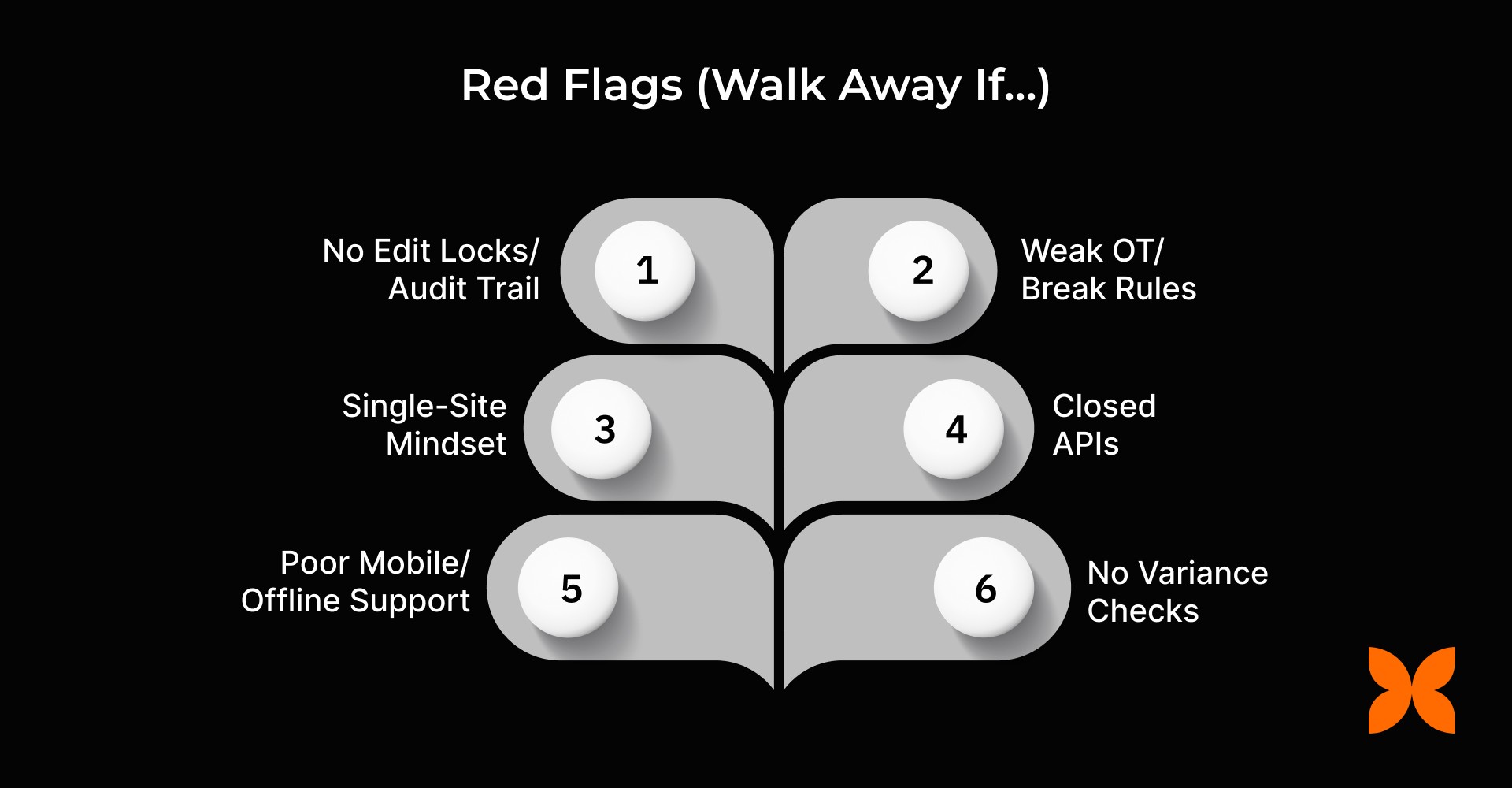
These are some possible examples of what to walk away from:
No Edit Locks/Audit Trail: Lack of edit restrictions or audit logs increases errors and reduces accountability in workforce records.
Weak OT/Break Rules: Inadequate enforcement of overtime, breaks, or weekly-off policies can lead to compliance violations and employee dissatisfaction.
Single-Site Mindset: Software that cannot handle multi-location operations limits scalability and creates operational challenges.
Closed APIs: A lack of open APIs limits integration with payroll, HR, and business systems, reducing automation efficiency.
Poor Mobile/Offline Support: Without mobile access or offline capabilities, managers and employees struggle to update schedules and attendance in real time.
No Variance Checks: Absence of automated variance detection increases the risk of payroll errors and inaccurate labour cost tracking.
Once you know what to choose and what to avoid, the next step is choosing a workforce management provider that fits your business needs.
When you understand the features that will help your team grow and maintain control over operations, the next step is to choose a WFM software partner with the right qualities. Here are key factors to consider:
Compliance Depth: Ensure the software handles OT, breaks, weekly-offs, leave rules, and supports audit exports.
Accuracy & Reliability: Look for geo/liveness tracking, offline capability, exception handling, and edit locks.
Adoption UX: Check for easy manager mobile flows, employee self-service, and intuitive swap options.
Integration Fit: The software should integrate with POS/CRM/ERP and HR/Payroll, offering open APIs, webhooks, and SSO/SCIM.
Reporting: Evaluate labour cost, coverage, OT/absence trends, and export flexibility for analytics.
Support & TCO: Consider onboarding support, device management strategy, and transparent pricing.
A perfect workforce management solution doesn’t just handle one task; it covers everything your team needs. Craze offers an all-in-one platform for WFM needs that is secure and easy to use.
Managing workforce, attendance, scheduling, and payroll separately can be time-consuming and error-prone. Craze brings all these functions together in a single platform, giving businesses real-time visibility, control, and automation. This helps HR teams and managers streamline operations, reduce errors, and ensure employees are scheduled, tracked, and paid accurately.
Here’s how Craze supports your business:
Plan & Schedule: Manage shifts and rosters, track leave, handle multi-location calendars, and allow manager-approved shift swaps.
Track Attendance: Capture employee attendance via biometric, mobile, or QR punches and manage regularisation with approval workflows.
Payroll Integration: Sync attendance and shifts with Craze Payroll to accurately calculate present/absent days, overtime, and shift differentials.
Extend Seamlessly: Connect with Core HR, Leave, Performance, and IT management modules for a unified HR system.
By consolidating attendance, scheduling, and payroll, Craze helps Indian businesses streamline workforce management, improve accuracy, and maintain control over HR processes.
1. How can workforce management software help reduce employee burnout?
Workforce management software features like smart scheduling, shift swaps, and leave/holiday syncing ensure workloads are balanced and predictable. Employees can manage their shifts through self-service, reducing stress and improving overall job satisfaction.
2. Can workforce management software track compliance with Indian labour laws?
Yes, modern WFM software can automatically enforce overtime limits, breaks, weekly offs, and leave policies in accordance with Indian labour regulations. This helps businesses stay compliant while reducing the risk of penalties.
3. How does WFM software support multi-location operations?
Features like multi-site calendars, cross-site floaters, and travel buffers allow managers to allocate staff efficiently across locations. This ensures proper coverage and smooth operations even for businesses with multiple outlets or offices.
4. Can workforce management software improve payroll accuracy for contractors and gig workers?
Advanced WFM solutions can handle separate cycles for contractors and gig workers, including TDS references under 194C/194J. Automated calculations reduce errors, ensuring accurate pay and compliance with tax regulations.
5. How does workforce management software provide actionable insights for managers?
Analytics features such as labour vs revenue dashboards, OT/absence trends, and coverage analytics allow managers to monitor staffing efficiency and cost. This helps identify gaps, optimise schedules, and make data-driven decisions.
