


Did you know that managers spend nearly 40% of their time on administrative tasks rather than on people development and strategic work? In growing organisations, HR often starts simply with spreadsheets, emails, and basic payroll tools, until hiring volumes rise and cracks begin to show.
As teams scale, policies layer up, payroll becomes more sensitive, and managers expect faster decisions. Employee data spreads across folders, leave approvals live in chats, onboarding sits in personal notes, and payroll month-end becomes a recurring fire drill.
In this blog, you'll learn what SaaS HR is, how it works, which systems matter, and how to choose and implement the platform confidently.
SaaS HR centralises employee data, approvals, and workflows in one cloud platform.
Automates payroll, leave, onboarding, and performance tracking to reduce manual work.
Enables remote and hybrid teams to access HR processes anywhere.
Allows phased adoption, starting with core modules and expanding as needs grow.
Total cost includes subscription, modules, and hidden expenses like training, integration, and admin.
SaaS HR (also called HR SaaS or SaaS HR software) is cloud-based HR software delivered via subscription, with the vendor hosting and maintaining the system. Instead of managing servers in-house, HR teams, managers, and employees access the platform online, usually via web or mobile apps.
In practice, this means no on-premises servers to manage, and updates and bug fixes are handled automatically by the provider. HR processes are accessible from anywhere, supporting remote and hybrid teams.
For Example: Instead of tracking employee details in spreadsheets and chasing approvals over email, a SaaS HR platform keeps employee data, workflows, and approvals in one central place.
Compared to traditional on-premise HR software:
Internal IT teams must install and maintain servers and software
Updates are slower and may involve downtime
Scaling or adding new modules often requires significant effort
Now that we understand what SaaS HR is, let’s explore how it differs from traditional on-premise systems and why it matters for growing teams.
Choosing between SaaS HR and on-premise HR software affects costs, deployment speed, employee access, and IT workload. Here is a practical comparison table:
Feature | SaaS HR | On-Premise HR |
Cost model | Subscription (OPEX), per employee per month | Upfront licence (CAPEX) plus IT overhead |
Implementation speed | Weeks to a few months | Often months to a year |
Upgrades & updates | Managed automatically by the vendor | Handled manually by IT |
Access | Anywhere via web or mobile | Usually office network; VPN is needed for remote work |
Data centralisation & reporting | Single source of truth | Fragmented across spreadsheets or servers |
IT effort | Low; vendor handles maintenance | High; IT manages servers, backups, and security |
Security model | Shared responsibility: vendor + internal controls | Fully internal; IT is responsible for policies |
Integrations | Often, pre-built APIs and faster setup | Custom; may require developer support |
Key Takeaway: SaaS HR reduces IT overhead, speeds up deployment, and gives managers and employees real-time access to HR processes. For growing teams, this flexibility and reduced friction often outweigh the subscription cost.
People often use HRIS, HRMS, and HCM interchangeably, but each serves a distinct purpose and provides a different level of HR functionality. Understanding these differences helps growing organisations select the right platform for their size, processes, and strategic priorities.
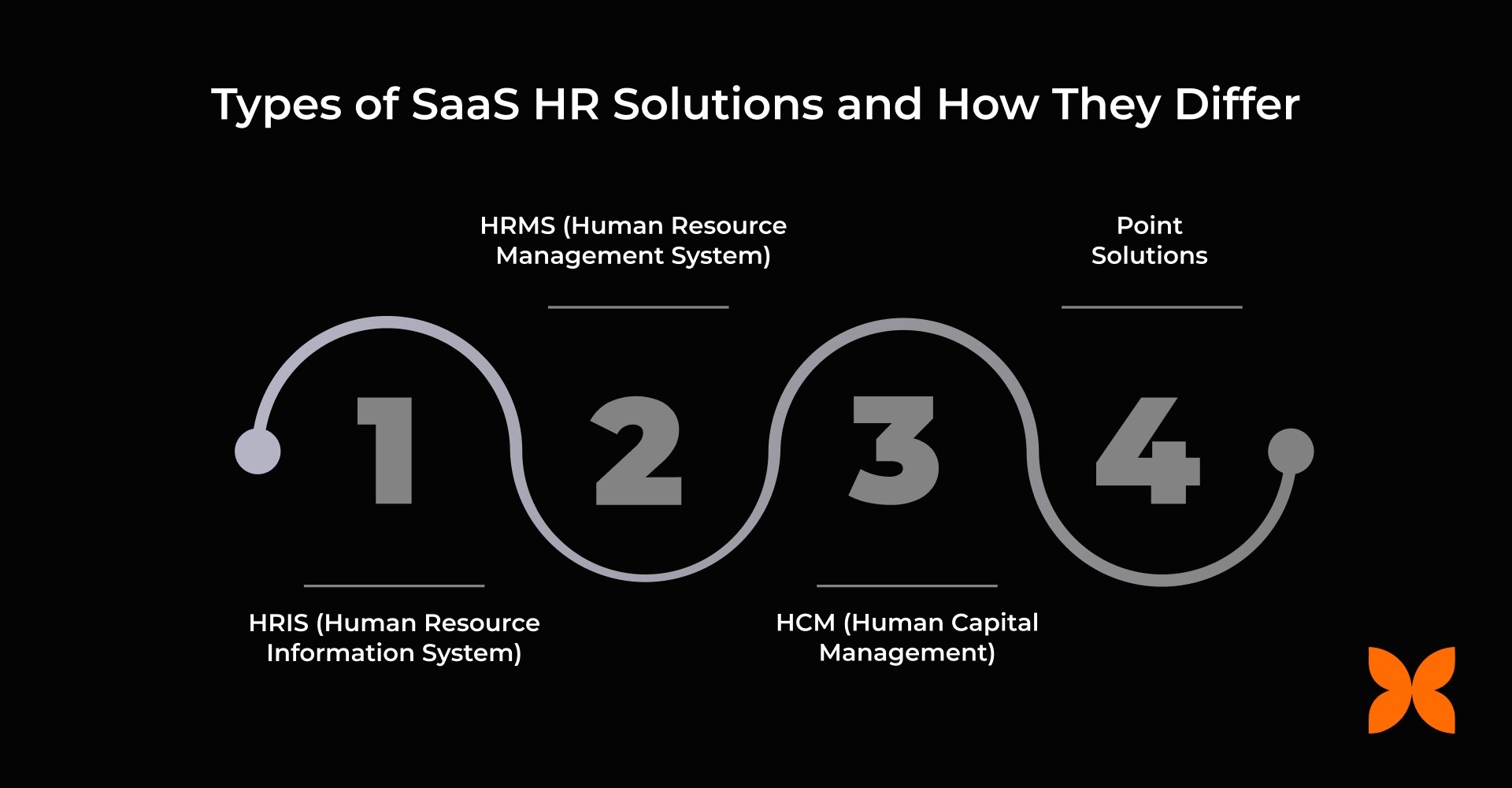
1. HRIS (Human Resource Information System)
HRIS is the core system for employee data and administrative HR functions. It manages employee profiles, organisational structure, documents, approvals, basic workflows, and self-service for employees and managers, providing a reliable foundation for HR operations.
Use case: Small to mid-sized teams centralising employee data and managing basic HR processes efficiently.
2. HRMS (Human Resource Management System)
HRMS builds on HRIS by covering end-to-end operational HR workflows, including payroll, leave, time and attendance, benefits administration, reporting, and compliance. It automates routine tasks, reducing manual effort and errors.
Use case: Growing teams that want to consolidate and automate multiple HR processes in one platform
3. HCM (Human Capital Management)
HCM is strategic and enterprise-oriented, focusing on workforce planning, talent management, analytics, succession planning, and long-term employee development. It helps organisations align HR operations with long-term business strategy and supports predictive decision-making.
Use case: Large organisations integrating HR operations with strategic workforce planning
4. Point Solutions
Point solutions are specialised SaaS tools focused on a single HR function, such as applicant tracking (ATS), performance management, engagement surveys, or learning management systems (LMS). They provide depth in one area but require careful integration to avoid data silos.
Use case: Teams needing advanced functionality in a specific HR area without overloading the core HR system.
For a quick side-by-side view of their features, scope, and practical use, the table below summarises HRIS, HRMS, HCM, and point solutions:
Feature / Type | HRIS | HRMS | HCM | Point Solutions |
Scope | Core HR administration | End-to-end operational HR workflows | Strategic, enterprise-level workforce management | Tools focused on one HR function (ATS, performance reviews, engagement surveys, LMS) |
Focus | Employee data, profiles, org structure, documents, approvals, basic workflows, self-service | Payroll, leave, time & attendance, benefits, reporting, compliance | Workforce planning, talent strategy, analytics, succession, and long-term development | Provides depth in one area but requires careful integration planning |
Automation Level | Basic workflow automation | High; automates operational HR tasks | Moderate; supports strategic decisions and analytics | Task-specific automation |
Use Case | Small to mid-sized teams centralising employee data | Growing teams needing to consolidate multiple HR processes | Large organisations integrating HR with business strategy | Useful when a team needs advanced functionality in a single HR area |
Integration Needs | Low; generally standalone | Moderate; may integrate with finance, payroll, or LMS | High; often integrates with multiple enterprise systems | High; poor integration can create data silos and extra admin |
Scalability | Moderate | High | Very high | Limited; function-specific |
Reporting | Basic employee reports | Operational reports across HR functions | Strategic and predictive analytics | Function-specific dashboards |
Implementation Complexity | Low | Medium | High | Low to medium per function |
Tip: Start with one reliable system of record (HRIS or HRMS) for core HR operations, and add point solutions selectively to meet specialised needs without fragmenting data.
With the different types of SaaS HR systems clarified, the next step is understanding what functionality these platforms typically include and how each module supports day-to-day HR work.
Not every SaaS HR platform includes the same features. Most provide a core set of modules that can expand as your team grows, helping streamline HR operations and reduce manual work. Below, we break down these key components and explain how they support your day-to-day HR processes.
1. Core HR and Employee Database
This is the foundation of any SaaS HR platform. It acts as the single source of truth for employee information across the organisation.
What it helps with:
It maintains centralised employee profiles covering roles, compensation, and employment history.
It defines organisation structure, reporting hierarchy, and role changes.
It stores employment documents, contracts, and policy acknowledgements.
It supports approval workflows for profile, role, and salary updates.
It enables employee self-service for document access and profile changes.
Who uses it day to day:
HR teams use it to manage records, conduct audits, and generate reports.
Managers use it for team visibility and approval workflows.
Employees use it for self-service access to their information.
Buy when:
Employee records exist across emails, spreadsheets, and disconnected systems.
HR tickets are largely related to data access or document requests.
Reporting requires manual consolidation and validation.
2. Payroll and Compliance Workflows
This module automates salary processing while supporting statutory and regulatory requirements.
What it helps with:
It calculates payroll accurately based on attendance, deductions, and reimbursements.
It generates payslips and payroll reports for internal and statutory use.
It tracks statutory contributions and compliance deadlines.
It manages deductions, reimbursements, and payroll adjustments.
Who uses it day to day:
HR teams use it to run payroll cycles and manage compliance records.
Finance teams use it for reconciliation and audits.
Buy when:
Payroll processing is manual or dependent on spreadsheets.
Errors appear frequently in payslips or salary calculations.
Compliance tracking depends on reminders rather than systems.
3. Time, Attendance, and Leave
This module standardises tracking of work hours and leave, making approvals and reporting simple and accurate.
What it helps with:
It records employee attendance through defined policies or integrations.
It tracks leave balances and manages approval workflows.
It maintains holiday calendars and attendance reports.
Who uses it day to day:
HR teams use it for attendance monitoring and reporting.
Managers use it to review and approve leave requests.
Employees use it to apply for leave and view balances.
Buy when:
Attendance data is collected from multiple sources.
Leave requests are handled over email or chat.
Payroll inputs depend on manual attendance records.
4. Recruitment and Applicant Tracking (ATS)
Organises hiring workflows from job posting to offers, helping teams manage growing candidate volumes efficiently.
What it helps with:
It publishes job openings and collects candidate applications in one system.
It tracks candidates across defined hiring stages.
It schedules interviews and captures structured interviewer feedback.
It manages offer creation and hiring documentation.
Who uses it day to day:
HR and talent acquisition teams use it to manage hiring pipelines.
Hiring managers use it to review candidates and share feedback.
Buy when:
Hiring volumes increase across teams or locations.
Candidate tracking relies on spreadsheets or inboxes.
Interview feedback lacks consistency or visibility.
5. Onboarding and Offboarding
Ensures consistent experiences for new joiners and exiting employees, reducing delays and missed steps.
What it helps with:
It manages onboarding checklists and document collection for new hires.
It assigns role-based onboarding workflows across departments.
It coordinates asset allocation and system access.
It tracks exit formalities, clearances, and documentation.
Who uses it day to day:
HR teams use it to manage onboarding and exit processes.
Managers use it to complete role-specific tasks.
Employees use it to complete joining and exit requirements.
Buy when:
New hires experience delays after joining.
Exit processes are inconsistent or poorly documented.
Coordination between HR and IT depends on manual follow-ups.
6. Performance Management
Streamlines goal tracking, reviews, and feedback, bringing consistency to employee development.
What it helps with:
It tracks goals, OKRs, and performance plans.
It manages review cycles, ratings, and feedback.
It supports continuous feedback and 1:1 discussions.
It assists with calibration and standardised review.
Who uses it day to day:
HR teams use it to manage performance cycles.
Managers use it to set goals and conduct reviews.
Employees use it to track objectives and feedback.
Buy when:
Performance reviews are irregular or inconsistent.
Goals are not documented in a central system.
Managers lack visibility into team performance.
7. Employee Engagement
Captures real-time feedback and recognition to help improve engagement and retention.
What it helps with:
It runs engagement surveys and pulse checks.
It collects structured feedback from employees.
It enables peer and manager recognition.
Who uses it day to day:
HR teams use it to monitor engagement trends.
Leadership uses it to understand workforce sentiment.
Employees use it to share feedback and recognition.
Buy when:
Attrition increases without clear warning signals.
Feedback reaches HR too late to act.
Engagement discussions rely on assumptions.
8. Learning and Development (LMS)
Centralises training and compliance programs, ensuring employees complete required courses efficiently.
What it helps with:
It hosts training content and learning modules.
It assigns compliance and policy-related training.
It tracks course completion and learning progress.
Who uses it day to day:
HR teams use it to manage training programs.
Employees use it to complete assigned courses.
Buy when:
Training materials are spread across tools.
Compliance training lacks completion records.
New hires require structured learning paths.
9. Reporting and Analytics
Provides actionable insights on workforce trends, supporting strategic and operational decisions.
What it helps with:
It generates headcount and attrition reports.
It highlights attendance, leave, and hiring trends.
It tracks completion of reviews and HR cycles.
Who uses it day to day:
HR teams use it for workforce analysis.
Leadership uses it for planning and reviews.
Buy when:
Reports require manual preparation.
Leadership needs regular workforce insights.
Decisions depend on incomplete or outdated data.
Also Read: Top 20 Essential Features of HR Software for Indian Business
Now that we’ve covered the core modules and what they do, it’s important to understand how SaaS HR actually impacts teams in their day-to-day work.
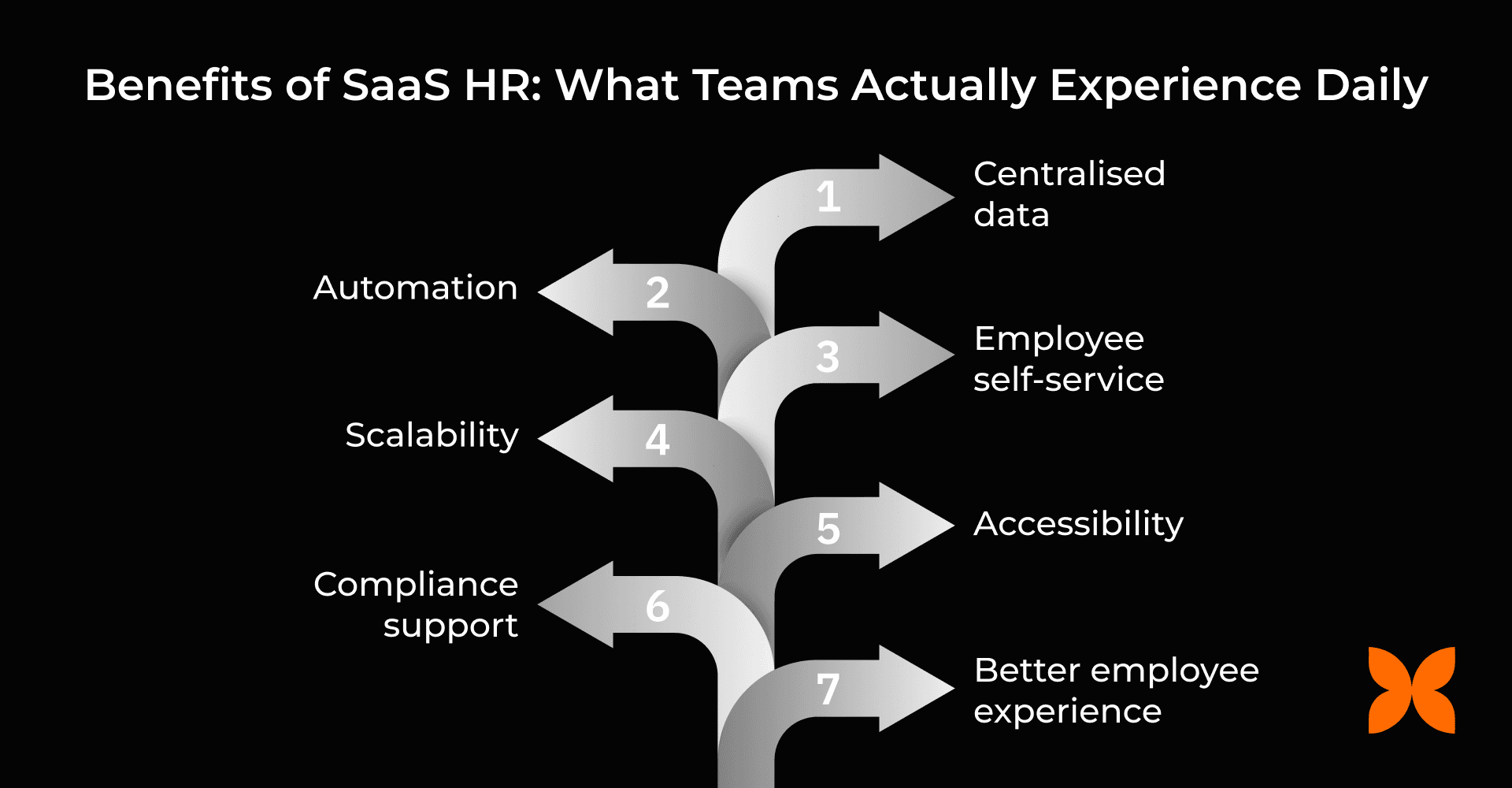
SaaS HR doesn’t just streamline processes; it changes how HR, managers, and employees experience work. Here are a few tangible benefits teams see day to day:
Centralised data: Reduces inconsistencies and speeds up reporting, so HR can generate headcount or attrition reports in minutes instead of hours.
Automation: Cuts down on manual follow-ups and errors; for example, payroll adjustments and leave approvals happen automatically without having to chase managers.
Employee self-service: Employees can update personal details, request leave, and view payslips without raising HR tickets, increasing transparency and autonomy.
Scalability: Supports growth without rebuilding workflows each quarter, allowing new teams or locations to onboard smoothly.
Accessibility: Approvals and workflows function anywhere, enabling hybrid and remote teams to operate without delays.
Compliance support: Built-in audit trails and reminders make regulatory tracking easier and reduce last-minute scrambles.
Better employee experience: Onboarding, requests, and approvals are smoother and more transparent, so employees and managers spend less time waiting for responses.
Even the best SaaS HR software won’t automatically solve HR challenges. Understanding what it can and cannot do helps teams set realistic expectations and plan effectively.
SaaS HR software can help, but it won’t fix everything on its own. Keep these points in mind:
Software doesn’t fix broken processes: Inefficient workflows remain inefficient even after automation.
Data quality is crucial: Migrating messy spreadsheets leads to inaccurate records and reporting.
Adoption matters: If employees and managers don’t use self-service, HR still has to do the work manually.
Integrations need planning: Payroll, finance, identity, and communication tools must be connected properly to avoid friction or data silos.
Understanding these pitfalls helps set realistic expectations. Next, let’s look at how to choose the right SaaS HR platform for your organisation.
When choosing a SaaS HR setup, teams often wonder whether to go with a single, unified platform or multiple specialised tools. Understanding the differences helps growing organisations pick the right approach
Aspect | All-in-one | Best-of-breed |
Speed to implement | Quick to set up | Slower; multiple tools need coordination |
Data consistency | High; single source of truth | Medium; data spread across tools |
Reporting | Unified reports across HR functions | Separate reports; may need manual consolidation |
Flexibility | Good for general HR needs | Very flexible; deep features for specific areas |
Total cost | Lower overall | Higher; multiple subscriptions add up |
IT/Admin load | Minimal; fewer integrations | Higher; multiple integrations required |
Scalability | Smooth as the company grows | Can be complex; more planning needed |
Rule of thumb: All-in-one works best for teams seeking simplicity, consistent data, and lower admin effort. Best-of-breed is useful when advanced functionality is required in high-volume areas, such as recruitment or performance management.
Also Read: HR Metrics: 10 Trends, Examples & How to Use Them
Next, let’s understand how to choose the right SaaS HR software for your organisation with a clear, step-by-step approach.
Selecting the right SaaS HR platform can save time, reduce errors, and improve HR workflows. Follow this practical checklist to make an informed decision.
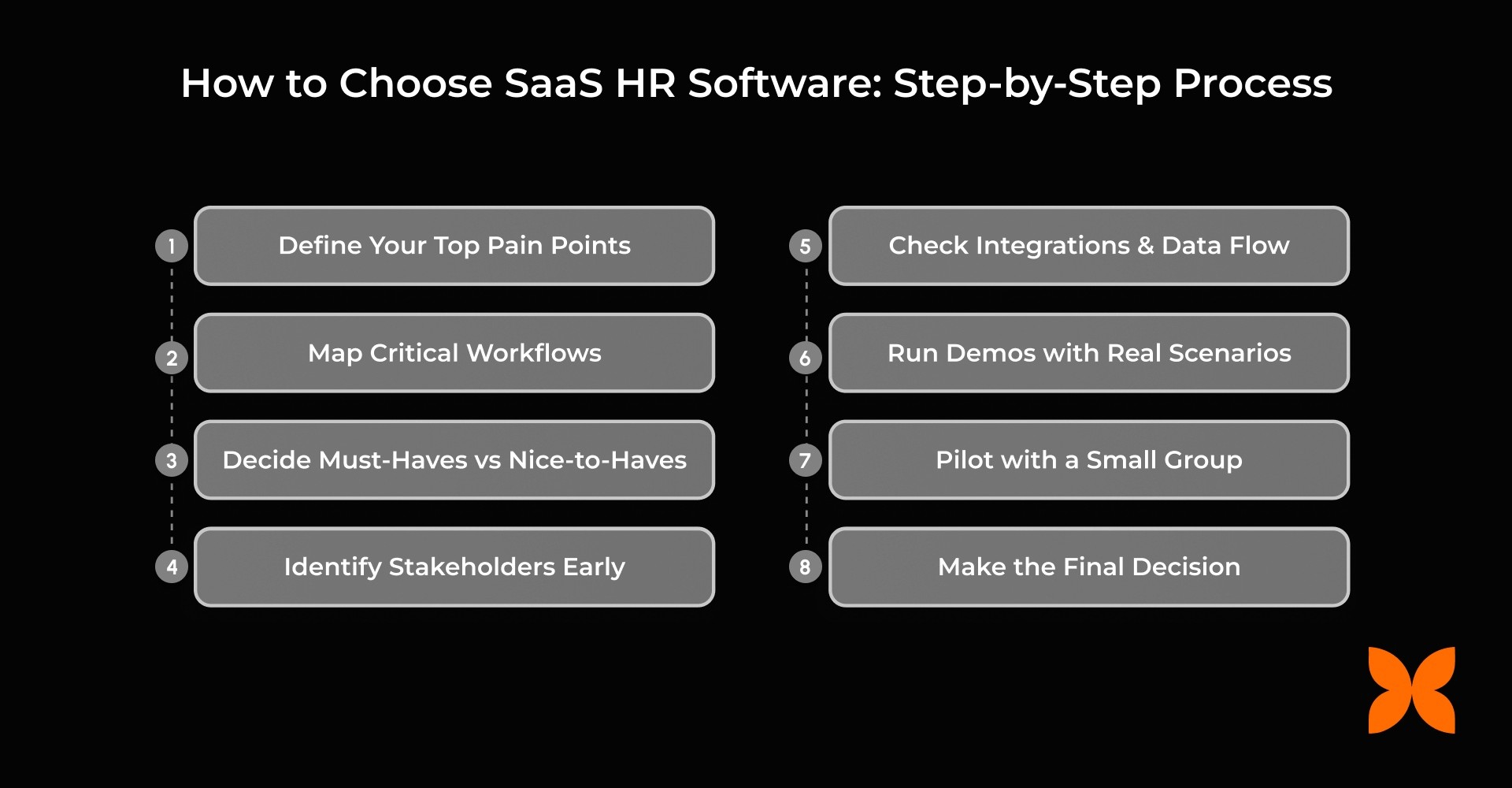
Define Your Top Pain Points: Identify the tasks that take the most time today, such as payroll, leave approvals, onboarding, or performance tracking.
Map Critical Workflows: Document end-to-end processes for onboarding, payroll, leave approvals, and performance cycles to spot automation opportunities.
Decide Must-Haves vs Nice-to-Haves: Separate essential functionality from optional features to focus on what truly impacts your team’s productivity.
Identify Stakeholders Early: Include HR, finance, IT, and managers to ensure buy-in and capture all requirements.
Check Integrations and Data Flow: Understand which systems must connect, how frequently data syncs, and what happens if integrations fail.
Run Demos with Real Scenarios: Test platforms using your actual workflows rather than generic demos to see if the system fits your operations.
Pilot with a Small Group: Measure adoption, usability, and workflow improvements before rolling out to the entire organisation.
Make the Final Decision: Focus on ROI and total cost of ownership, not just feature depth.
Demo Questions Checklist
|
If you’re exploring SaaS HR platforms, Craze offers core HR, payroll, time and attendance, leave, recruitment, and performance in one place, reducing manual coordination and improving workflow efficiency.
Next, let’s explore how SaaS HR pricing works and what to expect, so you can align costs with your team size and required features.
SaaS HR platforms typically charge based on usage, features, and team size. Here are the common pricing approaches:
Common Models:
Per employee per month: The most widely used model for core HR functionality.
Module-based: Additional fees for payroll, performance, engagement, or learning modules.
Subscription term: Monthly or annual plans, with annual plans often offering discounts.
Quote-based: Custom pricing for large teams or enterprise deployments.
Free tiers: Limited features for small teams or trials.
Hidden costs to keep in mind:
Implementation and data migration
Training and change management
Integrations with payroll, finance, or communication tools
Admin time and ongoing support
Add-ons or feature gating that may increase recurring costs
Guidance: Always evaluate the total cost of ownership over 12 months, not just the headline subscription fee.
With pricing understood, let’s look at how to implement a SaaS HR platform smoothly, so your team benefits without disrupting ongoing workflows.
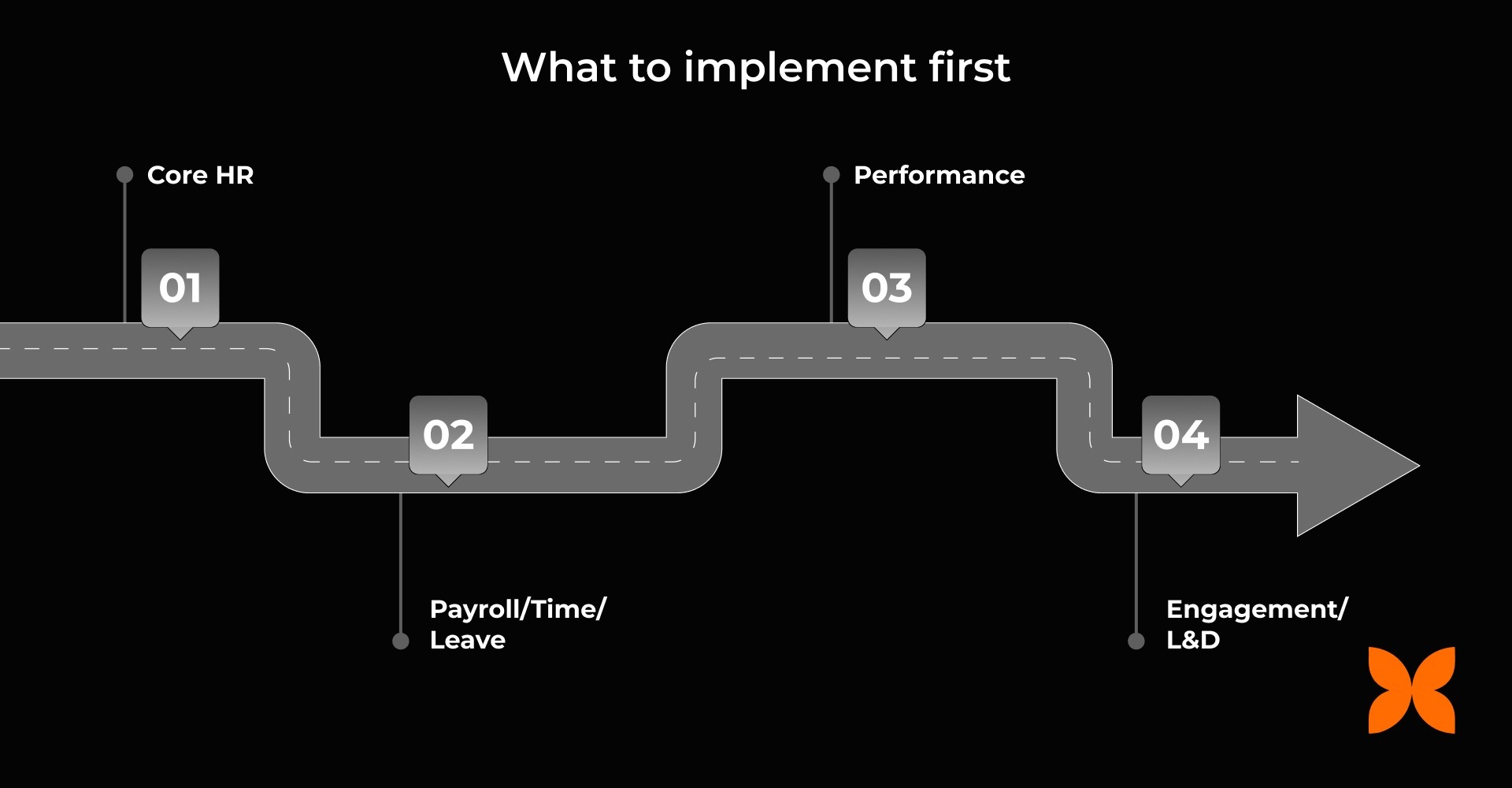
Rolling out a new SaaS HR system can transform HR operations, but only if it’s done thoughtfully. Careful planning, clean data, and targeted training help ensure adoption, reduce errors, and avoid business disruption.
1. Prep Your Data Before Migration
Before migrating to a new system, clean and organise your HR data to prevent errors and confusion later.
Clean Employee Master Data: Remove inaccuracies and ensure all employee details are current
Remove Duplicates: Avoid redundant records to maintain consistency
Standardise Departments, Roles, and Locations: Ensure organisational structure is uniform across the system
Gather Key Documents and Policies: Collect approvals, policies, and reference files needed during migration
2. Choose a Rollout Approach
Select a rollout strategy that fits your team size and data readiness.
Phased Rollout: Start with Core HR → Payroll/Time & Leave → Performance → Engagement/L&D
Big Bang Rollout: Implement all modules at once, only if data is clean and training is comprehensive
3. Train by User Group
Tailor training to each user group to ensure smooth adoption and minimal disruption.
HR Admins: System configuration, workflow management, and managing approvals
Managers: Handling approvals, performance reviews, and hiring processes
Employees: Self-service basics such as updating records, requesting leave, and checking payslips
4. Measure Adoption and Fix Friction Fast
Track usage and feedback continuously to address issues before they become bottlenecks.
Monitor Usage: Track self-service adoption, approval turnaround times, and HR ticket volume
Collect Feedback Weekly: Gather insights from all user groups and adjust workflows promptly
Before fully relying on a SaaS HR system, it is essential to understand its security measures and compliance support. Let’s take a closer look.
HR systems hold sensitive employee data, so security and compliance are essential considerations when choosing a platform. Decision-makers should carefully evaluate both the system and the vendor.
Role-Based Access and Permissions: Limit data access by user role so employees see only what they need.
Audit Logs and Change Tracking: Record all actions and approvals to support compliance and error tracking.
Data Privacy and GDPR Considerations: Ensure employee data is handled in accordance with privacy regulations, such as GDPR.
Vendor Security Posture: Check encryption, certifications, and incident response protocols to protect data.
Internal Controls: Manage admin access and offboarding to prevent unauthorised access.
Overall, strong security and compliance practices are non-negotiable for SaaS HR platforms. Choosing a system with robust controls ensures employee data is protected and regulatory requirements are consistently met.
SaaS HR platforms make HR processes scalable by centralising data, enabling self-service, and automating routine tasks. The best outcomes come from selecting tools that match your workflows, preparing clean data, and following a structured adoption plan. Start by auditing one high-impact workflow, such as payroll month-end, onboarding, or leave approvals, and identify areas where a SaaS HR system can reduce manual effort, improve accuracy, and save time.
To make this easier, Craze offers an all-in-one SaaS HR platform covering core HR, payroll, time and attendance, leave management, recruitment, and performance, helping teams streamline operations and maintain a single source of truth.
Contact Craze today to simplify HR management, cut administrative overhead, and improve efficiency across your organisation.
1. Is SaaS HR the same as HRIS?
SaaS HR refers to how the software is delivered, not what it does. HRIS is the foundational system that stores employee master data, including demographics, job history, compensation, and reporting lines. An HRIS can be deployed on-premises or delivered via SaaS. Most modern SaaS HR platforms include an HRIS as the base layer, then extend it with workflows for payroll, leave, performance, or compliance.
2. What is the difference between HRIS, HRMS, and HCM?
HRIS focuses on employee records, self-service, and basic reporting. HRMS builds on HRIS by adding transactional processes like payroll, attendance, statutory compliance, and benefits administration. HCM covers workforce planning, talent management, analytics, and succession planning, usually for larger organisations. The terms reflect increasing scope, not separate products, and vendors often use them interchangeably.
3. What features should SaaS HR software include?
At a minimum, it should provide a reliable employee data model, role-based access controls, audit logs, and configurable workflows. Common functional areas include core HR, payroll, leave and attendance, onboarding, ATS, performance reviews, learning, and reporting. More mature systems add approval hierarchies, policy enforcement, document management, and API access. The right feature set depends on regulatory needs, hiring pace, and internal process maturity.
4. How much does SaaS HR software cost?
Most vendors price per employee per month, with costs varying by selected modules and contract duration. Additional expenses often include implementation support, payroll setup, data migration, integrations, and ongoing administrative effort. Some platforms charge separately for statutory updates or advanced reporting. A realistic comparison looks at total cost across one year, including setup and internal time spent.
5. Should we choose an all-in-one platform or separate HR tools?
All-in-one platforms reduce handoffs, simplify reporting, and make governance easier with smaller HR teams. Separate tools can provide deeper capability in areas like hiring or learning, but require stable integrations and ownership across systems. The decision depends on company size, internal tech skills, and how often data must sync across functions. Fragmented tools increase coordination effort as headcount grows.
6. How long does it take to implement SaaS HR software?
Implementation timelines range from two to four weeks for core HR to several months for payroll, integrations, and custom workflows. Data readiness, approval structures, and policy clarity directly affect speed. Phased rollouts help validate processes and reduce errors before company-wide use. Full-scale rollouts work best when historical data is clean, and training is completed upfront.
